Hybrid work software: How to choose the right tools for your team
Compare essential hybrid work software categories, key selection criteria, and how to evaluate ROI for your flexible office.

Hybrid work software covers desk and room booking, scheduling, collaboration, visitor management, and workplace analytics. The right stack reduces coordination friction, optimizes office space, and improves employee experience. When evaluating tools, prioritize UX, core functionality, integration capability, security certifications, and clear ROI metrics.
This guide covers the key software categories, what to look for when evaluating options, and how to measure their impact.
Key takeaways:
- Hybrid work solutions put an end to desk, meeting, and scheduling chaos while supporting collaboration.
- A great UX is critical for adoption, productivity, and long-term employee engagement.
- Hybrid work software ROI comes not just from cost savings, but also from a happier, more productive workforce.
How hybrid work solutions solve typical hybrid workplace challenges
Hybrid work solutions facilitate team coordination across locations, simplify desk and room booking, optimize resource utilization, and boost engagement across office and remote settings by tackling common challenges such as:
- Booking chaos: Real-time desk and room availability, auto-confirmations, and calendar integration prevent double bookings.
- Poor space use: Occupancy analytics reveal usage patterns to adjust office layouts and capacity.
- Coordination: Desk booking ensures teams can reserve spots and collaborate effectively on office days.
- Time waste: Unified platforms centralize booking, communication, and document sharing.
- Productivity drops: Automation, synced calendars, and reminders keep workflows on track.
What are the essential tools for hybrid work?
Hybrid work requires at least 5 core tool categories: desk and room booking, scheduling, collaboration, visitor management, and workplace analytics. Together, they cover the full range of coordination challenges that hybrid teams face.
- Desk booking systems: Allow employees to reserve desks in advance and see where teammates are sitting, while preventing double bookings.
- Meeting room management: Handles room reservations, monitors capacity, and ensures the right equipment is ready for in-person or hybrid meetings.
- Visitor management: Tracks guest check-ins, sends pre-visit instructions, and helps manage on-site security with clear visitor logs.
- Employee experience platforms: Let you run quick surveys, celebrate team wins, and create moments that keep people connected and engaged.
- Hybrid collaboration tools: Enable teams to work together through video calls, chat, shared documents, and virtual whiteboards.
- Workplace analytics: Reveal how office spaces are being used, helping leaders make smarter layout decisions.
- Hybrid scheduling tools: Help teams coordinate in-office days so the right people are on-site at the same time.
- Project and task management: Keep work visible with clear deadlines, assigned responsibilities, and progress tracking.
What to look for in hybrid work software?
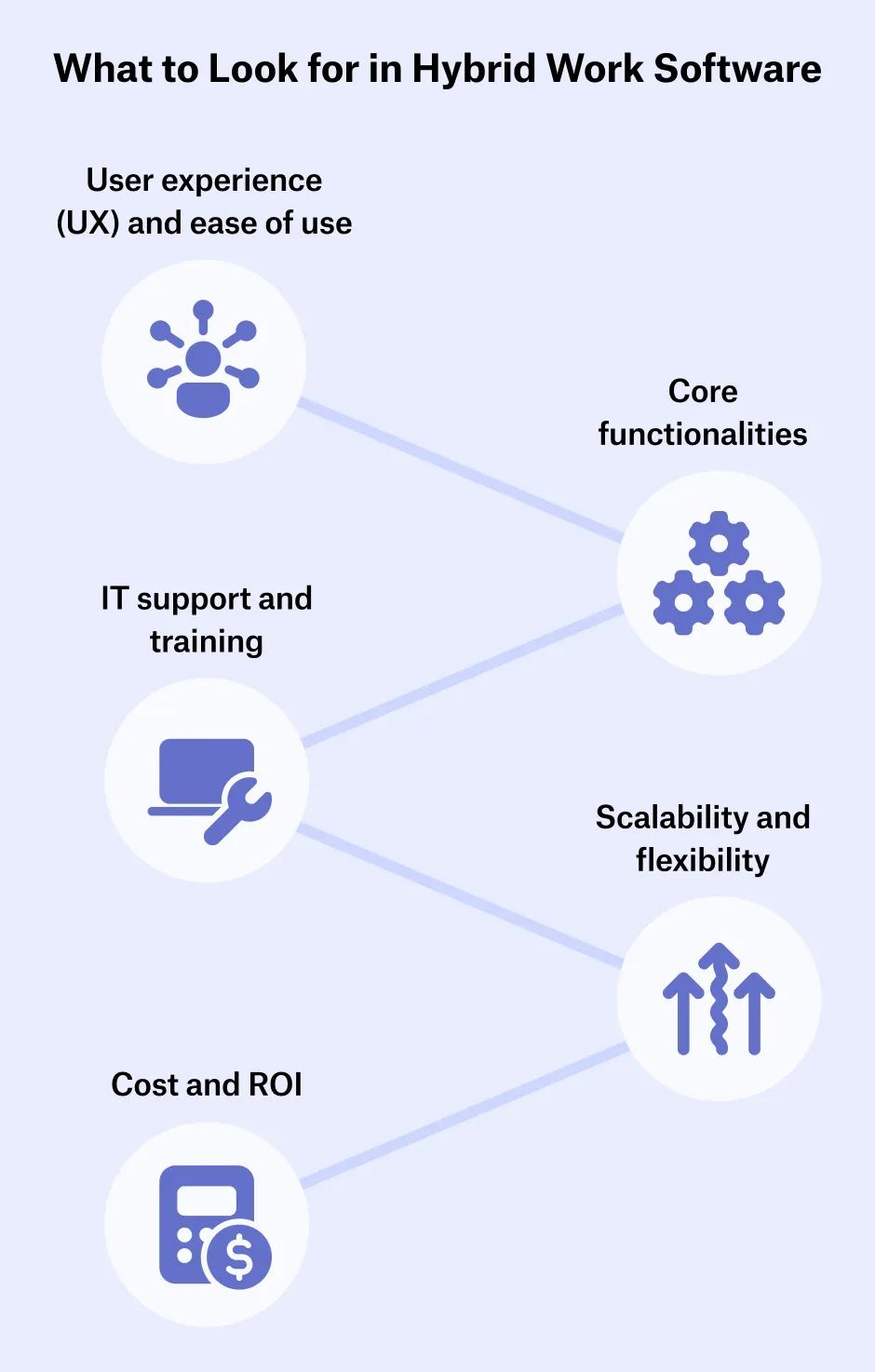
When selecting hybrid work software, prioritize tools that balance usability, functionality, security, and cost. The best solutions make hybrid work easier for employees and give leaders the visibility they need to manage space and attendance effectively.
- User experience (UX) and ease of use: 82% of employees say that technology at work significantly impacts their workplace happiness and engagement. Make sure your software is intuitive and easy to use so employees can adopt it quickly without steep learning curves.
- Core functionalities: Choose a solution that covers your organization’s critical hybrid work needs, like scheduling, desk and room booking, and aligns with your business strategy and goals.
- IT support and training: Research by PwC shows that only 50% of employees and 64% of managers are satisfied with the resources available to learn and use new technology in the workplace. So choose a platform that is backed by strong vendor support and training materials.
- Scalability and flexibility: The software should adapt as your hybrid strategy evolves, whether you add more locations, employees, or new hybrid work schedules.
- Cost and ROI: Pricing should be transparent and aligned with the value it brings in terms of efficiency, productivity, and employee experience.
Common hybrid work software integrations
Hybrid work software integrations help you manage office resources and coordinate hybrid teams more effectively, while reducing friction in daily workflows and improving productivity. Key integrations include:
- Calendar apps: Sync meeting room schedules and desk bookings across your hybrid work tools and calendars (e.g., Google Calendar, Microsoft 365).
- Communication apps: Access features like desk booking directly in daily tools like Slack or MS Teams.
- HRIS: Manage employee data and sync updates such as absences automatically.
- User management tools: Streamline provisioning, deprovisioning, and bulk user uploads.
- Access control systems: Enable automatic desk check-ins via access cards. The deskbird-Salto integration being a great example here.
- Visitor management systems: Improve on-site security and coordinate guest access smoothly.
Security considerations when selecting hybrid work software
Security is critical when selecting hybrid work software. Hybrid teams need to access tools and data from different locations, which creates additional cybersecurity risks compared to traditional in-office settings. Strong security standards ensure employee trust, protect business operations, and keep the organization compliant with data protection laws. Go for hybrid work software that includes features like:
- Single sign-on (SSO): Lets employees access all tools with one login, reducing password fatigue and strengthening authentication.
- Data protection and encryption: Keeps sensitive files and communications private.
- Security certifications and compliance: Certifications like SOC 2 or ISO 27001 and adherence to data protection laws like GDPR ensure legal compliance, avoid penalties, and demonstrate responsible data handling.
- Access management and permissions: Restricts data access based on roles, locations, or devices to prevent leaks or misuse.
- Regular security audits: Identify and fix vulnerabilities early to reduce security risks.
- Multi-tenancy: Keeps data for different teams or organizations securely separated within the same platform.
Hybrid work tech and hardware to power your flexible office
A productive hybrid workplace needs smart office technology and hardware like kiosk displays, sensors, and access systems that integrate with hybrid work software. These solutions optimize office use, enhance collaboration, and improve employee comfort and security.
- Digital reception systems: Touchscreen kiosks or mobile apps enable quick self check-ins, easing reception bottlenecks and improving the visitor experience.
- Meeting room kiosks: Panels outside rooms display real-time availability and enable on-the-spot booking (e.g., deskbird’s kiosk mode).
- Occupancy sensors: Track desk and room usage and feed that data into workplace software to optimize layouts and reduce underused space.
- Air quality and environmental sensors: Keep an eye on CO2, temperature, and ventilation to make employees feel comfortable, save energy, and support sustainability.
- Video conferencing hardware: Cameras, microphones, and speaker systems ensure hybrid meetings are inclusive, clear, and productive for everyone.
- Access control systems: Badge, mobile, or biometric solutions regulate entry and, when integrated with hybrid software, centralize secure access management.
- Smart lockers & storage systems: Provide secure, temporary storage for employees in hot-desking setups.
- Wellness technology: Tools like sit-stand workstations and lighting controls support employee health, comfort, and productivity.
How deskbird empowers hybrid teams
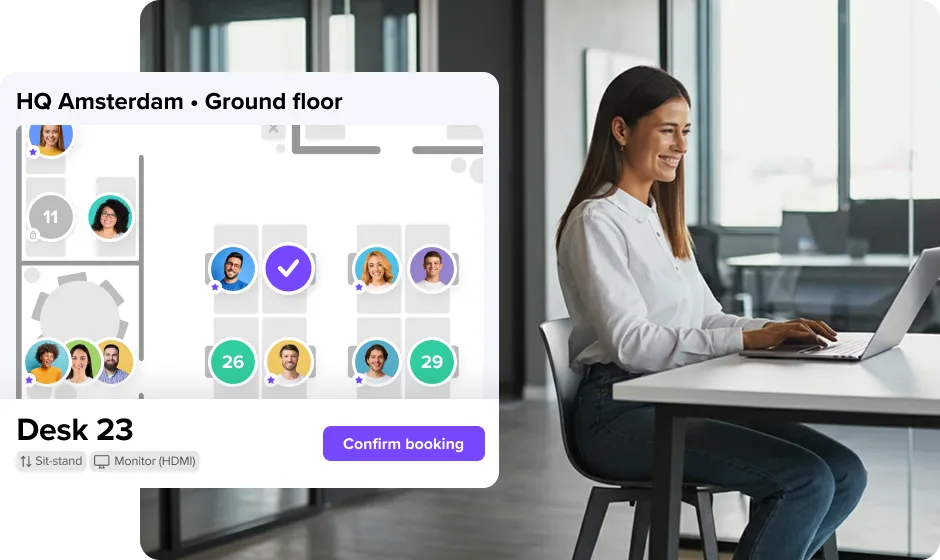
deskbird is your all-in-one workplace management platform. By combining desk and room booking, workforce management, visitor management, and workplace analytics in one solution, deskbird helps organizations cut costs, optimize space, and keep employees connected.
- Smart desk booking: Employees can reserve a desk or resource in advance, see where colleagues are sitting, and avoid the frustration of arriving without having a suitable workspace available. Less wasted space, better use of equipment, and lower infrastructure costs.
- Room booking made simple: With calendar integration and real-time availability, finding the right meeting space takes seconds. deskbird also powers on-the-spot reservations via kiosk displays, cutting down on unused rooms.
- Workforce management: Hybrid offices can quickly feel empty if attendance isn’t managed properly. deskbird’s hybrid scheduling feature shows when teammates plan to be in the office, making it easier to coordinate in-office days, boost social interaction, and ensure hybrid office policies are clear for everyone.
- Visitor management: First impressions matter, and clunky, unorganized check-ins don’t help. deskbird Visitors streamlines guest access with pre-registration, self-service check-in kiosks, and instant host notifications. Guests get a smooth experience, while you keep track of who’s on-site to maintain workplace security.
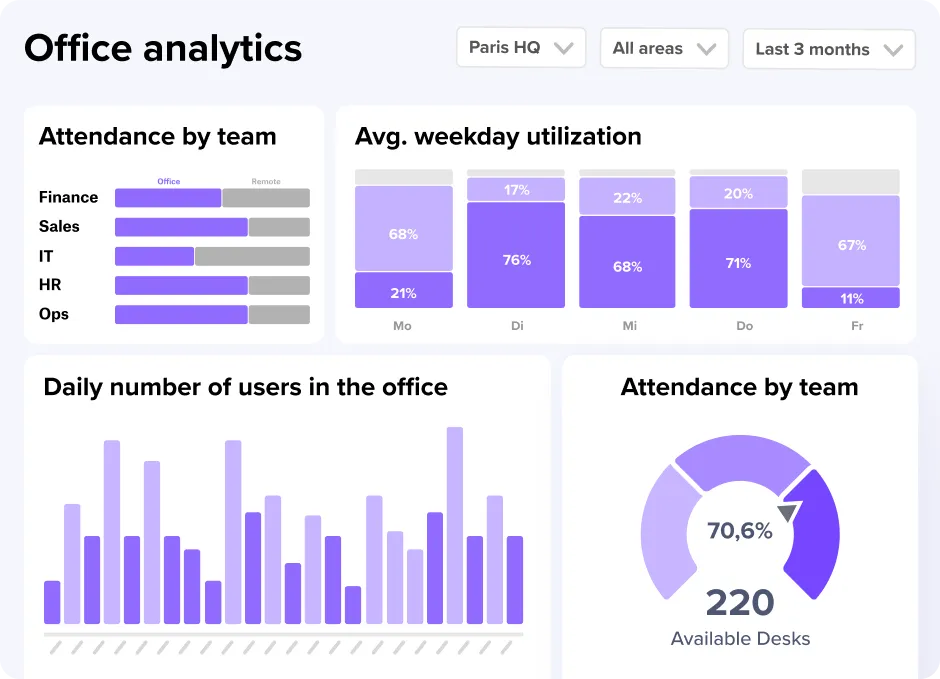
- Analytics and insights: Instead of guessing how office space is being used, workplace and facility managers can rely on hard data. deskbird tracks occupancy patterns, booking behavior, and compliance with hybrid work policies, enabling smarter planning, cost savings, and office designs that better support how your teams actually work.
How to evaluate hybrid work software ROI
Evaluating hybrid work software ROI is all about proving that tools you’ve chosen deliver measurable value beyond their cost. To do so, you need to assess alignment with business goals to ensure investments support both immediate needs and long-term strategy. To get the full picture of both the tangible and intangible returns of your tool investment, you need to look at three different aspects: upfront software selection criteria, impact measurement, and adoption metrics.
Evaluation criteria to use before and during adoption
- Cost versus value: Compare licensing, hardware, and training costs against measurable outcomes.
- Integration: Does the tool play well with your existing hybrid work software ecosystem?
- Scalability: Can the tool grow with the organization or will it need replacing as demands increase?
- Flexibility: Does the tool adapt to a changing hybrid work policy or model (e.g., more remote days, new office layouts)?
Judging tool impact after adoption
- Operational efficiency: Are tasks being completed faster or with fewer errors because of the tool?
- Collaboration and communication: Has cross-team or cross-location collaboration improved?
- Employee experience: Are employees more engaged, less frustrated, and better supported in hybrid settings?
- Space utilization: Are office resources (desks, meeting rooms, etc.) being used more effectively thanks to the tool?
Measuring user adoption for the full picture
- Adoption rate: How quickly and widely are employees using the tool?
- Frequency of use: Are people using it daily, weekly, or is it becoming “shelfware”?
- Task completion rates: Are employees using the tool to accomplish the tasks it was purchased for?
- Employee satisfaction: What do surveys, feedback scores, or sentiment analysis reveal regarding ease of use and satisfaction?
- Drop-off rates: Are users abandoning the tool in favor of workarounds?
Looking at tangible and intangible returns
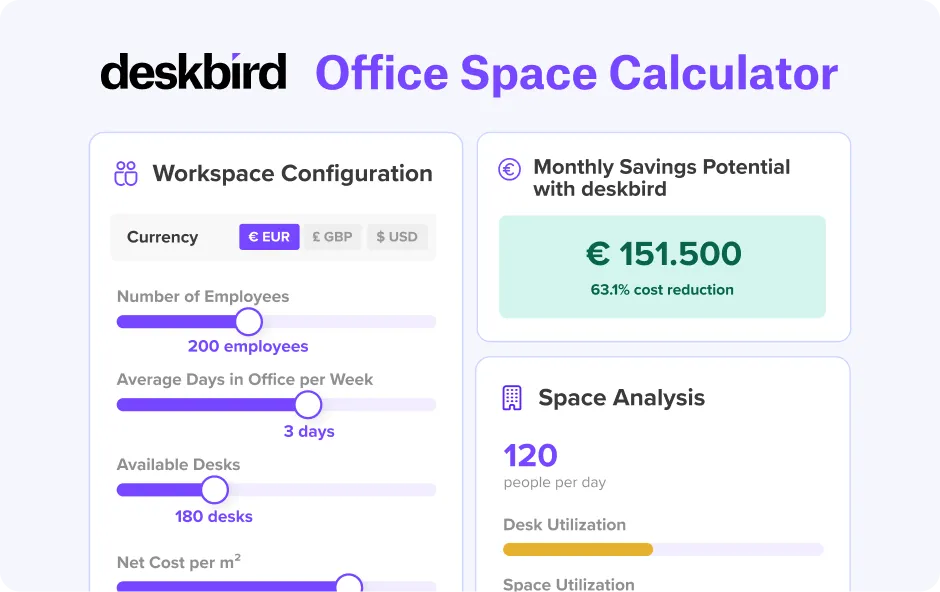
Measuring ROI for hybrid work tools encompasses both tangible gains (e.g., lower real estate costs or fewer IT issues) and intangible benefits (e.g., improved employee satisfaction or stronger culture). To secure stakeholder buy-in, combine hard metrics with a compelling narrative built on employee feedback or testimonials. Benchmark key data before and after adoption, and when uncertain, run pilot programs to test impact at a smaller scale. This dual focus on numbers and experience gives you a holistic picture of the value delivered by your software investment. Try our office space calculator to configure your workspace and determine how much you could save every month using deskbird.
Recap: Why smart workplace solutions are crucial for hybrid setups
Hybrid work software solves everyday challenges in hybrid workplaces. It also brings visibility, efficiency, and a better digital employee experience to flexible work environments. The takeaway? These tools aren’t just nice-to-have. They’re the backbone of your hybrid setup and ensure that your office runs smoothly, employees feel supported, and leadership has the data they need to make informed decisions.
In the next chapter, we’ll dive into rolling out and implementing your hybrid strategy. You’ll learn how to create a clear hybrid work rollout plan and onboard hybrid employees effectively.
Hybrid Work Software FAQs
What is hybrid work software and how does it support flexible teams?
Hybrid work software is a set of digital tools that support organizations to better manage and navigate hybrid work. These tools come in many different shapes and forms and help teams book desks or rooms, schedule in-office days, track projects, and stay connected, while ensuring that workflows continue smoothly despite your team’s different work locations.
What should mid-sized and enterprise companies prioritize when choosing hybrid work software?
Mid-sized companies (250–1,500 employees) should prioritize platforms that combine desk booking, scheduling, and analytics in one place rather than stitching together multiple point solutions. Key criteria: HRIS integration to avoid manual admin, strong security certifications (SOC 2, ISO 27001, GDPR), mobile-first UX for high adoption, and transparent per-user pricing that scales without surprises.
How is hybrid work software different from regular remote work tools?
Remote work tools usually focus only on communication—like chat, video calls, or file sharing. Hybrid work software goes further by managing both the digital and physical sides of work: coordinating office spaces, scheduling attendance, and integrating with access or visitor systems, while still supporting remote collaboration.
Can hybrid work software improve team collaboration and productivity?
Hybrid work tools reduce friction and support a more efficient use of time by centralizing schedules, bookings, and communication. Features like shared calendars, project tracking, and integrated collaboration apps help teams stay aligned, while analytics provide insights that improve space planning and workplace efficiency.
How can organizations ensure successful adoption of hybrid work software?
Successful adoption starts with choosing intuitive tools and providing clear onboarding and training. Involve employees early, gather feedback, and communicate the benefits. When users see how the software simplifies their work and leadership models its use, adoption rises naturally and long-term engagement follows.
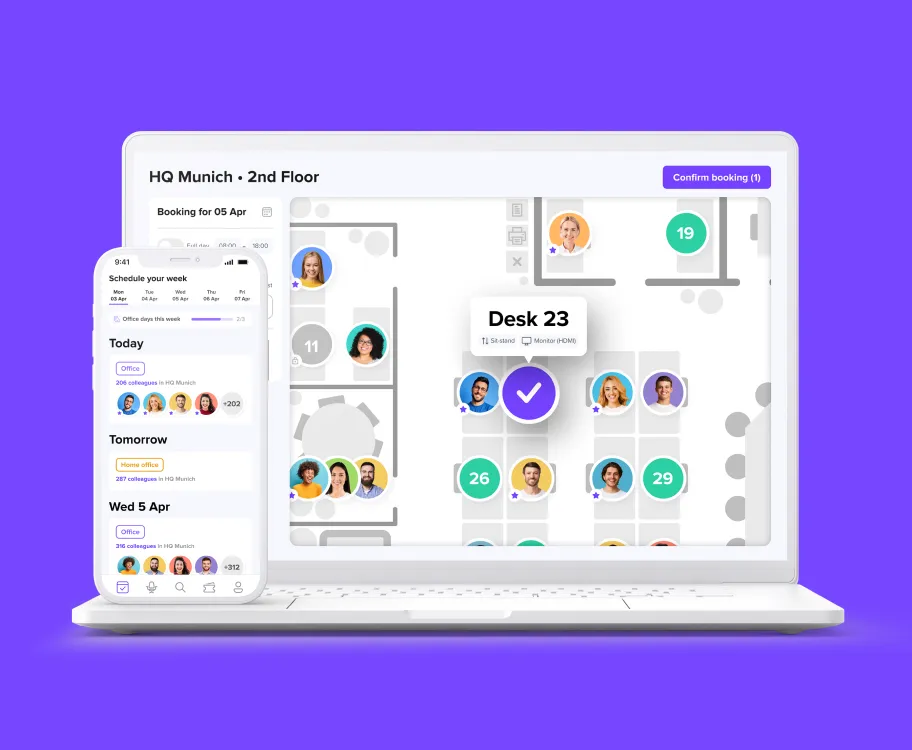
Discover deskbird's all-in-one hybrid workplace platform
- Book desks, rooms, parking, and guests in a single place
- Ensure a fully connected experience across systems
- Use a frictionless, mobile-first UX and book with ease from any device
Trusted by 100,000+ employees worldwide