
%20(1).webp)
Desk sharing at work: 101 guide for hybrid offices
Desk sharing in a hybrid office means multiple employees use the same desks on different days, matching your space to actual attendance rather than headcount. It's a practical response to the reality that most offices sit half-empty on quiet days and overflow on peak days.
The challenge is getting the details right. This guide walks you through implementing desk sharing at work, making sure it brings value to everyone involved. Also, we’ll talk about how deskbird makes managing shared spaces easier and more efficient. Whether you’re just getting started or want to optimize your current setup, here’s how to make it work for your office.
Key takeaways: how to make desk sharing successful in your office?
- Design for peaks: Plan your space based on peak attendance days (usually Tuesday/Wednesday) rather than weekly averages to avoid overcrowding.
- Optimal ratios: Aim for a desk sharing ratio between 1.3:1 and 1.7:1 for most hybrid models.
- Standardize equipment: Ensure every desk has identical monitors and docking stations so employees can work productively from any seat.
- Clear policies: Success requires documented rules for booking, "clean desk" expectations, and noise etiquette.
- Tech-enabled: Use a dedicated desk booking platform to provide real-time visibility and data for future space optimization.
What desk sharing means in a hybrid workplace
Desk sharing is a workspace model where multiple employees use the same desks at different times, rather than having permanently assigned seats. In a hybrid office, this approach makes sense because not everyone comes in every day. Instead of paying for desks that sit empty, you match your space to actual attendance patterns.
Desk sharing at work has evolved into a strategic approach to fostering a collaborative, versatile workplace that highlight the inefficiencies of fixed desks. It’s part of a broader move to optimize resources and boost employee satisfaction. A successful desk sharing setup combines clear policies, a reliable booking system, and a culture of respect. You involve employees early, provide the right tools (booking apps, lockers), establish etiquette around cleanliness and noise, design varied workspaces, and use data to adapt over time.
Benefits of desk sharing at work
Desk sharing delivers advantages for both employees and organizations. On the employee side, a more flexible workspace is set to have positive impact on collaboration and sociability.
- Enhanced flexibility. People get to choose where to sit based on their tasks for the day, whether that's a quiet corner for focus work or a collaborative zone for team projects.
- Boost in collaboration. Desk sharing naturally connects team members with different colleagues daily, breaking down silos between departments and strengthening workplace community through real-time idea exchange.
On the other hand, desk sharing delivers substantial financial and operational advantages for employers.
- Lower real estate costs. Fewer desks per employee means reduced rent, energy, and maintenance expenses, directly improving your bottom line.
- Better space utilization. Research shows more than one-third of office desks sit empty on any given day. Desk sharing puts that space to work and maximizes ROI on your office footprint.
- Cleaner workspaces. When no one “owns” a desk, people tend to keep spaces tidier and clutter-free, creating a more professional environment for everyone.
Creating a desk sharing policy that works
A clear policy prevents confusion and conflict. Without one, you'll end up with unofficial rules that vary by team and create frustration.
Your policy document works best when it covers a few key areas:
- Booking rules: How far in advance can employees reserve? Is there a maximum booking length? What happens if someone doesn't show up?
- Clean desk expectations: Employees clear personal items at the end of each day. Provide lockers or storage for belongings.
- Noise and call etiquette: Define which zones are quiet and where phone calls are welcome. Point people to phone booths or meeting rooms for longer calls.
- Data security: Employees log off computers and don't leave sensitive documents visible.
- Accessibility accommodations: Reserve specific desks for employees who need ergonomic setups or accessible locations.
The real hybrid challenge: peak vs average attendance
Here's where many desk sharing plans go wrong: they design for average attendance instead of peak days. If your office averages 50% occupancy across the week, you might assume half your desks are enough. But averages hide the real story.
Tuesday and Wednesday typically see the highest office traffic. On those days, you might hit 70–80% attendance while Monday and Friday hover around 30%. If you sized your space for the average, your busiest days become chaotic.
Industry data highlights the discrepancy between peak and average use:
- According to CBRE's 2024 occupancy data, 74% of offices see >60% utilization on peak days, but only 28% maintain this level weekly.
- Kastle Systems reports a similar pattern: weekly averages sit around 50% of pre-pandemic levels, but high days reach 60% while low days drop to 30%.
This gap explains why employees sometimes arrive to find no available desks, even when the office feels half-empty most of the time. Design for peak day, not the average.
The importance of the desk sharing ratio
The desk sharing ratio is the number of employees per available desk. A ratio of 1.5:1 means 15 employees share 10 desks. Getting this number right is one of the most important decisions you'll make. For moderate hybrid schedules of 2 to 3 office days per week, most organizations land between 1.3:1 and 1.7:1.
How to solve the top pain points of desk sharing
Despite the many benefits of desk sharing, it does have its potential drawbacks and even well-designed systems hit friction. It can be difficult for some employees to adjust to constantly changing workspaces. Sharing a desk with others can also result in distractions and disruptions that can affect productivity.
Here's how to address some of the most common complaints:
- "I can never find a desk": This usually signals a ratio problem or booking tool issue. Track peak-day saturation and adjust. Make sure your booking system shows real-time availability.
- "It's too noisy": Create clearly marked quiet zones. Establish norms for phone calls and video meetings. Consider phone booths or small meeting rooms for calls.
- "People hoard desks": Set booking limits and auto-release rules. If someone doesn't check in within 15 to 30 minutes, the desk becomes available again.
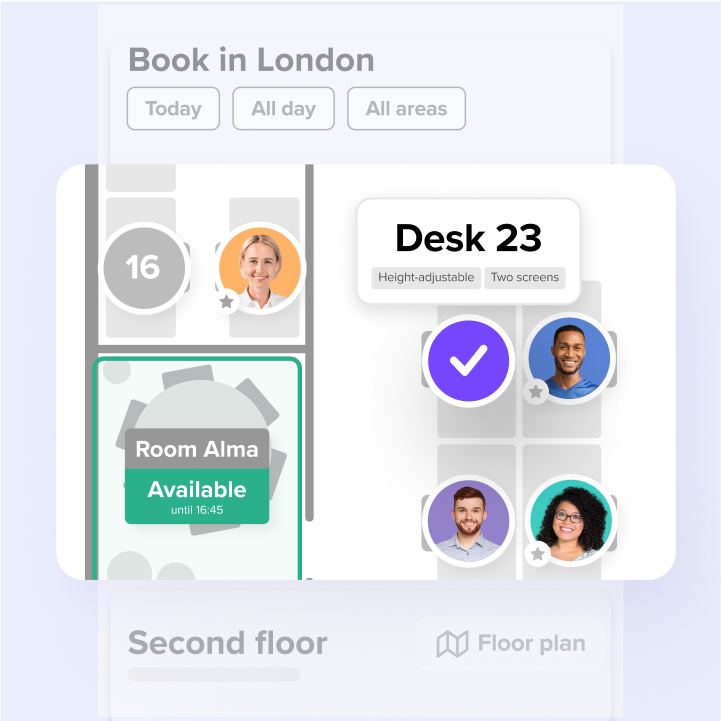
- "I can't find my team": Use a booking tool with interactive floor plans so employees can see where colleagues are sitting. Desk neighborhoods also help teams cluster together.
- "The desks aren't set up for me": Standardize desk equipment with monitors, docking stations, and adjustable chairs. Employees bring their laptops, and everything else is ready.
Best practices to make desk sharing work in your hybrid office
Rolling out desk sharing takes more than flipping a switch. It requires careful planning and management to be successful for both your employees and your organization. A phased approach reduces resistance and catches problems early.
Assess your office space beforehand
Before rolling out any desk sharing strategy in your workplace, it is crucial to assess your office space. Take note of the number of employees, available square footage, and your company's needs. This will help you determine how many desks you need, how they should be arranged. and achieve a healthy desk sharing ratio.
Communication is key
Desk sharing can feel like a loss to employees who valued "their" desk. Address this directly by explaining the benefits beyond cost savings. Involve them early in the process to understand their specific concerns and things they would value in a desk sharing system, encouraging open communication about any concerns or issues. Additionally, consider hosting a company-wide meeting or town hall to answer any employees' questions and host a trial period to allow employees to adjust to the new system before fully implementing it.
Create a desk sharing policy
Creating a desk sharing policy is crucial once you have assessed your office space. This policy should outline your company's rules, guidelines, and expectations for desk sharing. It should also include information on reserving desks, cleaning and organizing workspaces, and other important information about the practice.
Design a flexible, welcoming workspace
Creating a flexible workplace accommodating different working styles is important when designing a desk sharing workspace. Provide various workspaces, such as standing desks, quiet rooms, and collaboration areas. Employees can then choose the workspace that best suits their needs and preferences. Consider natural light, noise levels, and proximity to shared resources such as printers, as well as including guidelines for personalizing workspaces. Allowing employees to bring in their plants or decorations helps create a sense of ownership and belonging among employees, even in a shared workspace.
Provide adequate storage solutions
Without dedicated desks, employees need storage for their belongings. Provide lockers or filing cabinets to ensure employees have a secure place to store their personal items. This can also reduce clutter and ensure that workspaces remain organized and tidy.
Implement an universal booking system
To ensure that desk sharing runs smoothly, it is essential to make bookings effortless. Innacurate systems like spreadsheets get ignored. If employees can reserve a desk directly from Outlook, Teams, or Slack in seconds, adoption goes up. And when managers use the same system and follow the same rules, it signals that desk sharing applies to everyone.
Consider the cybersecurity aspects
Desk sharing models need to take cybersecurity into account, especially if you’re trying to implement a BYOD policy. While this setup is flexible, it raises data privacy and network integrity concerns. Invest in a thorough digital safety strategy that includes protected Wi-Fi, robust encryption, and multi-factor authentication.
Encourage cleanliness and organization
With multiple employees sharing the same workspace, cleanliness, and organization are key. Having proper shared desk etiquette and guidelines encourage employees to clean up after themselves and to keep their workspaces organized. This creates a more pleasant working environment, helps prevent the spread of germs, and reduces the risk of accidents or injuries. Feel free to use our clean desk policy template.
Invest in adjustable furniture and equipment
Making your desk-sharing environment successful starts with adjustable furniture and equipment. This allows everyone on your team to work in optimal conditions, regardless of their physical requirements or the task at hand. Having a standing desk, for example, encourages better posture and reduces the risk of strain injuries. Ergonomic chairs make you more productive and comfortable. Make your workspace entirely modifiable with customizable monitor arms and keyboard trays. When you invest in versatile furniture and equipment, you show your commitment to employee well-being and creating a more productive office environment.
How deskbird empowers shared desk environments
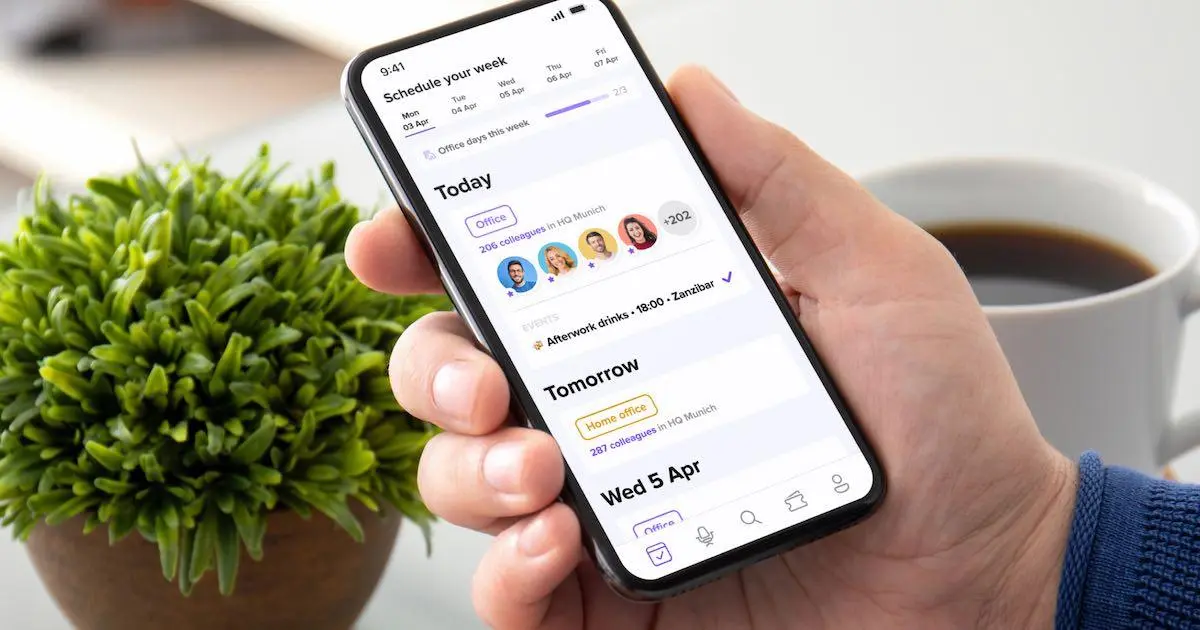
deskbird is a workplace management platform that makes booking and handling shared desks easy for employees and administrators.
- Make booking effortless: employees can book the right desk in seconds, making the most of team collaboration during office days
- Optimized desk sharing operations: admins get a comprehensive overview of desk usage, enabling efficient office resource management
- Improve with real usage data: office analytics shows how spaces are actually used, helping you spot patterns and make smarter layout and policy decisions.
- Fit into your existing stack: integrations with calendars from Microsoft and Google calendars keep booking and planning in the flow of work.
Make desk sharing feel effortless
Desk sharing works when employees trust the system. That means desks are available when they arrive, booking takes seconds, and the office feels organized rather than chaotic.
Start by understanding your actual attendance patterns, not assumptions. Set a ratio based on peak days, not averages. Write a clear policy that covers booking, etiquette, and exceptions. Standardize desk setups so anyone can sit anywhere. Then measure what's happening and adjust.
Finally, the right tools make a real difference. When employees can book from their calendar, see where their team is sitting, and trust that a desk will be waiting, desk sharing stops being a hassle and starts being an advantage. Tools like deskbird simplify your move to a shared, adaptable office layout by making booking and handling shared desks easy for employees and administrators.

Frequently Asked Questions
What is the desk sharing ratio?
A desk sharing ratio is a metric that shows how many employees share each workspace in an office. The ratio is expressed as a number followed by “:1”. For example, a 2:1 ratio means two employees use the same desk at different times.
What desk utilization rate should our office aim for?
Hybrid workplaces operates efficiently when occupancy stays around the 50-60% range, but ideally you should aim for a desk utilization rate of 70%. This figure balances space availability with cost efficiency, preventing both overcrowding and wasted real estate.
How does deskbird support desk sharing in hybrid workplaces?
deskbird makes desk sharing flexible with the use of interactive floor plan. Employees can reserve desks in advance or book a desk nearby their favorite colleague. It also lets you define areas, hot desks, and booking rules (e.g. minimum/maximum duration, buffer times). Analytics then track utilization so you can optimize layouts and capacity over time
Desk sharing, simplified
Let employees book desks in seconds using interactive floor plans and clear booking rules, so everyone gets the right spot without the daily chaos.