

The hidden costs of poor visitor management and how to avoid them
Outdated visitor management isn't just inconvenient, it's expensive. From wasted staff hours and security vulnerabilities to damaged first impressions and missed business opportunities, manual sign-in processes cost organizations far more than they realize. Modern visitor management systems eliminate these hidden costs through automation, enhanced security, and data-driven insights that transform how businesses welcome and track guests.
What are the downsides of poor visitor management?
1. Time and productivity loss: missing minutes that add up
31% of organizations still rely on paper lobby books or other manual processes for visitor management. The problem with manual systems includes:
- Non-standardized check-in processes
- Repeating instructions or directions to visitors
- Staff tied up with administrative tasks instead of strategic work
- No time for office managers to focus on compliance and safety
The real cost: If a company hosts just 12 visitors daily and each check-in takes 10 minutes—covering paperwork, host notification, and basic onboarding—that's two hours lost every day to a manual process.
2. Security risks posed by unknown visitors and uncontrolled access
Allowing visitors to walk in and out of your office building unchecked creates serious compliance and security vulnerabilities, and 63% of organizations believe visitors represent a threat to their data. Unfortunately, poor visitor management doesn’t mitigate this issue; instead, it exacerbates it.
So, why is visitor management critical for data security and compliance? Without it, you risk misplaced paper records, no real-time visibility into who’s in the building, and unauthorized individuals slipping through. That’s not just a liability—it’s an open door to data breaches, regulatory violations, and even industry espionage. You don’t want strangers wandering your office, sneaking into your R&D department, or accessing confidential information. The consequences can include stolen intellectual property, GDPR fines, and serious damage to your business.
3. Safety risks in emergencies: when every second counts
In an emergency situation—whether it’s a fire, gas leak, or security threat—knowing exactly who is in the building is critical.
The dangers of incomplete visitor tracking include:
- Chaotic evacuation efforts
- Risk of leaving someone behind
- Delays in locating missing individuals
- Legal consequences and reputational damage
Without complete, up-to-date records of all staff and visitors on site, you're creating a safety hazard, not just an operational gap.
4. Poor first impressions that silently eat away at your company’s reputation
You never get a second chance to make a first impression. Clunky visitor experiences suggest disorganization and unprofessionalism.
Clunky, outdated processes, hosts not showing up to greet their guests, and missing information on scheduled visits suggest disorganization and can lead visitors to question your professionalism within seconds of arriving at the building. It’s even worse when guests have to awkwardly spell out their name at reception because no one knows they’re coming—an experience that feels both unprofessional and frustrating. While the impact may be as harmless as slight disgruntlement that quickly fades away, it may also influence the outcome of a meeting and lead to missed business opportunities.
Real-world impact: A potential investor arrives for a pitch meeting, waits ten minutes in an unattended lobby, then spends another ten minutes filling out a crumpled paper form. By the time the meeting begins, their perception is already tinted, potentially influencing their investment decision.
5. Constant distractions cause frustration among staff
Outdated visitor management systems frustrate employees and drag down morale. When office or facility managers have to manually juggle visitor check-ins, track arrivals with post-its and spreadsheets, and chase down hosts, it leads to constant context switching, burnout, and missed details. The result is a ripple effect of interruptions, security gaps, and growing emotional strain that ultimately lowers overall productivity.
6. No opportunities to get insights for improvement
Paper-based, manual processes don't offer the necessary data for improvement. Without data, you can't:
- Pinpoint where issues occur
- Measure their impact
- Optimize visitor flow
- Spot inefficiencies
How do you improve processes if you can’t really pinpoint where the issues are and what their impact is? There’s no way to optimize visitor flow or spot inefficiencies if you don’t have the data that can tell you where the root of the problem sits.
For example, there could be a regular spike in visitor check-ins between nine and ten in the morning, but because you’re using paper sign-in sheets, no one realizes it. As a result, your office manager is often overwhelmed during that window, visitors wait longer, and hosts aren't always notified promptly. Over time, this leads to delays, missed meetings, and a subpar visitor experience, but no one can really pinpoint why.
How can modern visitor management systems reduce operational costs?
1. Visitor management systems save time through automation
Visitor management systems (VMS) can automate processes like check-ins, host notifications, visitor logging, and more. This frees up office and facility managers from repetitive tasks like manual sign-ins and cumbersome guest coordination and reduces time spent chasing down hosts or managing paper records.
Mobile or self-service kiosks can handle high visitor volumes efficiently, reducing the overall workload and speeding up processes across the board. And the numbers are there to prove it: 94% of visitor management system users surveyed reported improved efficiency for both hosts and guests.
☝️ Smooth check-in processes not only save time, but are also critical for enhancing the overall visitor experience. Read more about the five must-haves for a great visitor experience in this blog post.
2. Visitor management systems strengthen security and compliance
Another big advantage of visitor management solutions is that they track all visitor data in real-time, with digital logs and audit trails. With strictly defined processes, they ensure that every visitor gets a badge printed and is pre-registered for added security.
In contrast to paper documents, they provide a much higher level of data security and enhance compliance with regulations like GDPR. Integrating the VMS with access control systems can further help ensure that only authorized guests can enter the premises.
3. Visitor management systems enhance first impressions and professionalism
Streamlining check-ins with a VMS ensures that visitors aren’t kept waiting or find themselves lost and confused upon arrival. With automated processes, office and facility managers are less distracted by admin work and have more time to focus on what really matters, which is providing visitors with a friendly, personal welcome. Digital pre-registration ensures that everything (including the necessary documents) is ready when visitors arrive and that they are expected and welcomed by their hosts without long waits.
But it’s not just about speed and efficiency. Smart visitor management systems also allow companies to personalize the entire visitor experience. Custom-branded invitations or tailored arrival notifications help make your guests feel valued from the moment they’re invited. It’s no surprise that 81% of organizations report improved visitor feedback after implementing a VMS.4
4. Visitor management systems future-proof the front desk
Future-proofing front-desk operations ensures smooth day-to-day operations, even without a dedicated receptionist. Key capabilities of visitor management systems include:
- Contactless sign-ins
- Self check-ins
- Easy record management
- Effortless scalability with company growth
- Adaptation to changing workplace protocols
- Reduced reliance on physical infrastructure and paperwork
- Lower overhead costs
- Support for ESG goals with environmentally responsible processes
5. Visitor management systems provide actionable insights for smarter decision-making
It may not be the most evident advantage, but visitor management solutions offer the added benefit of providing detailed data insights. In fact, 97% of VMS users report that their visitor management system provides them with important data.5
VMS can track metrics such as wait times, visitor frequency, peak times, and visitor types and offer detailed analytics and reporting on visitor activities. Based on these insights, businesses can rethink their resource allocation and visitor management flows to optimize processes, increase efficiency, and improve the end-to-end visitor experience.
Streamline your visitor management with deskbird
Poor visitor management costs more than occasional complaintsit costs time, money, reputation, and staff morale, ultimately affecting productivity and long-term success. These issues are easily avoidable with the right technology.
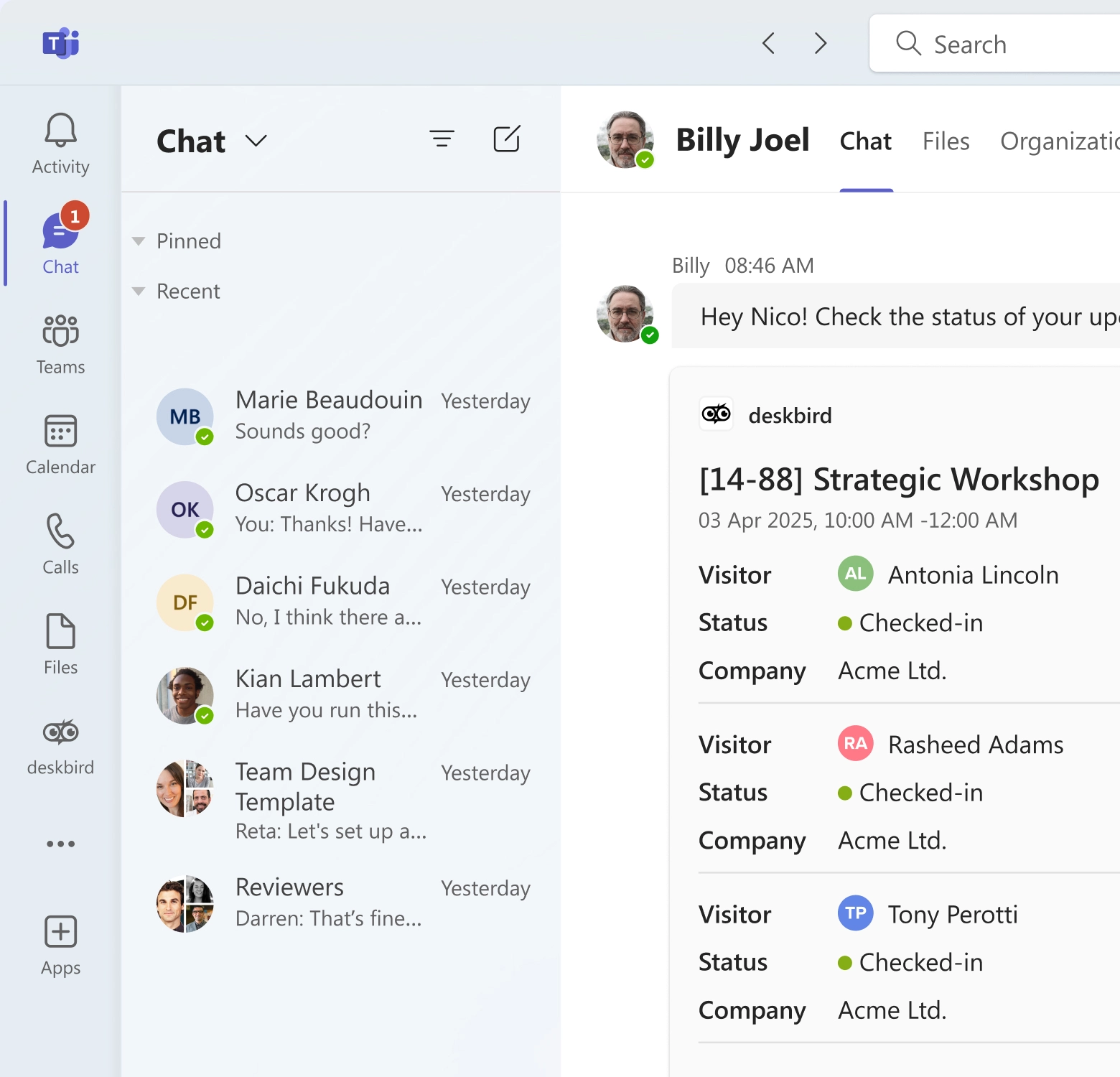
Visitor management solutions reduce administrative workload, improve security and compliance, and enhance the visitor experience. With Visitors by deskbird, you can invite and create visitors upfront, streamline check-ins and check-outs, promptly notify hosts via MS Teams, and send email notifications to guests to provide updates on upcoming visits.
👉 Transform your visitor experience—book a demo to learn more about our new visitor management solution today.

Frequently Asked Questions
What is a visitor management system, and what problem does it solve?
A visitor management system (VMS) is a digital way to sign guests in and out, verify who they are, and keep a searchable visitor log. It replaces paper sign-in sheets, which are easy to lose, hard to audit, and often expose private info. Most systems can also notify hosts, print badges, and capture basic compliance details (like reason for visit).
What information should we collect from visitors without overdoing it?
Collect the minimum you need: name, who they’re visiting, time in/out, and purpose of visit, then add extras only if there’s a clear security or compliance reason. If you need screening, consider photo capture, ID verification, or watchlist checks, but be transparent about why you’re collecting it. For privacy, avoid displaying entries publicly (a common issue with paper logs) and set a clear retention period.
How is visitor data stored and secured under GDPR?
deskbird treats visitor data with the same GDPR-compliance standards as all user data. Visitor records are retained in secure systems and operations follow strict privacy protocols. Given deskbird’s overall GDPR compliance and data protection stance, this also extends to its visitor module.
We only get 10–20 visitors a week. Do we still need a visitor management system?
Low volume can still benefit from a VMS if you need an audit trail, host notifications, or more consistent policies across locations. The main value is reducing human error and making logs searchable during incidents or compliance reviews. If budget is tight, prioritize a simple workflow (check-in/out + host alert) over advanced features you won’t use.
How do you handle visitor sign-in/sign-out in a building with multiple companies or tenants?
The easiest approach is a shared kiosk with a tenant directory so visitors select the company and host they’re meeting. Set up separate visitor lists, notifications, and reports per tenant so each business can audit only its own traffic. If the lobby is shared, clarify who owns the device, badge stock, and the policy for after-hours visits.
Leave a great first impression on visitors
- Let guests self check-in with tablet or kiosk compatibility
- Reserve desks, parking spots or rooms for your visitors in advance
- Automatically notify hosts via Microsoft Teams when guests arrive