
Booking rooms in Outlook was never that easy: Introducing the deskbird Add-In
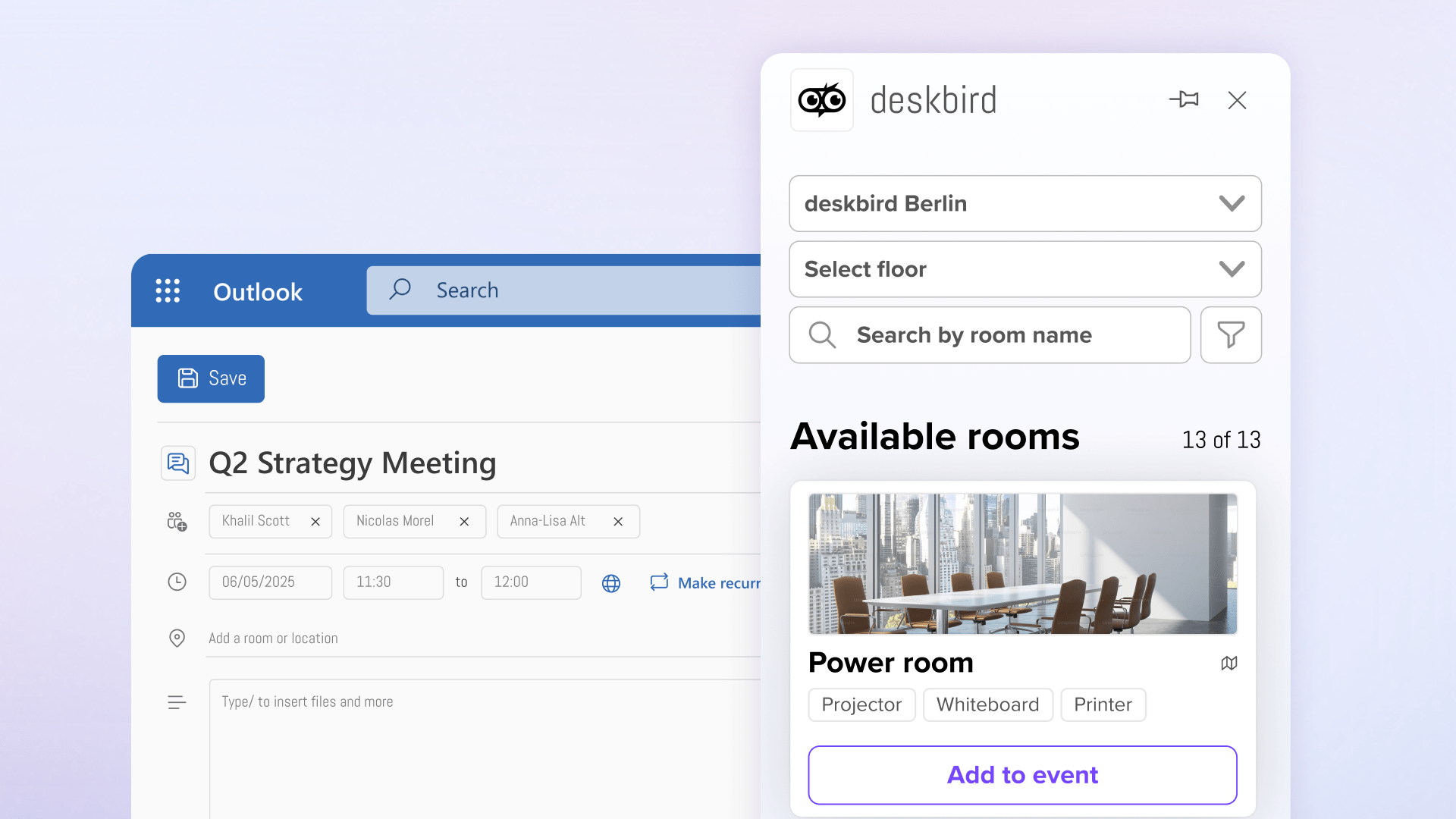
We're excited to announce that the deskbird Add-In is now available in Microsoft Outlook. Starting today, your teams can find and book meeting rooms with a better, more visual experience. Right where they're already planning their day.
Why we built this
Here's a scenario that happens thousands of times a day in offices worldwide: An employee opens Outlook to schedule a meeting. They add attendees and set the time. Then comes the challenge: finding the right room.
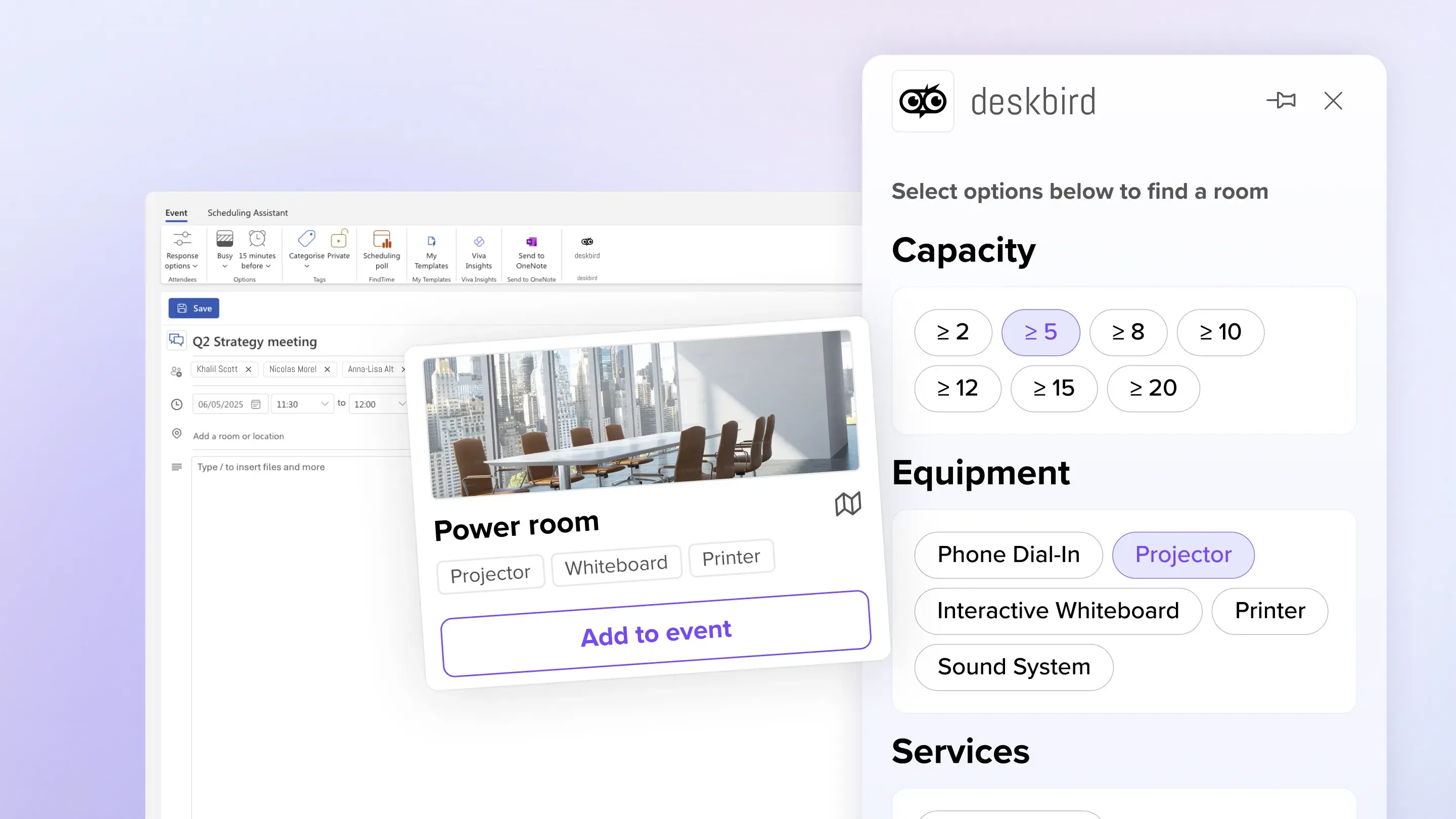
They need a space for 8 people. With a projector. On the third floor. But the basic Outlook room finder shows a long list of room names with minimal details. What does it actually look like? Where exactly is it located?
They end up booking something that sounds right, hoping it works out. Sometimes it does. Often it doesn't. Even when booking happens in one place, if the experience is clunky and lacks context, people still waste time and make poor choices.
We built the deskbird Outlook Add-In to solve both problems: keeping the workflow unified while making the booking experience intuitive, visual, and confident. Room booking should be as easy as browsing options with the right information at your fingertips: no guessing, no hoping, just finding exactly what you need.
How it works
- Open the add-in while creating a meeting. Click the deskbird icon in your Outlook sidebar when scheduling any meeting.
- See what's available in real-time. View all available rooms across your locations, filtered by the date and time of your meeting.
- Find the right space. Filter rooms by capacity, floor, amenities, and equipment to match your meeting needs—whether you need a quick huddle space or a client presentation room with video conferencing.
- Book with one click. Select your room and it's automatically added to the meeting invite. Everything syncs instantly between Outlook and deskbird.
- Automatic sync - All rooms booked in the Outlook appointment are automatically transferred to the corresponding deskbird booking
No separate logins. No duplicate entries. No wondering if your room is actually available.
Who this is for
For employees: Get the right meeting space without interrupting your workflow. Book rooms in the same place you schedule meetings. See floor plans so you know exactly where to go. Eliminate the stress of double bookings and last-minute room searches.
For workplace admins: Finally get accurate utilization data because all bookings flow through one unified system. Reduce support tickets about room availability. Make smarter space allocation decisions based on real usage patterns. Enforce booking policies automatically without manual oversight.
For IT leaders: Deploy an integration that requires no training because it lives in the tools people already use daily. Support both Mac and Windows users with a consistent experience. Reduce tool sprawl while improving workplace coordination.
The impact
When meeting room booking becomes frictionless, the benefits compound across your organization:
Time savings at scale. If each employee saves just 15 minutes a day searching for and booking rooms, that's over 60 hours per employee annually. Across a 500-person company, that's 30,000 hours returned to productive work.
Better space utilization. Studies show companies typically use only 40-60% of their meeting room capacity. With accurate, real-time booking data, you can identify underused spaces, optimize your footprint, and potentially reduce real estate costs by 20-30%.
Improved employee experience. Small frictions add up to big frustrations. When your teams can reliably find and book the spaces they need without hassle, it removes a daily pain point and builds trust in your workplace systems.
Smarter workplace decisions. Real usage data helps you understand which amenities matter most, which locations need more capacity, and how to plan for growth—decisions that directly impact your bottom line.
Available now
The deskbird Outlook Add-In is now live. Your teams can simply start using it by installing it from the Outlook marketplace. No complex setup. No lengthy training. Just seamless room booking in the flow of work. We're continuing to enhance the integration based on customer feedback, with improvements to recurring meeting management and advanced editing capabilities coming soon.
Ready to eliminate meeting room chaos? The solution is already in your calendar.
Get started today
You'll find the deskbird Add-In for Outlook here: Install the Outlook Add-In
Need help with setting it up? Read our Help Center article
