

5 must-have requirements of workplace management software for hybrid companies
Hybrid work has become the norm for many organizations. Switching between the office and working from home is now a natural part of everyday work life for most employees. In fact, the Office Report 2025 by teamgnesda shows that 99.4% of companies in the DACH region offer some form of remote work, with two to three days of working from home per week now being standard practice.
Without dedicated software for modern workplace management, many office workflows remain unnecessarily complex and inefficient. Yet, we consistently see hybrid work models colliding with legacy tool landscapes, manual Excel processes and systems that simply don't work well together. The result? Daily frustration for employees and a significant drain on time and resources for office, IT and facility teams.
Key takeaways:
- Hybrid work places high demands on workplace management software. Without a central, integrated solution, booking, collaboration, and space utilization quickly become inefficient.
- Many organizations struggle with the same core challenges, from room booking and integrations to hybrid scheduling, user management, and usability.
- To truly support hybrid work, modern workplace management platforms must meet five essential requirements that simplify processes, drive adoption and enable sustainable hybrid setups.
The status quo: Workplace management challenges in DACH companies
From direct conversations with hundreds of organizations across the DACH region, we’ve gained a deep understanding of the challenges they face in their day-to-day workplace management. Core workplace processes are fragmented, poorly automated and difficult to scale. Most challenges fall into five recurring categories:
- Difficult room booking processes, including double bookings, complex cancellations, and missing information on room location or equipment
- Insufficient or unreliable integrations with Microsoft Teams and Outlook, making bookings unnecessarily difficult and reducing overall visibility
- Limited flexibility to reflect work-from-home policies and fluctuating on-site attendance and properly support hybrid work
- Complex user management with time-consuming permission handling, sync issues, and inactive users driving unnecessary costs
- Poor usability due to cluttered interfaces and systems that require extensive training
These challenges clearly show that workplace management software has a direct impact on productivity, space efficiency, and employee satisfaction. When selecting a solution, companies should therefore focus on the following five must-haves.
1. Smart room and desk booking without switching tools
One of the most fundamental requirements of modern workplace management software is reliable and intuitive desk and room booking. Yet in many organizations, room booking remains chaotic—with double bookings, complicated cancellations, and no clear overview of availability, equipment, or location.
What workplace management software must deliver:
- Real-time availability for meeting rooms and desks to avoid double bookings
- Combined features for room booking and desk sharing
- Automated buffer times, check-ins, and no-show handling
- Clear floor plans that indicate room location and easy mobile booking
- Flexible booking rules (e.g. team or visitor rooms) and easy cancellations
Solutions like deskbird rely on a centralized booking logic that integrates seamlessly into existing workflows and brings room and desk booking together in one intuitive app.
2. Deep integration with Microsoft Teams, Outlook & existing IT landscapes
A common pain point we hear from organizations in the DACH region: workplace tools often don’t work smoothly alongside the systems employees use every day. Missing or unreliable integrations with Microsoft Teams or Outlook lead to constant context switching, double work on data updates and maintenance, and a surge in support tickets. In hybrid environments, clean synchronization between bookings, calendars, and presence is essential.
What workplace management software must deliver:
- Bi-directional sync with Outlook calendars
- Native Microsoft Teams integration for booking, check-ins, and notifications
- Integration with HR systems, such as Personio
- Integrations with tools for SSO, user management, and identity & access management
Modern workplace management platforms like deskbird are designed to fit seamlessly into existing IT ecosystems rather than creating new silos.

3. Strong support for hybrid work models
Many organizations struggle to coordinate their work-from-home policies and the resulting fluctuation in employee on-site attendance because they lack the flexibility and transparency needed for hybrid work. Without visibility into who is in the office and when, collaboration becomes difficult. Team days are hard to plan, spontaneous meetings fall short, and offices are either underused or overcrowded.
What workplace management software must deliver:
- Weekly planning with clear on-site and remote work status indicators
- Transparency on who is working from the office or remotely
- Flexible desk sharing with configurable booking and check-in rules
- Team views for managers and project teams to plan team days
- Features to support return-to-office initiatives, such as deskbird’s workplace events
Workplace management solutions like deskbird make hybrid work predictable and easy to understand for everyone involved. The intuitive mobile app removes the need for additional training, effectively helping reduce resistance to desk sharing among employees.
4. Powerful user management, permissions & automation
User management is another major source of frustration in many organizations. Manual user provisioning and deprovisioning, complex permission management, poor data sync, and lack of automation lead to increased admin work and inactive users driving unnecessary costs, especially in larger or more complex organizations.
What workplace management software must deliver:
- Automated user provisioning via SCIM and HRIS integrations (e.g. Personio)
- Secure SAML authentication with Microsoft Entra ID for seamless single sign-on (SSO)
- Custom roles and permissions for complex organizational structures
- Automated user deprovisioning
- Ability to book on behalf of others
deskbird supports these requirements with clear user roles and deep integrations into existing identity management and HR systems.

5. Excellent usability for fast adoption
An issue that keeps appearing in conversations with prospects across the DACH region is that their existing workplace tools offer a very poor user experience. Many tools are perceived as overly complex, cluttered, and unintuitive. Employees require training for carrying out basic tasks in the system, while admins spend excessive time configuring and maintaining it. This issue becomes even more apparent when mobile apps feel like a compromise rather than a first-class experience and simple workflows, such as bookings or cancellations, become overly complicated.
What workplace management software must deliver:
- Intuitive, self-explanatory interfaces that work without training
- A true mobile-first approach covering all core functions
- Powerful search features to quickly find rooms, desks, or colleagues
- Simple admin configuration without technical barriers
- Easy ways for users to provide feedback or report issues
deskbird focuses on clarity, simplicity, and mobile usability that enables smooth integration into daily workplace processes, ensuring fast rollout and high employee adoption.
Discover the most powerful workplace management platform out there
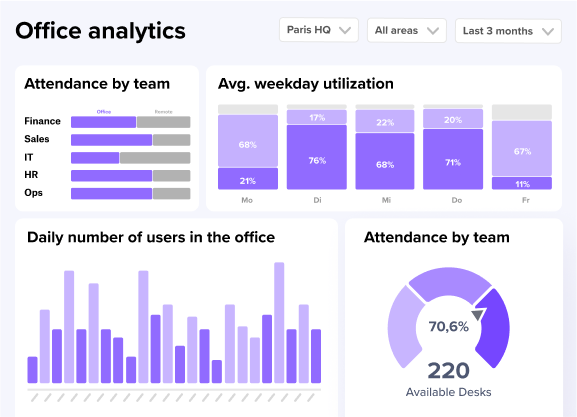
The challenges we hear about from prospects and clients clearly show that workplace management has become more complex than ever in hybrid environments. Without clearly defined requirements and the right software, processes remain inefficient, opaque, and error-prone. What truly matters in hybrid setups is centralized booking, seamless integrations, strong hybrid work support, automated user management, and high usability.
deskbird brings all of these requirements together in a powerful all-in-one workplace management platform. Rooms and desks can be booked easily and transparently, integrations with Microsoft Teams, Outlook, and HR systems ensure consistent processes, hybrid attendance becomes visible and predictable, and user management runs smoothly in the background. All of this is complemented by a clean, mobile-first design that employees genuinely enjoy using.
The result is a workplace setup that not only works technically, but makes hybrid work sustainable and effective. Book a free demo and experience modern workplace management first-hand.

Frequently Asked Questions
What’s an IWMS, and when does it make sense compared to simpler office management software?
An IWMS (Integrated Workplace Management System) is designed for facilities-heavy environments and often includes space planning, maintenance, asset management, and sometimes lease or energy-related modules. It makes sense when you’re managing multiple sites, complex facilities operations, or need a single source of truth for real estate and facilities data.
For smaller teams focused on hybrid logistics (desks, rooms, visitors), simpler workplace tools are usually easier to roll out. The trade-off is depth and complexity versus speed of adoption.
What features should I prioritize if I’m trying to replace too many tools with one system?
Start with your core workflows: scheduling/time tracking, approvals, and reporting, then add “nice-to-haves” like desk/room booking if you’re hybrid. Look for strong integrations with payroll/accounting tools (many teams mention QuickBooks) and project tools so data doesn’t need re-entry. Permissions, audit logs, and mobile access matter more than long feature lists because they determine day-to-day adoption.
A short pilot with real users usually reveals whether it truly reduces tool sprawl.
How does deskbird compare to other workplace management tools?
deskbird is built to be modular, intuitive, and insight-driven. Rather than forcing you into a monolithic suite, it lets you pick only the modules you need (desk, room, visitor, workforce). Because it integrates smoothly with tools like Outlook, Google Calendar, HRIS systems, and Slack/Teams, you get a unified experience with less disruption. And with real-time analytics, you gain visibility into space usage and booking patterns.
Why is office space management important for hybrid workplaces?
In hybrid workplaces, presence fluctuates day to day. Effective space management ensures that desks, meeting rooms, and resources are neither overbooked nor underutilized.  It helps organizations reduce waste, improve employee satisfaction, and align workspace capacity with actual demand.
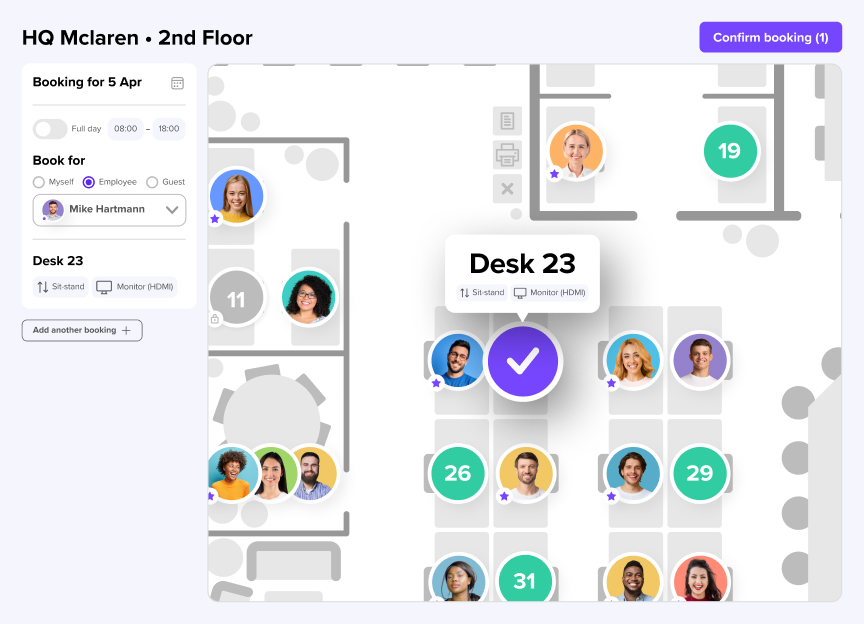
Run your hybrid office without the chaos
- Stop no-shows with check-ins and auto-release rules
- See real utilization data to right-size space and cut costs
- Keep IT happy with GDPR, ISO 27001, and 50+ tech integrations
