

How to make meeting room booking more efficient: 10 best practices
Double bookings, rooms booked but never used, missing equipment details, and the time it takes just to find a suitable space are problems we hear about in nearly every conversation with workplace leaders managing hybrid offices. These issues stem from a common root cause: meeting room booking spread across disconnected tools like Outlook, Excel, and separate calendars, without real-time sync or clear rules. This guide covers 10 best practices that eliminate these friction points. You'll learn about centralized systems, auto-release rules, digital signage, buffer times, and usage analytics that give you the data to make better real estate decisions.
TL;DR
Meeting room booking fails when tools are disconnected, rules are unclear, and real-time availability is missing. These 10 best practices cover centralized systems, booking rules with auto-release, live availability, digital signage, buffer times, easy cancellations, equipment filters, desk-room integration, mobile-first booking, and usage analytics. Together they eliminate double bookings, reduce no-shows and ghost bookings, and give workplace leaders the data they need to make better real estate decisions.
Challenges in meeting room booking: the status quo in many companies
Organizations face similar day-to-day challenges when booking meeting rooms. Free rooms are hard to find, especially on days when many teams are in the office at the same time. Booking often still happens via Outlook or Excel, yet without reliable real-time logic. Room availability is unclear, cancellations are not consistently reflected, and no-shows block rooms that could otherwise be used by others.
[Table1]
Double bookings or conflicting information in room calendars leads to frustration and tension. Booking systems often lack essential information too. Employees don't know how many people fit into a room, what technical equipment is available, or where exactly the room is located in the building. Employees often only answer the question "Is this room actually suitable for our meeting?" once everyone is already on site.
When changes occur, many setups make it difficult to move or cancel existing bookings. The room itself usually does not display the booking status either. Without digital door signs or tablets, you cannot tell whether a room is occupied, whether a meeting is about to start, or whether you can use it spontaneously. This makes ad-hoc bookings even more difficult.
Another often underestimated issue is the lack of buffer times between meetings. Systems do not automatically plan time for setup, technical checks, or cleaning, causing meetings to run back-to-back or even overlap. Modern meeting room booking software addresses exactly these issues. It combines real-time availability, clear room details, flexible booking adjustments, and configurable buffer times. This prevents many of these daily friction points from arising.
1. Use a centralized meeting room booking system instead of isolated tools
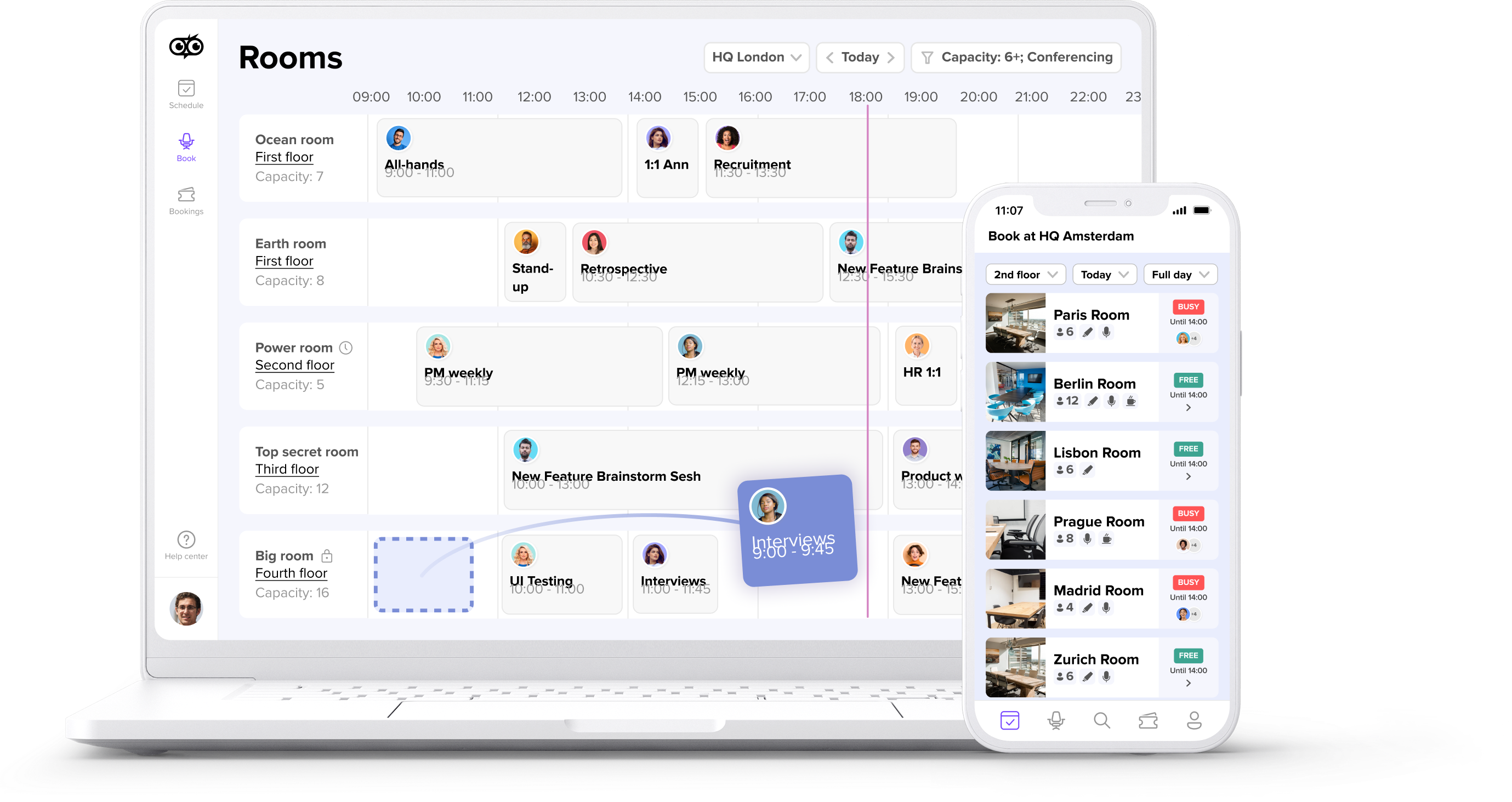
Many of today's problems arise because organizations spread meeting room booking across multiple tools: Outlook, Excel, and additional calendars. These systems cannot handle dynamic office attendance, last-minute changes, or the needs of hybrid teams. A centralized meeting room booking system creates clarity by making all meeting rooms visible in one place, including availability, equipment, and location.
The system must integrate into existing workflows. A workplace management platform with a wide range of integrations allows employees to book rooms where they already plan their meetings. With an Outlook add-in, you can book rooms directly from your calendar while scheduling your meeting and keeping calendars in sync.
2. Define clear booking rules and restrictions
Meeting room booking only works reliably when you establish clear rules. Without such rules, employees often book rooms for an entire day but only use them for a fraction of the time. Effective booking policies include:
- Maximum booking duration per reservation
- Booking limits per person or team
- Priority access for specific rooms or use cases
- Auto-release triggers when no one checks in
- Forward booking restrictions to prevent long-term room hoarding
A consistent approach to no-shows and ghost bookings is equally important. Modern room booking software automatically releases rooms if no one checks in for the scheduled meeting. You can configure these rules centrally, ensuring the system does not unnecessarily block rooms and makes them available again without manual intervention from workplace or facility teams.Auto-release typically reduces ghost bookings by 60-75%.
3. Provide a transparent meeting room overview with live availability
A clear room overview reduces search time and prevents booking errors. Employees should see at a glance which rooms are available, their capacity, location, and suitability. Filter options by capacity, equipment, or room location help employees find the right space quickly.
Real-time availability that syncs with your calendar system ensures what employees see in Outlook's Scheduling Assistant or Teams' Room Finder matches reality. This prevents the frustrating scenario where a room shows as available but the booking fails because another system already claimed it.
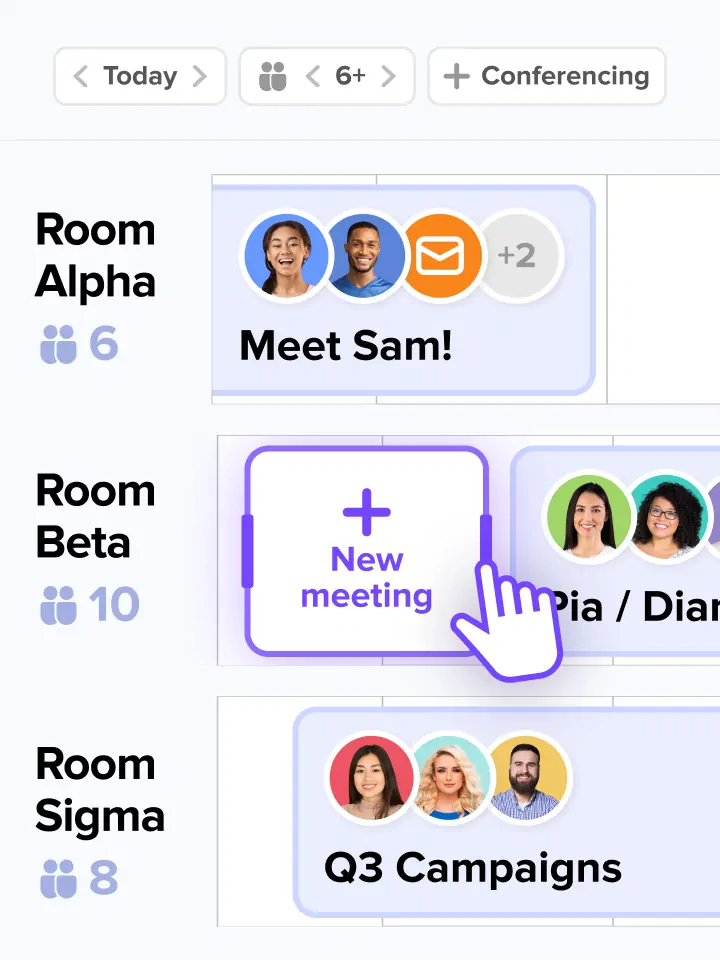
The system should also make room changes easy to update. If you move a meeting or add more participants, a drag-and-drop feature saves time. Quick room changes without having to recreate existing meetings from scratch keep things moving.

4. Use digital signage and room displays
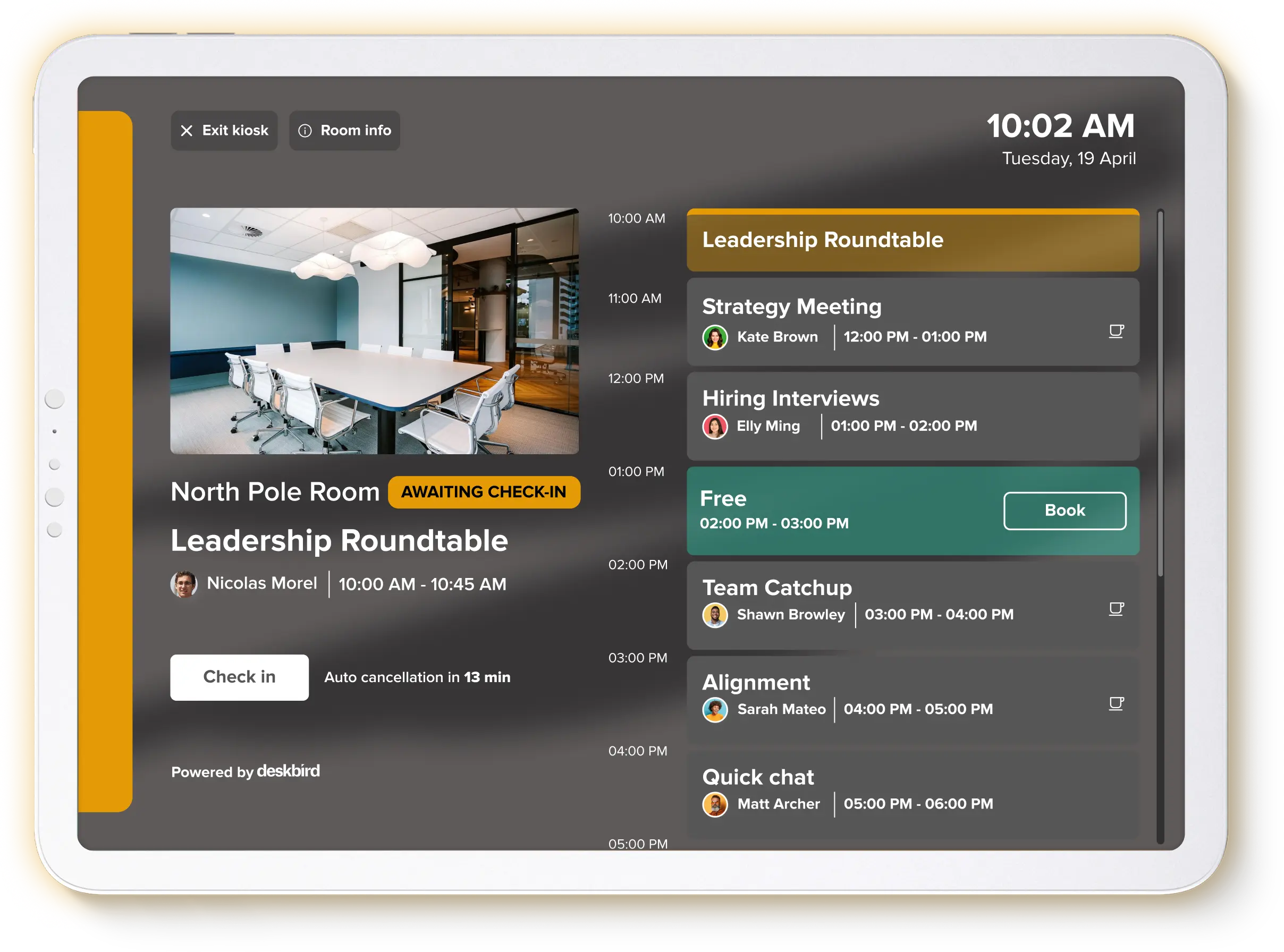
Many organizations request greater transparency directly at the meeting rooms themselves. Digital door signs or tablets show whether a room is currently free or occupied, which meeting is coming up next, and whether employees can book the room spontaneously.
This significantly reduces questions, misunderstandings, and spontaneous double bookings in larger or more complex buildings. deskbird's kiosk mode turns any tablet into an interactive room display, ensuring the room status is always up to date. Employees can check in when their meeting starts, check out when it ends early, or book available rooms directly on site. The check-in functionality at the kiosk also feeds into auto-release: if no one checks in within the configured window, the room becomes available for others.
5. Automatically plan buffer times between meetings
Meetings require preparation and follow-up time, whether for technical setup, room rearrangement, ventilation, or cleaning. When you schedule meetings without buffer times, overlaps and unnecessary interruptions occur. In many organizations, teams either plan these breaks manually or not at all.
A digital meeting room booking solution can help you solve this. Intelligent buffer times automatically account for preparation and cleanup. These buffers also support service workflows. If your facilities team needs 15 minutes between meetings for catering setup or room reset, the system enforces that gap automatically. The system does not schedule meetings back-to-back, and rooms are ready when the next group arrives.
6. Make cancellations and changes as simple as possible
Complicated cancellation processes are a common reason for unused but blocked rooms. If canceling a meeting requires multiple steps or even switching tools, employees often leave bookings unchanged. These rooms stay blocked.
Modern systems focus on fast and simple changes, including via mobile. Employees can cancel bookings with just one click, making rooms immediately available again. Real-time sync with calendars correctly reflects cancellations and changes across all systems.
Recurring meetings require special attention because room needs often change over time. When a weekly standup no longer needs a room, the system should make it easy to release the room for future instances. This should not affect the calendar invite itself. Look for systems that handle forward bookings gracefully. These should allow you to modify individual instances of a recurring series or release rooms for the entire series going forward.
7. Add information on room equipment and enable filter options
A classic pain point we hear from many organizations: the room is available but unsuitable. Missing whiteboards, no matching seating arrangements, or lacking technical equipment force teams to relocate meetings at the last minute. This costs time, causes disruption, and makes rooms unavailable for others.
You should properly maintain all relevant equipment details in the system and make them filterable during booking. Key attributes to track include:
- Video conferencing setup (camera, screen, speakers)
- Whiteboard or digital collaboration display
- Maximum seating capacity
- Room layout (boardroom, classroom, huddle)
- Building location and floor
- Accessibility features
Teams always find exactly the room they need when room equipment is an integral part of room data. Capacity mismatches and last-minute scrambles become rare.

8. Think meeting room booking and desk sharing together
In hybrid work models, room usage and desk usage connect closely. Demand increases for both desks and meeting rooms on days when many employees are on site. If you manage these topics separately, new bottlenecks quickly emerge.
Combining desk sharing and meeting room booking helps. Workplace management platforms like deskbird combine both in one intuitive tool, providing a better overall view of space usage and resource utilization. This unified approach gives you the foundation for long-term office space efficiency, helping you understand peak days, identify underused spaces, and right-size your real estate.
9. Take a mobile-first approach and enable spontaneous bookings
Hybrid work requires flexibility, including for meetings. Teams need rooms at short notice, meetings change spontaneously, and teams come into the office unexpectedly. A booking system that only works on desktop does not suit this reality.
Keep bookings up to date with app-based booking, push notifications, and check-in reminders. QR code check-in makes it even simpler: employees scan a code at the room door to confirm their booking, no app navigation required. This reduces friction and improves check-in compliance, which in turn makes auto-release more effective. Mobile usage through a simple, intuitive app makes check-ins, changes, and cancellations easy even when on the go.
10. Actively leverage usage data and reports for efficiency
Reliable data reveals which rooms you overuse, where no-shows occur frequently, and which room sizes you actually need. Use these insights to adjust rules, redefine room categories, or rethink office space altogether.
Room utilization data gives workplace leaders defensible numbers for real estate decisions. Instead of guessing whether you need more small huddle rooms or fewer large conference rooms, you can see actual booking patterns and occupancy rates. This data supports conversations with leadership about right-sizing your footprint, whether that means consolidating floors, reconfiguring space, or negotiating lease terms.
With integrated features such as workplace analytics, you can improve room usage based on data. You reduce conflicts sustainably instead of managing them anew every day. This helps make the meeting room booking experience smoother and simpler for everyone.
Efficient meeting room booking requires clear processes and the right tool
The many challenges around meeting room booking clearly show that outdated or isolated processes cannot manage hybrid work environments. Only when you centralize booking, availability, and rules can you avoid double bookings, no-shows, and unnecessary coordination effort.
The 10 best practices covered here work together to create a booking experience that actually supports how people work today. From centralized systems and clear booking rules to mobile-first access and usage analytics, each practice addresses a specific friction point. The right tool makes these practices possible without adding administrative burden.
How deskbird simplifies meeting room booking
deskbird brings together everything you need for effective meeting room management in one workplace management platform. Here's how it addresses the challenges covered in this guide:
- Centralized booking across web, mobile, Outlook, Teams, and Google Calendar, so employees book where they already work
- Real-time availability with calendar sync that keeps Scheduling Assistant and Room Finder accurate
- Auto-release for no-shows, reducing ghost bookings by 60-75% and freeing rooms for others
- Kiosk mode that turns any tablet into an interactive room display with check-in and check-out
- Buffer time automation that prevents back-to-back scheduling conflicts
- Workplace analytics that show room utilization patterns for data-driven real estate decisions
- 90%+ adoption rate across 500+ companies, because accurate utilization data only comes from tools people actually use
deskbird is built and hosted in Europe with ISO 27001, SOC 2 Type II, and GDPR compliance, meeting the security requirements of enterprise IT teams.
IU, managing 1,500 employees across 30 offices, needed an easy, intuitive solution that could handle their diverse locations and flexible work requirements after their first desk booking solution failed to scale. With deskbird, employees now book a desk in just 20 seconds on average, and real estate managers rely on precise occupancy analytics to make informed decisions about office space investments.
We were looking for an easy, intuitive tool that could still cater for all our needs. Especially as the project involved a restructuring of our office layout, it was amazing how flexible deskbird was with our changing needs. With deskbird, we have found a software that offers great user experience along with all the features we wished for, especially SSO and access restrictions which were very relevant for us!
Jacqueline Schuster, Senior Project Lead HR

Frequently Asked Questions
What is a meeting room booking system?
A meeting room booking system is software that lets employees reserve meeting spaces and showsreal-time availability across your organization. Modern systems like deskbird integrate with Outlook, Teams, and Google Calendar so bookings happen where people already schedule meetings. This eliminates the need to switch between tools and ensures availability is always current.
How do I reduce no-shows and ghost bookings?
Auto-release functionality automatically frees rooms when no one checks in within a set time window, reducing no-shows by up to 75%. deskbird sends check-in reminders and releases unclaimed rooms so they become available for others. Address ghost bookings at multiple points by combining auto-release with clear booking rules and mobile check-in options.
Can meeting room booking work with recurring meetings?
Yes. Recurring meetings require careful handling to prevent forward booking conflicts. Look for systems that sync in real-time with your calendar and allow easy modification of individual instances without affecting the entire series. The ability to release rooms for future instances while keeping the calendar invite intact is particularly useful for teams whose room needs change over time.
What size meeting room do I need for my team?
How do digital room displays reduce booking conflicts?
Room displays show real-time occupancy status at the door, eliminating guesswork about whether a room is free. deskbird's kiosk mode turns any tablet into an interactive display where employees can check in or book available rooms on the spot. This visibility reduces spontaneous double bookings and makes it clear when a room is actually in use versus just reserved.
Should meeting room booking integrate with desk booking?
Yes, in hybrid work environments room and desk demand connect. Both resources spike on high-attendance days. A unified workplace management platform gives you complete visibility into space usage and prevents bottlenecks. deskbird combines desk and room booking in one tool, making it easier to understand overall office utilization and plan capacity accordingly.
See how deskbird fixes meeting room booking
- Auto-release cuts ghost bookings by 60-75%, freeing rooms without manual effort
- 90%+ adoption rate across 500+ companies means your utilization data is actually reliable
- Integrates with Outlook, Teams, and Google Calendar, no new tools to learn
