

How to increase desk booking software adoption
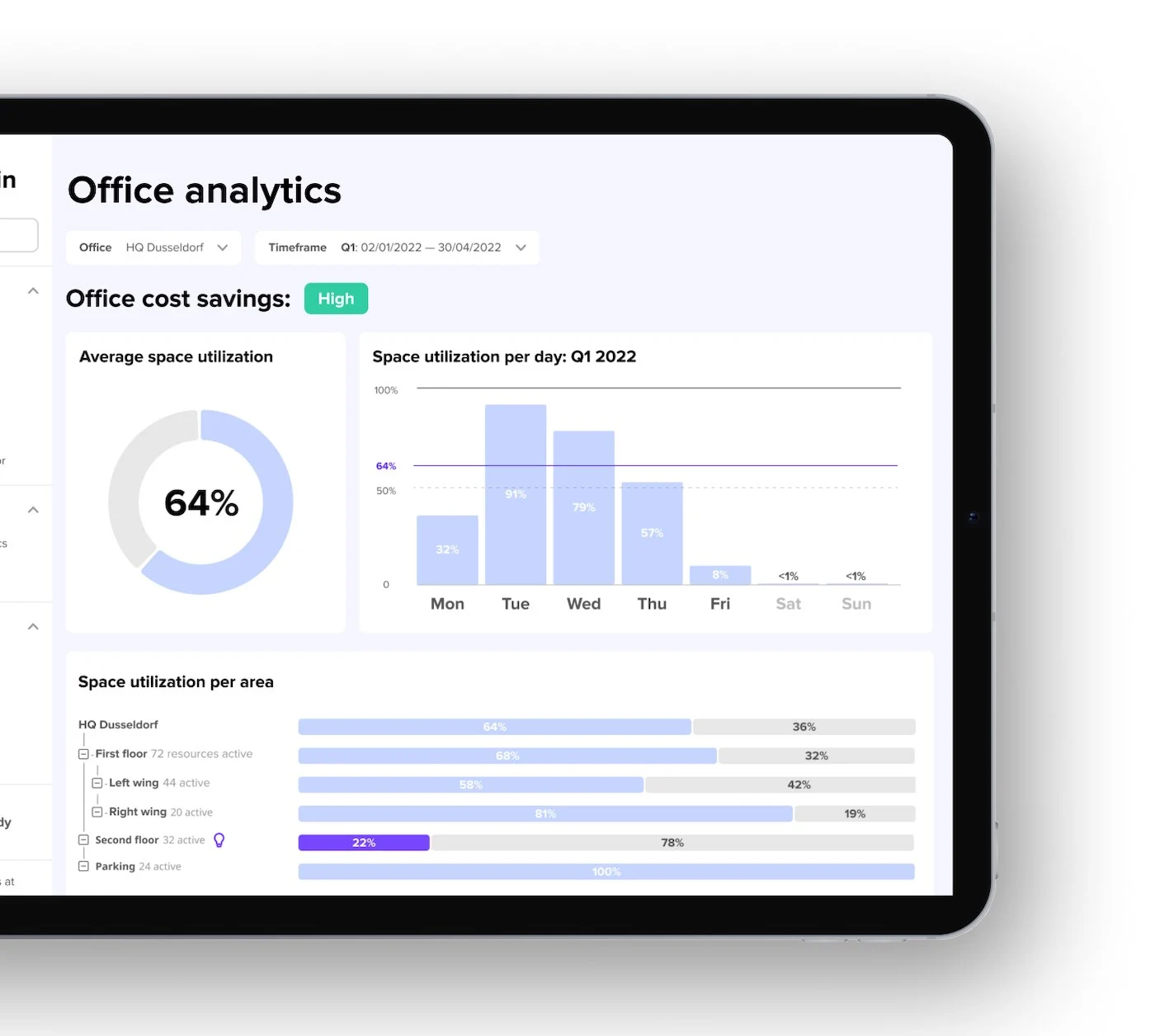
When employees use your desk booking system inconsistently, your workplace analytics stay incomplete, and real estate decisions become harder to defend. Strong adoption gives you a clearer picture of how space is actually used, helping you identify peak days, spot underutilized areas, and justify space changes with defensible data. This article covers why desk booking software adoption matters for your workplace analytics, the common barriers you'll face, practical strategies to drive adoption, and how to measure success.
TL;DR
Desk booking software adoption directly determines whether your workplace analytics are accurate enough to inform real estate decisions. Without consistent employee usage, utilization data is incomplete and unreliable. The tactics that drive adoption: embed booking in tools employees already use (MS Teams, Slack, Outlook) and implement automatic check-ins to reduce reduce no-shows. Choose software with intuitive interfaces and interactive floor plans. Track adoption rate alongside no-show metrics to measure progress.
Why adoption is the key to accurate workplace analytics
Your desk booking software is only as valuable as the data it collects. When employees bypass the system, book desks but don't show up, or forget to cancel, your utilization data becomes unreliable.
Workplace leaders use this data to make significant decisions: how much office space to lease, which floors to consolidate, and whether hybrid work policies are working. If only 60% of employees consistently use the booking system, you're making million-dollar real estate decisions based on incomplete information.
Organizations that achieve 90%+ adoption rates get a complete picture of how space is actually used. They can identify peak days, spot underutilized areas, and justify space changes with defensible data. Those with low adoption are guessing.
The business case for investing in adoption is straightforward. Accurate workplace analytics require consistent usage. Everything else, from cost savings to policy compliance, depends on getting employees to actually use the platform.
Why a successful software launch matters
Desk booking software aims to establish a new tool in the company and ensure the investment pays off. With successful adoption, you achieve several benefits at once:

Common barriers to desk booking software adoption
Companies often face challenges when introducing new tools like desk booking software. Here are the hurdles that cause implementations to struggle.
Employee resistance and technology fatigue
New technologies and the associated process changes can lead to resistance among employees. They don't always know how the latest technology will affect their work. The fear of making mistakes when using a new tool can also inhibit acceptance.
Technological overload is real. Research shows that 27% of employees feel overwhelmed by the number of tools and technologies they have to deal with at work.
Digital affinity and user competence vary significantly within a workforce, particularly when several generations are represented. Studies show that 40% of Gen Z are very interested in new technologies, compared to just 22% of baby boomers.
No-shows and ghost bookings undermine trust
No-shows and ghost bookings are among the most frustrating adoption barriers. Employees book desks but don't show up, leaving colleagues searching for space that appears unavailable. This creates frustration with the system itself.
The problem compounds quickly. When employees see booked desks sitting empty, they lose trust in the booking data. Some start ignoring the system entirely, booking desks informally or just showing up and taking whatever's available. Your utilization data becomes increasingly unreliable.
Double bookings create similar frustration. When employees arrive to find their desk occupied by someone else, they question whether the system works at all. The solution is automatic check-ins that release unused bookings. When employees know unclaimed desks will become available again, they trust the system reflects reality.
Technical difficulties and integration gaps
Technical difficulties are another hurdle. If IT problems occur during or immediately after the introduction, such as non-functioning integration into existing systems, employees become frustrated quickly.
Research from Gartner shows that 60% of employees say they have experienced occasional or frequent frustration with new software in the last 24 months. 51% of German employees see the main reason for software implementation failure as incompatibility between new and existing tools.
Specific pain points include SSO (Single Sign-On) that doesn't work smoothly and Active Directory synchronization issues that create duplicate accounts or provisioning delays. IT teams need zero-maintenance integrations that don't require ongoing attention. Simply allowing your employees to book desks directly in other software like Microsoft Teams is a huge adoption lever.
Phases of desk booking software implementation
Without a clear strategy and accompanying measures, the likelihood of employee resistance and misuse increases. Use the following phases as a guide, choosing an implementation approach (phased rollout, pilot project, or company-wide launch) that matches your corporate culture and way of working.
Preparation and planning
The first phase involves defining the project's objectives and scope. Appoint a project team with the appropriate roles and develop a realistic timetable for implementation. Define the company's benefits from the introduction as well.
Software selection with employee input
Determine the technical and functional requirements in this phase, then select a provider. To achieve the best possible user acceptance later on, involve employees in the process at this stage. Ask them about their expectations and preferences.
Implementation and training
This phase involves the actual software implementation: the technical setup of the desk booking software and the execution of tests to ensure functionality. It also includes training end users. Focus training on the specific workflows employees will use daily.
Ongoing operation and improvement
In the final phase, the software operates actively. From here, you provide support, monitor the software, and continuously improve based on user feedback.
Reducing no-shows and ghost bookings
No-shows are one of the biggest threats to adoption success. When booked desks sit empty, colleagues get frustrated, data becomes unreliable, and trust in the system erodes. We have a full guide on how to reduce no-shows, but here are some key takeaways to address this directly.
Automatic check-ins and auto-release
The most effective solution is automatic check-in requirements with auto-release of unused bookings:
This approach creates accountability without being punitive. Employees learn that bookings matter, and colleagues trust that available desks are actually available.
QR code check-in and kiosk options
QR code scanning provides a simple check-in method. Employees scan a code at their desk using their phone, confirming they've arrived.
Some organizations worry about gaming. Employees might scan from home. Kiosk mode addresses this by requiring check-in from a device physically located in the office. The kiosk can also display floor plans and allow walk-in bookings for employees who arrive without a reservation.
Strategies to drive employee adoption
A successful software implementation depends on employee acceptance. If employees accept the new desk booking software and integrate it into their daily work routine, you can achieve your goals. This guarantees a positive ROI.
Early involvement and transparent communication
Involve employees in the process as early as the software selection stage. Ask employees about challenges, preferences, and requirements for the desk booking software through workshops and feedback rounds.
Communication should focus on the new software's benefits. Tell employees how the new tool will improve their work. Regular updates on the progress of the software rollout help keep the topic relevant and fuel interest and anticipation.
Integration with tools employees already use
Embedding booking in tools employees already use is the single biggest driver of adoption. When booking requires opening a separate app, logging in, and navigating to the right screen, friction kills adoption.
Employees can make and manage their bookings directly via the tool interface they're familiar with, thanks to MS Teams and Slack integration. They continue to work their usual way and don't have to switch between applications constantly.
Calendar integration with Outlook and Google Calendar is equally important. Bookings should sync automatically so employees see their desk reservation alongside their meetings.
Tailored training and accessible support
Pursue an employee-oriented approach that prioritizes users and responds to their needs. This includes tailored training programs for different user groups and the provision of easily accessible resources such as tutorials and FAQs.
The best desk booking software requires minimal training. If employees need extensive instruction to book a desk, the tool is too complicated. Intuitive design reduces the training burden and accelerates adoption.
Features that drive adoption
Consider employees' needs and requirements when selecting software, and you increase your chances that employees will accept the new tool. Here are the features that specifically drive desk booking software adoption.
Intuitive interface and interactive floor plans
With the right tool, employees can book desks and other resources with just 2 clicks. The intuitive user interface ensures that employees quickly integrate the app into their day-to-day work.
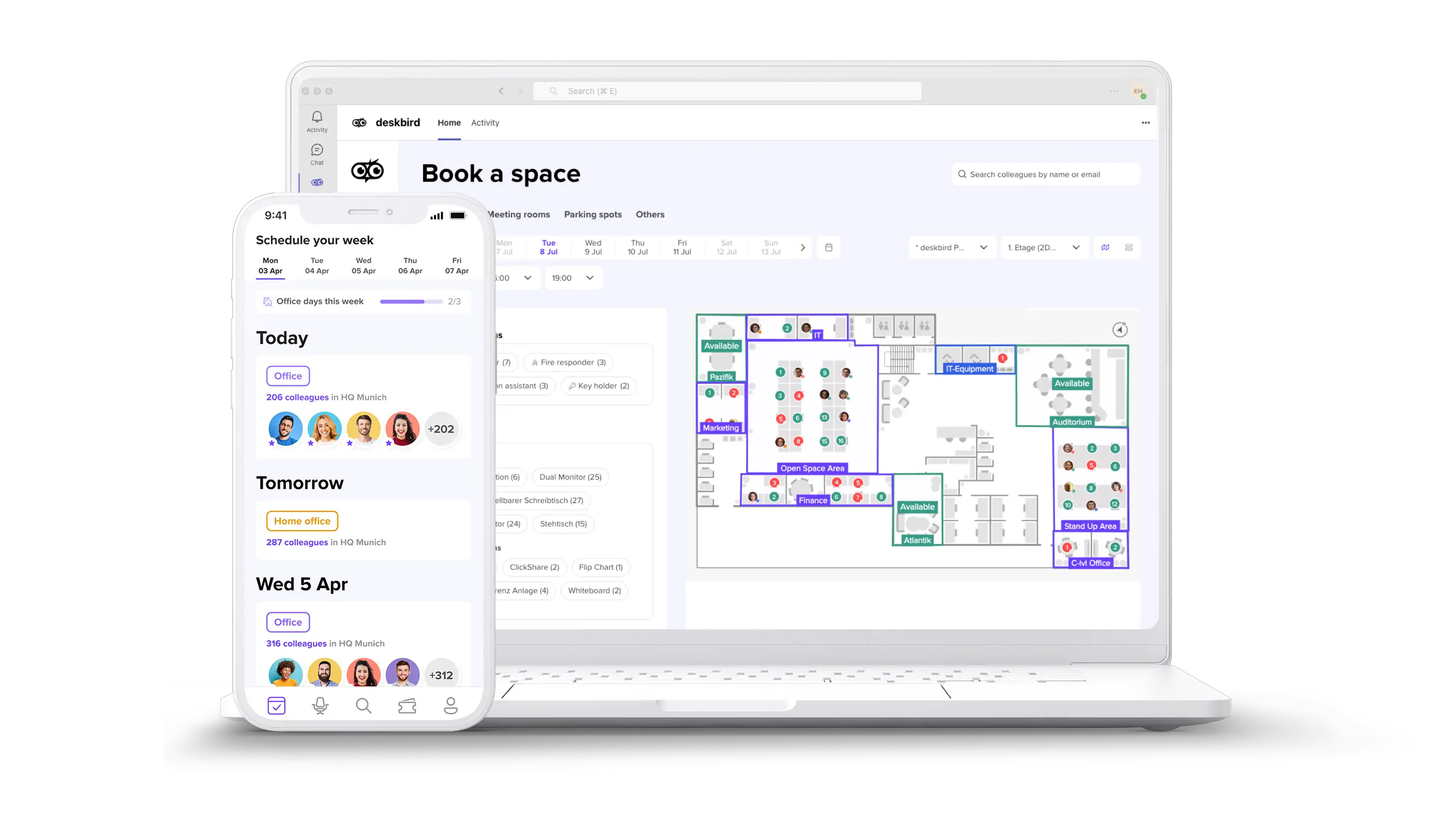
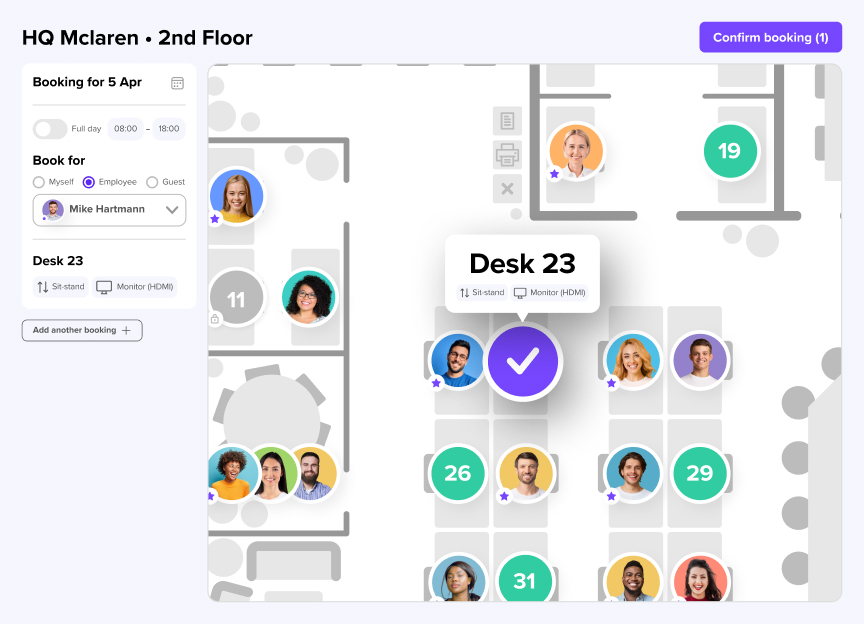
Interactive floor plans show exactly where desks are located, which colleagues are nearby, and what amenities are available. Visual booking is faster than scrolling through lists. It helps employees find the right spot for their workday.
All-in-one functionality
Providing employees with tools that offer all the features they need encourages adoption. This includes desk booking, room booking, week planning, parking reservations, and visitor management in a single platform.
When employees can handle all their office coordination in one place, they're more likely to use it consistently.
Security and data protection
Data protection and security are particularly important for employees, especially in enterprise environments. Look for solutions that are GDPR-compliant, ISO 27001 certified as well as SOC 2 Type 2 compliant. These certifications promote trust among employees and satisfy IT security requirements.
How to measure adoption success
Tracking the right metrics tells you whether your adoption efforts are working and where to focus improvement.
Key metrics to track
[Table1]
Track these metrics weekly during rollout and monthly once adoption stabilizes. Sudden drops indicate problems that need immediate attention.
Connecting adoption to real estate decisions
High adoption rates enable accurate utilization data, which informs critical decisions:
Without high adoption, these decisions become guesswork. With it, you have defensible data for every recommendation.
Implementation checklist
A methodical approach to software implementation helps you consider all aspects. Include the following on your checklist:
How deskbird drives adoption without training
deskbird achieves 90%+ adoption rates across 500+ companies by focusing on what actually drives employee usage: intuitive design and integration with existing tools.
Two-click booking inside the tools you use
deskbird integrates directly with MS Teams, Slack, Outlook, and Google Calendar. Employees book desks without leaving the apps they already have open. No separate login, no app switching, no friction.
Automatic check-ins for accurate data
deskbird's automatic check-in features prevent no-shows and ensure your workplace analytics reflect reality. Unclaimed bookings release automatically, keeping availability accurate and building employee trust in the system. The result: you get utilization data you can actually use for real estate decisions.
Enterprise-grade security with 90%+ adoption
deskbird combines enterprise requirements (ISO 27001, SOC 2 Type II, GDPR compliance, EU data hosting) with the UX that drives adoption. This matters because you can only get accurate utilization data if employees actually use the tool.
Enterprise-grade capabilities only deliver ROI when employees adopt the tool at high rates. deskbird bridges that gap.

Frequently Asked Questions
What is a good adoption rate for desk booking software?
How do I get employees to actually use desk booking software?
What causes no-shows in desk booking systems?
How does desk booking software help with hybrid work policy compliance?
Desk booking software like deskbird helps track hybrid work policy compliance by recording when employees book and check in to the office. It provides data on attendance patterns. This visibility allows workplace leaders to identify whether policies are being followed and make adjustments based on actual behavior rather than assumptions.
What integrations should desk booking software have?
How do I prevent double bookings with desk booking software?
How long does it take to implement desk booking software?
Implementation time varies by organization size and complexity, but many companies go live within days to a few weeks. deskbird customers like Raiffeisen-Volksbank eG completed setup in half a day, with employees booking desks immediately after.
Get 90%+ adoption and space data you can actually trust
- deskbird reaches 90%+ adoption across 500+ companies, no training required
- Accurate utilization data means real estate decisions you can defend
- Book a demo and see how it works in your environment