

How deskbird works with HRIS tools
deskbird connects to your HRIS through Merge so absences, users, and groups stay in sync without manual updates. Approved absences flow automatically into Week Planning and cancel any conflicting desk or parking bookings while new hires are provisioned and leavers deactivated daily, with no SCIM required. Over 20 platforms are supported, including Workday, BambooHR, Personio, and SAP SuccessFactors.
Introduction
Many workplace tools struggle with adoption because IT must create accounts, update team structures, and clean up user lists whenever someone joins, moves, or leaves.
deskbird's HRIS integrations automate employee data sync, absence status, and user provisioning. Your workplace directory stays current with less IT work, and your utilization data reflects who is actually available to come in.
What data flows between deskbird and your HRIS
An HRIS integration connects your human resources database to your workplace management platform. This connection keeps employee information consistent across both systems. No one needs to update multiple directories by hand.
When you connect deskbird to your HRIS, specific data fields map directly to user profiles. The system imports employee names, email addresses, and unique employee IDs to establish basic identity. Team and department assignments sync as well, enabling team-based booking views and detailed analytics.
Office locations determine which spaces an employee can book. Manager relationships come through for reporting and approval workflows. Employment status tracks whether someone is active, on leave, or has left the company.
[Table1]
In a nutshell, deskbird's HRIS integration covers 2 separate workflows: absence sync and user and group sync. Both run through Merge, deskbird's integrations partner, so no developer input is required on your side.
This sync runs automatically once per day, during night hours. For most organizations that is sufficient. If you need on-demand triggering, deskbird's public API supports it.
How absence sync keeps desk availability accurate
Employee schedules change constantly. Vacations, sick days, and business travel all affect who actually shows up. When your HRIS shows time off or out-of-office status, deskbird reflects it in the booking system. This connection prevents ghost bookings: desks reserved by people who are not actually coming into the office.
The absence sync pulls approved leave, start dates, end dates, and partial-day absences directly from your HRIS. Employees do not have to cancel their desk bookings manually when they take time off. The system handles cancellation automatically and frees up the desk for someone else.
To protect privacy, deskbird syncs only availability status for absence management, not leave reasons or medical details.
User and group sync: provisioning without SCIM
Most enterprise platforms require SCIM through an identity provider to automate user provisioning. deskbird's HRIS integration gets you most of the way there without it.
Once connected, your HRIS becomes the source for who has access to deskbird. New hires are created automatically. Leavers are deactivated. Teams, departments, and cost centers sync as groups. Reporting lines carry over for manager visibility into team schedules.
When someone leaves, their access is removed and future bookings cancelled on the next sync. This keeps your user list clean without requiring IT to touch deskbird directly.
This sync runs once daily. It requires read access to email, first name, last name, and active/inactive status at minimum. Team, department, supervisor, and cost center fields are optional but give you richer group structure.
User and group sync is available on the Desks Enterprise plan, the Workforce Enterprise plan, or as a User and Data Management add-on.
For organizations that also want SSO, deskbird supports login via Okta, Microsoft Entra ID, and Google Workspace. The two setups are independent: HRIS sync handles org data, SSO handles authentication
LOOPING GROUP, a storytelling agency with 300 employees across 5 office locations, integrated deskbird with their Okta identity management system. Employees log in with their familiar credentials. This simplified access and led to better user acceptance across the organization. The tool was also integrated into [Okta] Identity Management so employees can log in to deskbird with their familiar, secure credentials, simplifying access and improving user acceptance.
SAML SSO for secure, frictionless access
Single sign-on lets employees log in to deskbird using their existing corporate credentials. No additional password to remember. No separate account to create. This removes friction from the login process while enforcing your organization's security policies.
deskbird supports industry-standard protocols, including SAML 2.0 and OpenID Connect (OIDC). The platform works with major identity providers like Microsoft Entra ID, Okta, and Google Workspace. Employees authenticate once and access deskbird without additional steps.
SSO is not required to use deskbird, but most enterprise deployments enable it. A friction-free login experience is one of the reasons deskbird reaches 90%+ adoption across enterprise deployments: when employees do not need a separate account, they actually use the tool. And when they use the tool, utilization data becomes reliable enough to support real estate decisions.
Two-way calendar sync for room and desk bookings
deskbird connects with your existing calendar infrastructure to keep employee schedules accurate, and employees never need to switch between applications.
When someone books a desk or room in deskbird, that reservation automatically appears on their calendar. This two-way sync reduces double-bookings and ensures that available spaces are released back to the team. Embedding workplace management into existing workflows leads to higher compliance with hybrid work policies.
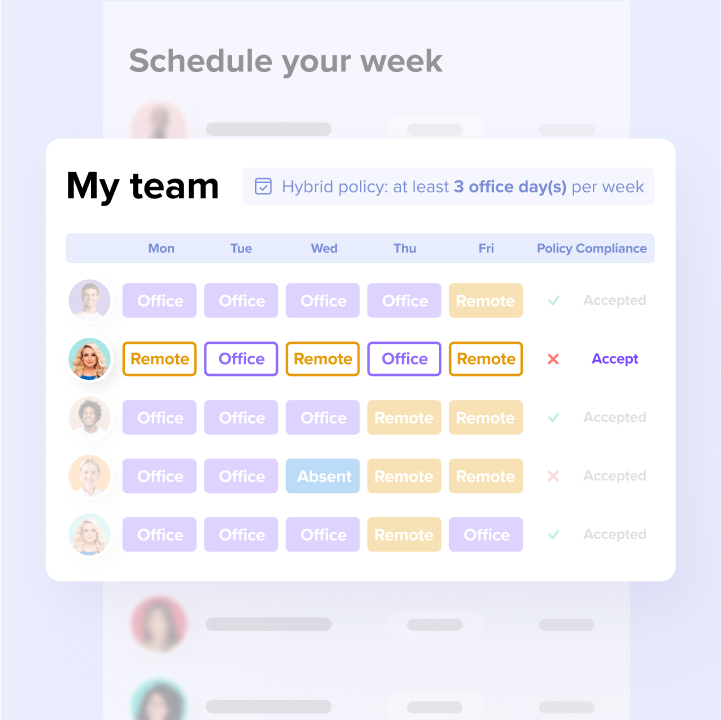
Office attendance analytics from connected data
Accurate workplace analytics require data from multiple systems working together. deskbird combines HRIS records, calendar events, and actual booking data to produce reliable office attendance analytics.
Your HRIS provides headcount, team structure, and office assignments. The absence sync shows who is actually available to come in. Booking data reveals who planned to come in, and check-in data confirms who actually showed up.
Workplace leaders use this combined data to measure attendance patterns and identify peak days. Real estate teams can then right-size their footprint based on observable patterns rather than intuition. Without accurate headcount, utilization percentages are meaningless. A space that looks 60% used against a stale employee list might be 90% used against current headcount. The HRIS sync closes that gap.
Because the HRIS integration handles all user management in the background, employees experience a frictionless interface. Across 500+ deskbird customers, teams commonly reach 90%+ adoption without formal training. When employees actually use the tool, deskbird Workplace Analytics captures precise data on office space usage and team attendance.
Which HRIS platforms deskbird supports
deskbird connects with the most common human resources platforms used by mid-market and enterprise organizations. It supports over 20 HRIS platforms through Merge, including Workday, BambooHR, Personio, SAP SuccessFactors, ADP (Workforce Now and Decidium), UKG Pro, HiBob, Factorial, Sage HR, PeopleHR, Lattice, Leapsome, Charlie, Lucca, Breathe, Darwinbox, and CezanneHR.
These native integrations require minimal configuration from IT teams. If your platform is not listed, contact your Customer Success Manager. deskbird may support it through Merge, or offer a secure SFTP-based absence sync as an alternative.
Security and compliance for enterprise HRIS connections
Connecting core employee databases to third-party applications requires strict security controls. deskbird is built and hosted in Europe to meet enterprise security and privacy standards.
The platform holds ISO 27001 certification and SOC 2 Type II compliance. All data is hosted on EU-based servers in Frankfurt, which supports GDPR compliance requirements. The system practices data minimization by syncing only the fields needed for workplace management rather than full HR records.
Employee data stays within controlled boundaries at all times. deskbird provides audit logs that help you review system access during security assessments. This architecture allows IT departments to approve the integration without compromising corporate data policies.
Get started with deskbird HRIS integration
Accurate workplace data starts with accurate people data. When your HRIS and deskbird stay in sync, your utilization numbers reflect what is actually happening in the office, not what was true last quarter. Combined with SSO and calendar sync, deskbird gives IT and Facilities a single, accurate view of who is in, who is out, and how the office is actually being used.
The automated data flow eliminates manual directory updates and reduces the IT maintenance burden. By syncing absence data, the system prevents ghost bookings and provides a clear picture of actual office utilization. See deskbird sync your HRIS in action: book a demo.

Frequently Asked Questions
Does deskbird require an HRIS integration to work?
No, deskbird works as a standalone platform or with manual user management. An HRIS integration automates user provisioning and keeps data current, but it is entirely optional.
What is the difference between SCIM and SAML?
How often does HRIS data sync with deskbird?
Can deskbird sync absence data without exposing leave reasons?
What happens to bookings when an employee is deprovisioned?
See deskbird sync your HRIS in action
- Over 20 HRIS platforms supported, including Workday, Personio, and SAP SuccessFactors
- Absences, users, and groups sync automatically — no manual updates, no SCIM required
- 90%+ adoption across 500+ companies means your utilization data is actually reliable