
Reporting workplace issues just got a whole lot easier: Introducing deskbird Workplace Ticketing
Why we built this
Here's a scenario that plays out in offices every single day: An employee walks past a broken chair. The projector in the meeting room isn't working. There's a leak under the kitchen sink. They make a mental note to report it later.
Later never comes.
Not because they don't care. Because reporting is too complicated. A separate tool. A different login. An email chain that may or may not reach the right person. So the issue sits there, unfixed, growing into a source of quiet frustration.
The data backs this up: 49% of employees say poor maintenance makes them less productive. 21% avoid coming into the office altogether because of ongoing maintenance problems.
We kept hearing this from customers. Facility teams had no visibility into what was broken. Admins were chasing employees for details after the fact. And employees had stopped bothering to report in the first place.
The problem wasn't a lack of ticketing tools. It was that existing tools created too much friction to actually get used.
We built deskbird Workplace Ticketing to fix the root cause: making issue reporting so fast and simple that employees actually do it, right when they notice the problem, right in the app they already use every day.
How it works
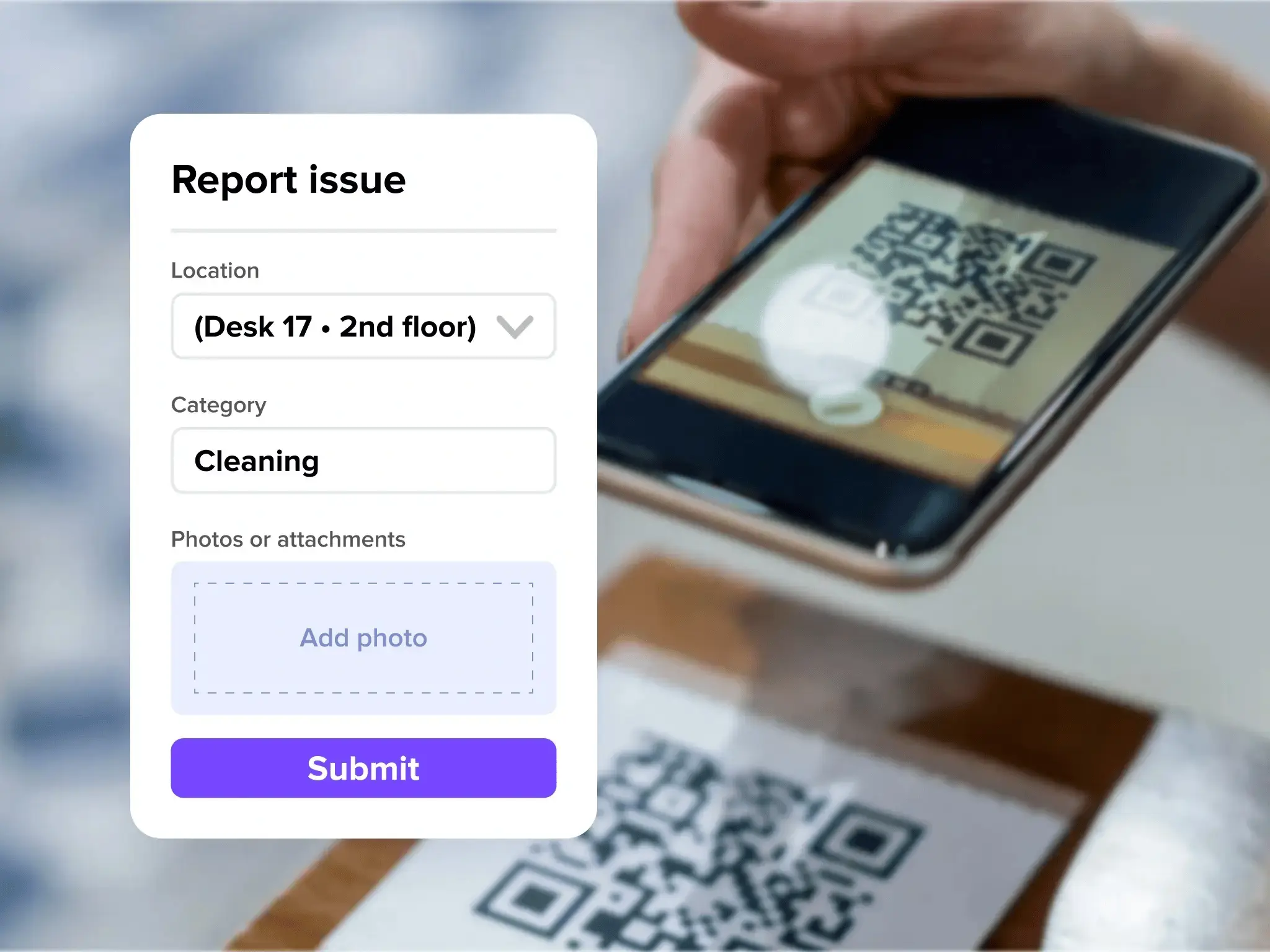
Scan or tap to start. Employees can report an issue by scanning a QR code sticker placed around the workspace, or by tapping "Create ticket" directly in the deskbird app. QR codes automatically pre-fill the location so employees don't have to search for it manually.
Add context in seconds. Select a category, snap a photo, add a short description. The form is fully customizable by admins, so employees only fill in what's actually relevant and nothing more.
Automatic routing. Once submitted, the ticket is instantly routed to the right team or external service provider. No manual forwarding. No chasing. The right people are notified immediately.
Track from submission to resolution. Every ticket follows a clear lifecycle: Open, In Progress, Done. Employees receive status updates by email at every step, so they're never left wondering if their report disappeared into a void.
No separate logins. No duplicate entries. No "did anyone see my message about the broken AC?"
Who this is for
For employees: Report a problem the moment you notice it without interrupting your day. Scan a QR code, snap a photo, and you're done in under 30 seconds. No new app, no new login. Everything happens inside deskbird.
For facility and workplace teams: Get full visibility into every open issue across your offices. Exact location data and photos mean you can assess, prioritize, and resolve tickets faster, without the usual back-and-forth for basic details. Customizable categories and forms ensure you capture exactly what you need for each type of issue.
For admins: Configure ticket categories, assign authorized users, and generate QR codes for every floor or area in your office. Set up external provider routing so issues go directly to the right vendor without any manual handoff. All from one place inside the deskbird admin panel.
The impact
When reporting becomes frictionless, the benefits reach far beyond fewer broken chairs.
More reports, faster fixes. The biggest obstacle to resolving workplace issues is finding out about them. When employees can report in seconds, problems surface earlier, before they escalate into bigger disruptions or safety risks.
No more silent dissatisfaction. Unreported issues don't just go unfixed, they spread. Employees vent to colleagues, attendance quietly drops, and trust in the workplace erodes. A simple reporting loop closes that gap and signals to employees that their environment is being taken care of.
Smarter facility operations. With every ticket logged, categorized, and tracked, facility teams gain real data on what's breaking, where, and how often. That means better maintenance planning, smarter vendor management, and a workplace that runs more predictably over time.
Reduced admin overhead. Automatic routing and email notifications cut out the manual coordination that currently eats into facility and admin teams' time. Less chasing, more resolving.
Available now
deskbird Workplace Ticketing is live today for Professional and Enterprise customers. Admins can set up ticket categories, generate QR codes, and assign authorized users directly from the admin panel. No complex setup, no lengthy onboarding.
We're continuing to build on this foundation. Upcoming improvements include richer data dashboards, an upvoting system to avoid duplicate reports, and deeper two-way integrations with external ticketing systems.
Get started today
Admins can activate Workplace Ticketing from Admin > Workplace > Ticketing in the deskbird admin panel.
Need help getting set up? Read our Help Center article.
Not yet on deskbird? Book a demo to see Workplace Ticketing in action.

