How to implement hot desking in a hybrid workplace
A step-by-step guide to implementing hot desking: from pre-rollout planning and policy creation to software selection, launch, and ongoing refinement.

Hot desking implementation follows 5 steps: pre-rollout assessment, policy creation, office redesign, software selection, and launch with ongoing monitoring. The biggest success factors are understanding actual space usage before redesigning, involving employees early, and choosing booking software that integrates with tools your teams already use.
Ultimately, hot desking rollout success comes down to understanding what your organization needs, communicating expectations clearly, and continually improving your setup based on data and employee feedback.
What to consider before your hot desking rollout
Before launching hot desking, audit your current space usage, define clear goals, and gather employee input. These 3 inputs shape every design and policy decision that follows.
Here's what that prep work looks like in practice, and why each step matters before you touch a single desk or write a policy.
- Assess your company’s needs and culture: Evaluate workforce size, space requirements, work types, desired flexibility, and management support to ensure hot desking aligns with how your organization operates. Also make time to carefully weigh the pros and cons of hot desking.
- Define the purpose: Clarify the primary goals you want to achieve with the introduction of hot desking in your workplace (e.g., better space efficiency, cost control, workforce flexibility). Pinpointing these objectives will help you define the right KPIs to measure project success, such as occupancy rates, cost savings, and employee satisfaction rates.
- Analyze current office space usage: Track occupancy rates across different workspace zones using occupancy sensors or check-in software and map out your work areas to visualize high-traffic zones versus underused spots. Combine this data with employee survey results to inform your hot desking strategy.
- Evaluate your available office space: Review your office layout, including common areas and collaborative spaces. Use an office space calculator tool to estimate how many desks you need based on your headcount and attendance patterns.
- Get employee feedback: Conduct conversations and organize surveys to gather employee expectations and preferences and detect any concerns they might have about moving to a hot desking setup. Their feedback is crucial for creating a workspace that enhances your team’s work experience.
How do you implement hot desking step by step?
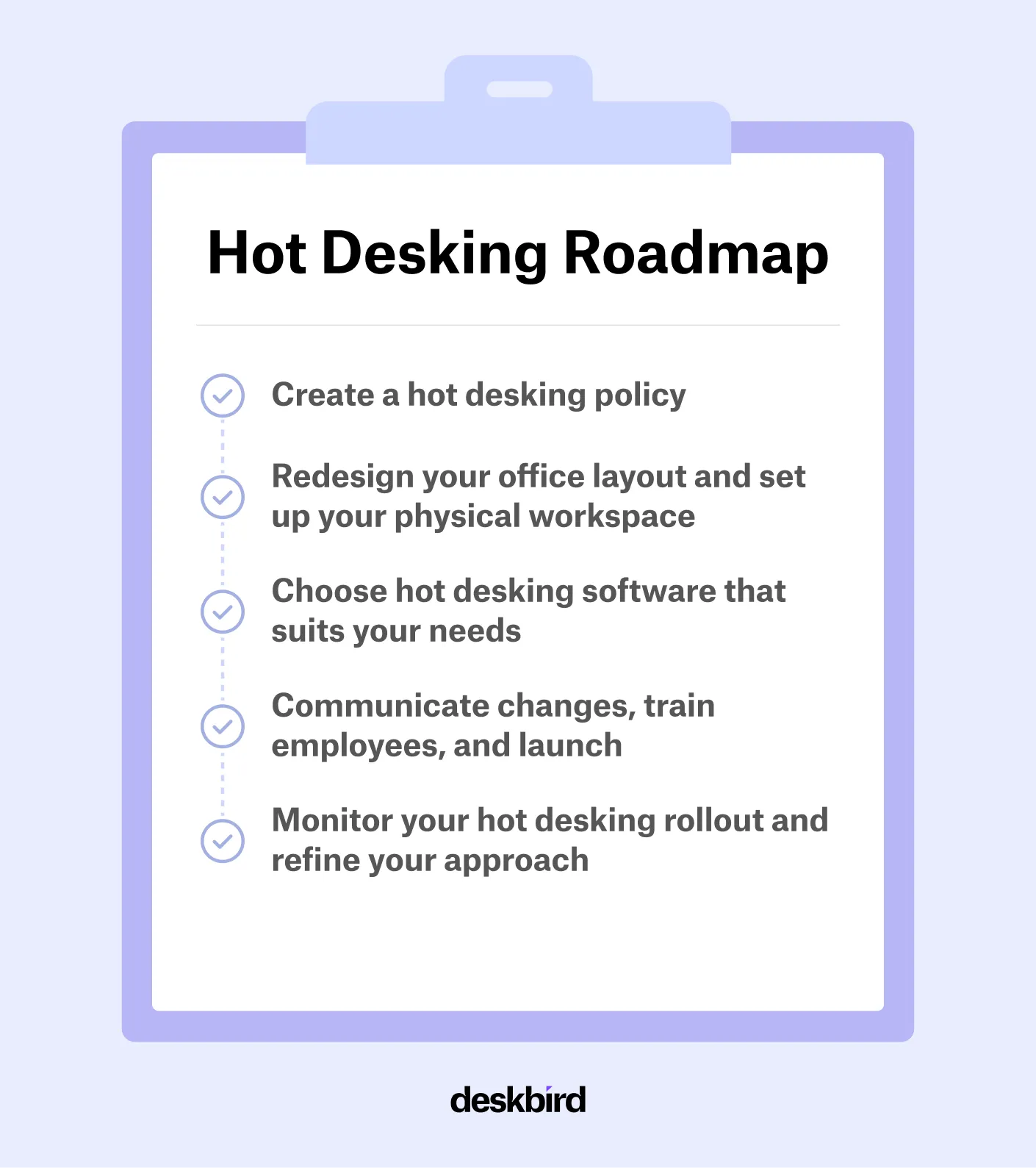
Hot desking implementation follows 5 steps: create a policy, redesign your office layout, choose your software, communicate and train, then monitor and refine. Each step builds on the pre-rollout groundwork above.
Step 1: Create a hot desking policy
A clear policy ensures everyone understands how desks are allocated and booked before day one. Document booking rules and processes (including timelines for advance reservations and booking windows), connect desk and resource access to your hybrid work policy, and describe who can access which zones or desks and what equipment is provided. It's also important to address issues like confidentiality and privacy, especially when employees handle sensitive information.
Here are some hot desking etiquette best practices to include in your policy and share with your team:
- Book your desk in advance to prevent scheduling conflicts and ensure everyone can plan their workday smoothly.
- Keep phones on silent or vibrate and take personal calls in designated areas to maintain a comfortable noise level for everyone.
- Bring your own devices when possible and follow your company’s BYOD guidelines to work efficiently with familiar equipment.
- Stay home when sick and cancel any desk reservations to avoid spreading illness in a shared workspace.
- Leave the desk clean and tidy by removing personal items and sanitizing the area so it’s ready for the next person.
Step 2: Redesign your office layout and set up your physical workspace
Transforming your traditional workspace into a hot desking office requires you to redesign and equip your office space for flexibility and adaptability. The redesign should prioritize flexibility, collaboration, and efficiency, with various zones dedicated to different work styles and tasks. Integrate technology solutions that facilitate hot desking, like booking systems for workstations and meeting rooms. Since your physical office layout can make or break hot desking adoption, follow these steps to get it right.
- Segment your office into zones (e.g., quiet areas, collaboration zones, cubicles for deep focus work) that respond to different work styles and tasks.
- Use wayfinding systems and interactive floor plans to simplify workspace booking for employees and help them locate their desks more easily.
- Equip workstations and zones with the necessary resources, including secure storage, printers, monitors, charging stations, and cleaning supplies.
- Design office layouts that make it easy for your teams to sit together when they need to and allow for both group work and focus work on individual tasks.
- Consider ergonomic practices and furniture and implement adjustable setups to accommodate diverse employee needs and support a safe and healthy workspace.
Step 3: Choose hot desking software that suits your needs
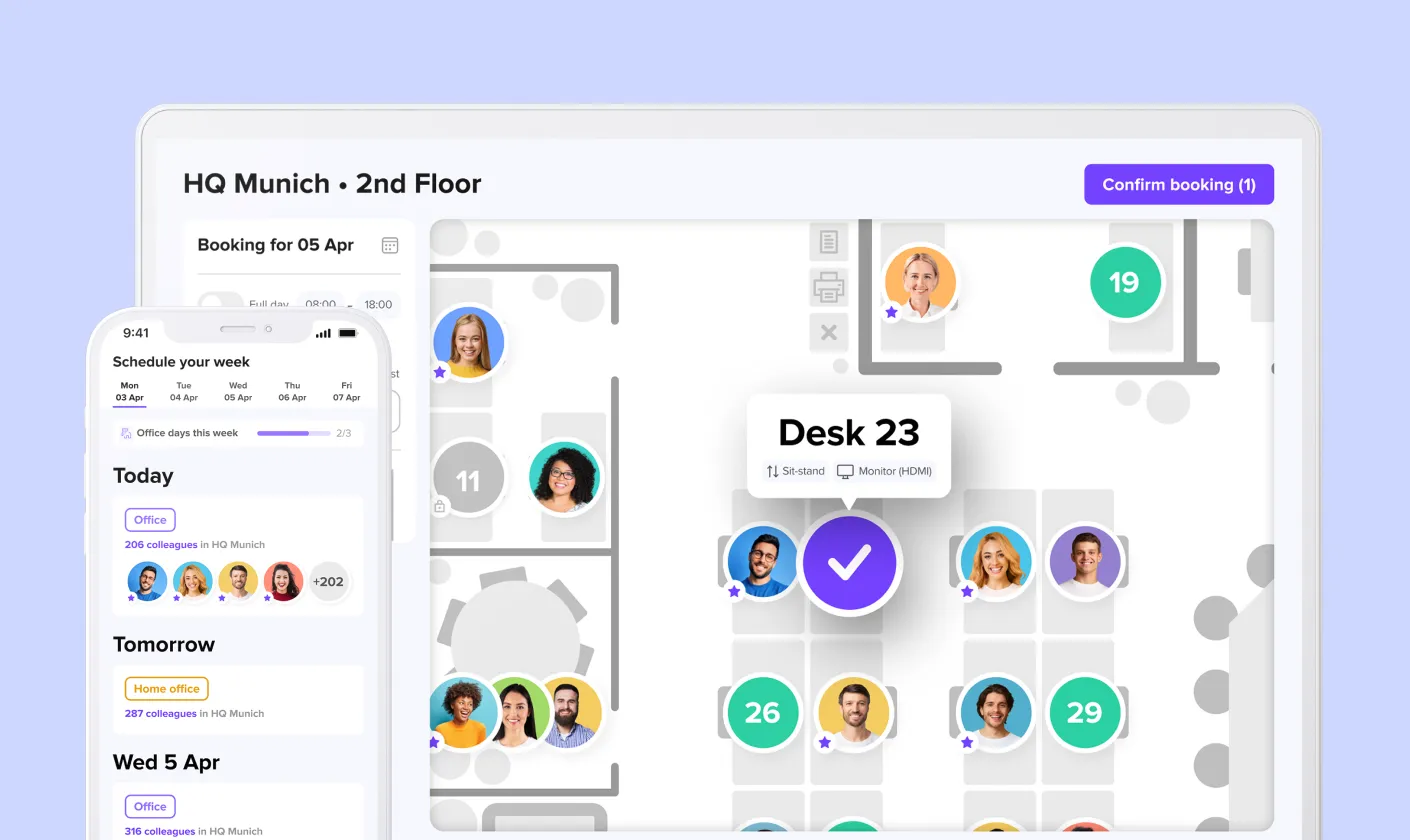
Choosing the right hot desking software is essential for an easy transition to desk sharing. Tools like deskbird allow employees to book desks and resources with ease and are crucial for integrating hot desking into daily operations. When linked with other workplace technology tools like calendar systems, communication platforms, and project management tools, these solutions create a cohesive work environment that fosters productivity and engagement. The right tool will help you solve common hot desking pain points, so focus on:
- Intuitive user experience: Look for a clean, easy-to-navigate interface with visual floor plans so employees can book desks with little to no training.
- Strong integrations: Ensure the tool connects with everyday systems like Slack or Microsoft Teams, as well as calendar tools like Google Calendar or Outlook. deskbird, for instance, provides an intuitive desk booking app that has native Outlook and MS Teams integrations.
- Real-time availability: The platform should show live desk availability to prevent double bookings and daily frustration.
- Mobile accessibility: A mobile app lets employees book and check in from anywhere.
- Actionable analytics: Robust reporting on space usage, peak times, and no-shows will help you refine layouts and guide future space decisions.
- Automated check-ins: Tools like QR codes or sensors can streamline attendance and free up unused desks automatically.
Step 4: Communicate changes, train employees, and launch
Effective communication, change management, and proper onboarding are crucial to a successful hot desking launch and long-term adoption. Inform employees about the changes, why they are happening, and how they will be affected, then provide training to help them understand how to use the new hot desking software, adhere to the new policies, and make the most of their flexible working arrangement. Here are some useful tips to promote hot desking adoption in your teams.
- Communicate the reasons and benefits of hot desking to all employees. Transparency reduces resistance and confusion.
- Run live training sessions and provide guides for booking processes, desk-sharing etiquette, and troubleshooting common issues.
- Encourage feedback and enable peer support to resolve issues early.
- Appoint hot desking champions or influencers within departments to drive engagement and adoption.
- Recognize that skepticism is normal in the beginning and focus on early wins and visible improvements to boost employee morale.
Step 5: Monitor your hot desking rollout and refine your approach
Similar to hybrid work, hot desking isn’t a set-and-forget arrangement. It requires continuous monitoring and adjustment to remain effective. After rolling out, start monitoring its performance through workplace analytics to get valuable data on space usage, peak times, and employee preferences and use these insights to make adjustments to your layout, policies, or available resources.
- KPI monitoring: Track KPIs like desk occupancy, frequency of no-shows, and resource utilization, ideally using the analytics feature and data from your hot desking software.
- Layout adjustments: Use the data to modify your office layouts, add more desks if needed, and refine your desk-sharing ratio based on real usage.
- Feedback collection: Get ongoing feedback from your employees and make iterative improvements to ensure your workspace evolves with both organizational and team needs.
- Cost savings: Regularly report utilization trends to the leadership team to get their buy-in for continuous improvement to maximize cost savings, ROI, and employee satisfaction.
How to make your hot desking implementation a success
Hot desking works best as an ongoing practice, not a one-time project. The organizations that get the most from it are the ones that stay open to adjusting layouts, policies, and tools as real usage data and employee feedback come in. In the next chapter of this guide, we'll dive deep into how to set up your office space for hot desking.
Frequently Asked Questions
We can help!
What should I plan before rolling out hot desking in my office?
Before rolling out hot desking, assess your company’s needs, culture, and space usage to ensure the model fits your workforce. Define clear goals, analyze current occupancy data, review your workspace layout, and gather employee feedback. This preparation helps create a setup that supports productivity and resonates with employee expectations.
What are the steps to implement hot desking?
Successful implementation includes creating a clear hot desking policy, redesigning your workspace, and selecting software that supports easy booking and powerful analytics. Communicate the changes, train employees, and launch your new setup with full transparency. After rollout, monitor performance and refine layouts, policies, and resources based on real data and feedback.
How do I know if hot desking is working?
You can check whether or not your hot desking setup is effective by tracking KPIs like occupancy, no-shows, and resource usage, ideally using the analytics in your desk booking tool. Combine this data with employee feedback to identify trends, resolve friction points, and adjust layouts or policies. Continuous monitoring is essential to long-term success.
What equipment is needed for hot desking?
Hot desking requires well-equipped workstations with monitors, charging stations, printers, secure storage, and cleaning supplies. Technology like desk booking software, wayfinding tools, and automated check-ins supports smooth daily use, while ergonomic furniture and adjustable setups ensure comfort for employees with different work styles.
What are the most common hot desking implementation mistakes?
The 3 most common mistakes are skipping the pre-rollout assessment (leading to a desk ratio that doesn't match actual attendance), rolling out without a written policy (creating confusion over booking rules and etiquette), and choosing software employees find hard to use (killing adoption before it starts). A fourth is treating launch as the finish line rather than the starting point: without ongoing monitoring and iteration, even well-planned rollouts drift out of alignment with how teams actually work.
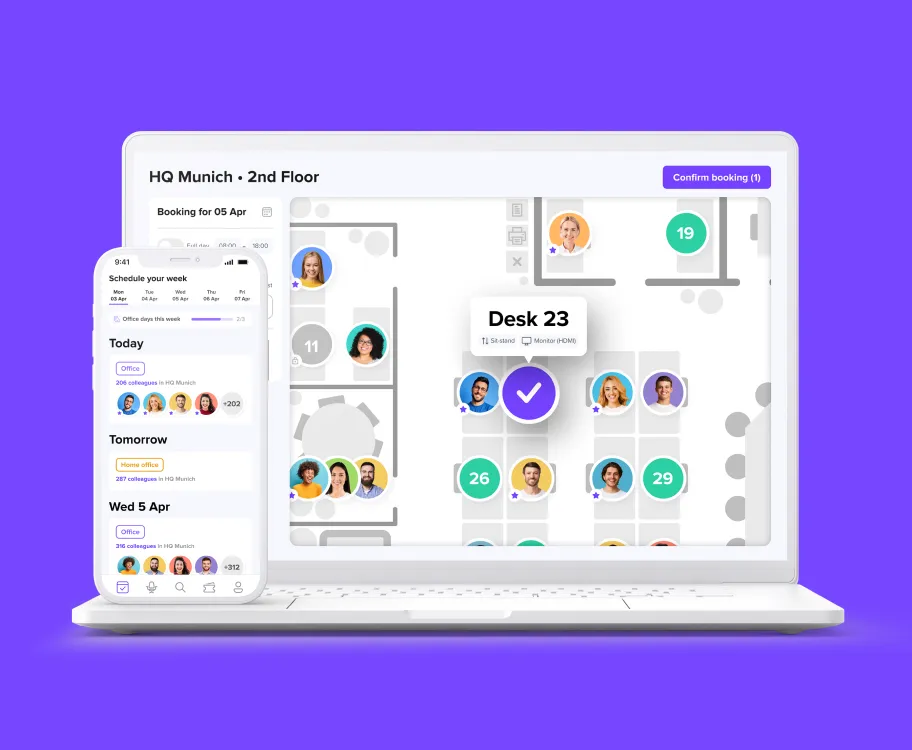
Easily implement hot desking with deskbird
- Book desks and resources with ease from any device
- Quickly find the perfect space with real-time availability
- Explore how to optimize your layout with interactive floor plans
Trusted by 100,000+ employees worldwide