Hot desking office setup: how to design layouts, zones, and desk spaces
How to set up your office space for hot desking with the right layouts, zones, desk types, and workspace essentials for a flexible, intuitive space.

A successful hot desking office setup requires 3 things: a data-driven plan (occupancy data, desk ratio, team workflows), an intentional layout (clear zones, right-sized meeting rooms, balanced open and quiet spaces), and the right daily-use essentials (ergonomic equipment, booking tools, signage, and storage).
Get all 3 right and the office becomes a place employees choose to be in.
Thoughtful office design can increase employee happiness by up to 33%. A hot desking office setup is the perfect way to tap into this potential, but only when it’s done intentionally. Shifting from assigned desks to hot desking isn’t just about rearranging furniture, but about rethinking how your workspace supports productivity, connection, and employee experience.
How do you plan a hot desking office space?
If you want to transform your office into a successful hot desking setup, you need to start with a solid plan. What’s required is an intentional redesign of your available office space to make it fit for different types of flexible work.
1. Start with a deep dive into current space usage
First, analyze how your office space is currently being used by tracking occupancy and mapping high-traffic and low-usage zones. Use this data to refine your hot desking strategy, redistribute resources, and redesign spaces so they reflect actual needs, while also noting collaboration hotspots like coffee points or soft-seating areas that can guide where shared zones should go. As you review patterns, factor in adjacency requirements too. Some teams still benefit from being near one another, so you can plan a layout that supports both flexibility and workflow alignment.
2. Think about workspaces for collaboration
Research shows that the key reason for most employees to visit the office is to exchange with their colleagues, collaborate, and have informal conversations. Before you start assigning zones or rearranging furniture, you need to get a clear picture of the core work activities your team engages in when they are on-site.
- Define core work types: Understand why your team comes into the office. Is it for collaboration, focus, social connection, equipment access, or client interactions?
- Right-size your collaboration spaces: Match the size and number of rooms to actual usage patterns, not assumptions (e.g., more small rooms, fewer large ones). This is where you can leverage your workplace analytics.
- Support spontaneous teamwork: Don’t forget to plan informal meeting zones, such as soft seating and quick-huddle corners, to encourage ad-hoc exchange and discussions.
3. Determine how many desks you will actually need
The next step is to translate the insights on workspace usage and collaboration needs into a realistic desk count. By basing your planning on data, weekly attendance patterns, and team-specific behaviors, you can determine the optimal desk-sharing ratio for hybrid work.
- Estimate hot desk demand using occupancy data: Base your desk count on average on-site attendance per team (not the total headcount) and consider weekly patterns, team schedules, and seasonal fluctuations.
- Use hot desking ratio benchmarks wisely: While common ratios typically range between 0.6–0.8 desks per employee, treat them as guidelines, not as fixed rules. Teams that mostly work asynchronously can share more desks, while interaction-driven teams may require more consistent seating.
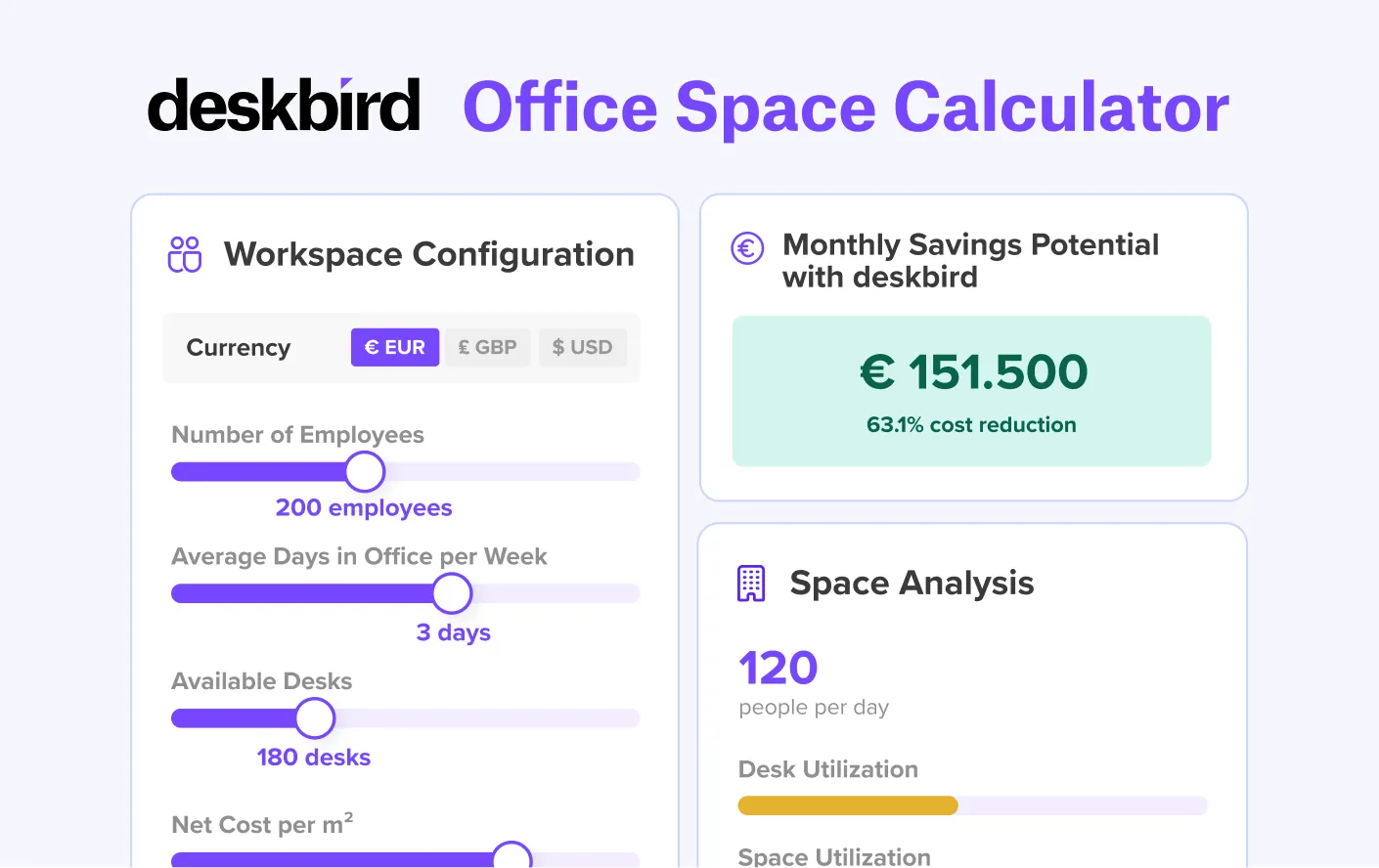
- Use calculation tools to validate your planning: Tools like deskbird’s office space calculator help you estimate the right amount of desks and optimize your office space.
How do you design a hot desking office layout?
Designing a hot desking layout means making practical decisions about zoning, adjacency, meeting spaces, and movement patterns so employees can intuitively find the right space for the task at hand.
The choices you make here directly affect how efficiently people move through the office, how often they find the space they need, and whether the layout supports both individual focus and team collaboration.
1. Use office mapping to plan your physical space
Office mapping helps you optimize space usage by identifying high- and low-activity areas to reorganize layouts, eliminate wasted space, and improve workflows. By providing a strategic overview of where each function should sit, it lets you define where different departments, workstations, collaboration spaces, and amenities should be placed for efficiency. You can use different types of office mapping solutions to visualize your physical workspace, including static and interactive floor plans, seating charts, and 3D maps.
2. Designate clear, intentional zones based on activity types
Create an office layout that supports diverse work needs. Think about agile office design and include different types of workspaces into your layout to give employees free choice to select the best space for their tasks. Zones could include:
- Focus workstations
- Phone booths
- Hybrid meeting rooms
- Collaboration zones (e.g., workshop areas or huddle rooms)
- Social spaces (e.g. a working café)
- Work lounges
- Quiet zones for focus work
- Flexible project spaces (e.g., team rooms)
- Flexible desk-sharing areas
3. Plan for meeting rooms with a balanced mix of sizes and capacities
The latest edition of the Workplace Occupancy & Utilization Index has shown that more than half of all meeting rooms are built to accommodate five or more people, while actual demand is highest for small meeting rooms with a capacity of 2–4 people. This means you need to rethink your meeting spaces when designing your hot desking office layout. Ask questions like:
- What’s the average meeting size?
- What’s the ratio of in-person to hybrid meetings?
- How frequently are meetings scheduled throughout the week, and at what times do peak booking conflicts occur?
- Which teams or roles rely most on meeting rooms, and do they have specific requirements (e.g., privacy, equipment, acoustics)?
4. Practical tips for designing your hot desking office space
- Design your space for deep hybrid collaboration: Equip meeting and collaboration spaces with reliable screens, cameras, and microphones and use movable furniture so rooms can adapt quickly to different meeting formats.
- Balance open areas with enclosed, quiet spaces: Open layouts alone rarely meet everyone’s needs. Add quiet pods and small call booths so employees can choose the level of privacy and quiet they need.
- Plan zone adjacencies intentionally: Map out which areas should sit together to reduce noise and support smooth workflows. Keep quiet zones away from social areas, place project rooms near collaboration spaces, position touchdown desks by entrances, and group teams with shared workflows close to each other.
- Be intentional when planning circulation paths: Observe how people naturally move around the office and keep high-traffic routes, like paths to kitchens, printers, bathrooms, and meeting rooms, away from focus areas.
- Base your layout on real employee needs: Before settling on a new layout, gather feedback from your teams on their actual work patterns. Explore which tasks they perform, how often they collaborate, and what slows them down.
What hot desking equipment do you need?
Every hot desking workstation needs monitors, docking stations, ergonomic seating, reliable power access, and hygiene reset materials as a baseline. Beyond that, storage, acoustic tools, and desk booking technology are what determine whether the daily experience is smooth or frustrating.
Here's a full list of hot desking essentials that shouldn't be missing in your hybrid workplace:
- Monitors, docks, and universal chargers (including USB-C and HDMI)
- Easy access to power sockets, USB outlets, and cable management
- Lockers for personal belongings
- Shared cabinets or drawers for commonly used supplies
- Hygiene and clean-desk reset materials (e.g., wipes and cleaning sprays)
- Tech lockers or device lending stations for keyboards or headsets
- Noise-canceling phone booths, desk dividers, or acoustic panels
Hot desking ergonomics for a happy, healthy flexible workforce
Ergonomic practices in the workplace play a crucial role in keeping employees healthy, comfortable, and productive. By equipping every workstation with ergonomic tools, you can dramatically improve employee wellbeing. Here are some hot desking ergonomics best practices to follow.
- Provide fully adjustable, high-quality seating: Chairs should allow adjustment for height, armrests, lumbar support, and tilt, since comfort varies from one person to the next.
- Offer height-adjustable desks or a mix of sit-stand options: Sit-stand desks help employees vary their posture throughout the day, improving circulation and reducing fatigue.
- Use monitor arms, laptop stands, and ergonomic accessories: Employees should be able to raise, lower, or tilt screens to eye level quickly to maintain healthy posture.
- Ensure consistent ergonomics across all desks: Every workstation should offer the same essential ergonomic elements, such as adjustable chairs and monitor stands, so employees can work comfortably no matter where they end up sitting.
Hot desking office best practices
The following practices help maintain efficiency and ensure a consistent daily experience for employees, from the moment they arrive to the moment they leave.
1. Implement signage and wayfinding
Use clear signage, labeled zones, and color-coded markers to help employees navigate and identify desks easily. Depending on the size of your office space, you may even consider the use of a wayfinding app to help both employees and visitors navigate your office space with ease.
2. Choose a booking tool with interactive floor plans
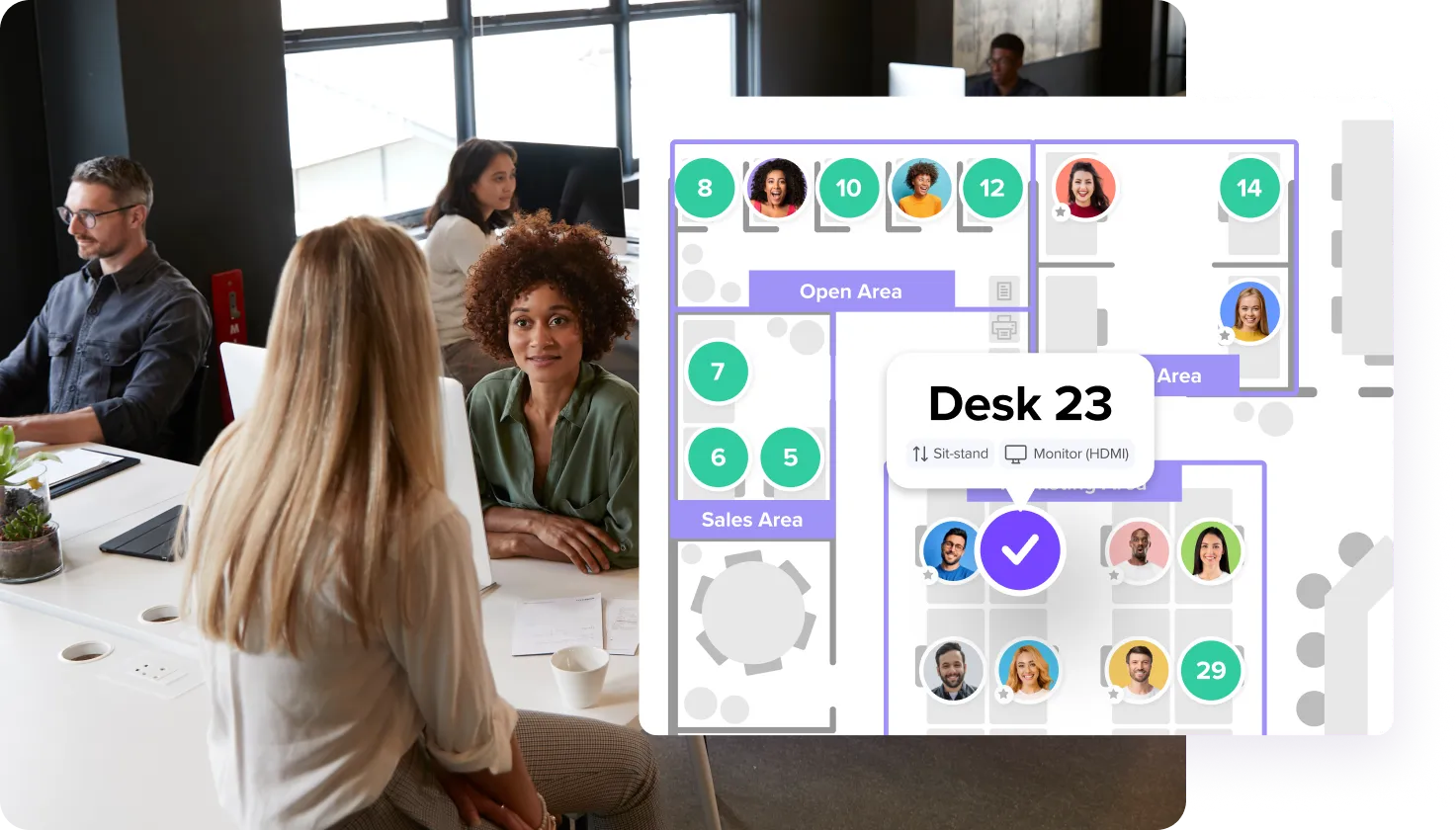
When choosing your hot desking software, make sure to select a desk booking system that works with map views that make it easier for employees to find and book the right workspace. With deskbird’s interactive floor plans, for example, employees can easily see where colleagues are sitting and where in the office their desk is located.
3. Automate check-ins to prevent no-shows and unused desks
Set up automated check-in systems to prevent ghost bookings and accurately track actual occupancy. Solutions like deskbird come with different check-ins options (e.g. QR-code check-in or check-in via geolocation) that allow employees to easily check in for their bookings and auto-release resources if they are booked but not used.
4. Set up visual reminders of your clean desk policy
Provide cleaning wipes and reminders at each workstation to maintain consistent hygiene and turnover readiness. This can go a long way towards keeping the workplace tidy for everyone.
5. Choose storage locations wisely
Place quick-access lockers near entrances or work areas so employees can store their personal items throughout the day. Make sure access to the lockers is convenient so it’s easy for employees to grab items quickly if they forgot something upon arrival.
6. Make sure everyone has access to basic equipment
Ensure essential tech access by providing ample outlets, chargers, and reliable Wi-Fi at every workstation, and make it easy for employees to get started without searching for power or connectivity.
Setting up your hot desking office space is just the start
The key to a successful hot desking environment is to create a workspace that truly supports how your teams collaborate, focus, and connect. With the right layout, zones, equipment, and ergonomics in place, your office becomes a place where employees genuinely want to be.
However, setting up your physical workspace is only the first step in your hot desking implementation roadmap. In the next chapters, we'll take a closer look at how to select the right hot desking software and how to manage hot desking to maintain smooth day-to-day office operations.
Frequently Asked Questions
We can help!
How do you set up an office for hot desking?
Start by understanding how your space is currently being used and where people typically sit, gather, and move. From there, redesign your layout with intentional zones, right-sized desk ratios, and tools that make daily use easy and intuitive.
How do you transform your traditional workspace into a desk-sharing office?
Start by designing an environment people genuinely want to come into. Address common concerns early by setting clear guidelines, providing reliable booking tools, and ensuring there are enough quiet zones and meeting areas to prevent frustration. Begin with a simple pilot: assess how your space is used today, test a few flexible zones, gather feedback, and adjust as you go.
What should a hot desking office include?
A good hot desking office includes flexible work zones, hybrid-ready meeting rooms, quiet focus spaces, and well-designed support areas like lockers, phone booths, and printing stations. Every workstation should have the essentials, such as power, monitors, ergonomic seating, and hygiene materials, so employees can start working immediately without friction.
How many hot desks do you need?
Base your desk count on average daily attendance per team, not the total headcount. Use dynamic occupancy data and weekly patterns to avoid creating bottlenecks. Start with broad benchmarks (around 0.6–0.8 desks per employee) and refine with real analytics insights and planning tools.
What equipment do you need for hot desking?
You’ll need monitors, docking stations, universal cables, chargers, ergonomic chairs, laptop stands, reliable power access, and good lighting. Add essentials like tech lockers, hygiene reset kits, and acoustic tools to support both focus and collaboration. The goal is to provide the right equipment for all employees, work types, and tasks.

Easily set up your hot desking office with deskbird
- Gain clarity on how every desk, room, or zone is used to improve your workplace strategy.
- Transform workspace data into smart layout decisions.
- Use interactive floor plans to visualize your office space and map out layout and zones.
Trusted by 100,000+ employees worldwide