How to manage hot desking: best practices and tips
How to manage hot desking day to day: handle common concerns, enforce fair booking, use analytics, and keep employees supported through the transition.

Effective hot desking management comes down to 4 things: a clear booking policy, tools that make coordination easy, proactive change management before and after rollout, and ongoing analytics to catch friction early.
The biggest day-to-day problems (unavailable desks, ghost bookings, teams not sitting together) are all solvable with the right software rules and a simple feedback loop.
Effective hot desking management requires clarity, structure, simplicity, and continuous improvement. When employees know how the system works, have easy access to the workspaces they need, and feel supported throughout the transition to flexible work, daily operations become smoother and easier to coordinate and manage. With clear guidelines, thoughtful change management, and data-driven decisions to improve your setup, you can create a flexible workplace that runs smoothly every day.
What are the most common hot desking management challenges?
The 6 most common hot desking management challenges are unavailable desks, confusing booking tools, difficulty sitting together as a team, uncertainty about amenities, trouble finding the right workspace type, and stress caused by last-minute changes. Each has a direct solution.
When employees know how the system works and can easily find and coordinate workspaces, daily operations become significantly smoother. The most effective approach is to anticipate common friction points and address them with a clear, solution-oriented approach that draws on both organizational practices and key features of your hot desking software.
1. Unavailable desks
A common worry with hot desking among employees is not finding a suitable workspace when they need one. Tools like deskbird offer real-time availability and support clear booking rules so employees can quickly secure a desk that fits their needs, while features like interactive floor plans and favorite or assigned spaces make workspace booking even easier.
2. Confusing tool UI
If a desk booking app feels confusing, people won’t use it. A straightforward, guided booking flow with quick-book options and short internal tutorials goes a long way toward building confidence. Choosing software designed around intuitive UX makes adoption easier from day one. deskbird, for example, is built to be so user-friendly that it doesn’t require any training.
3. Difficulty sitting together as a team
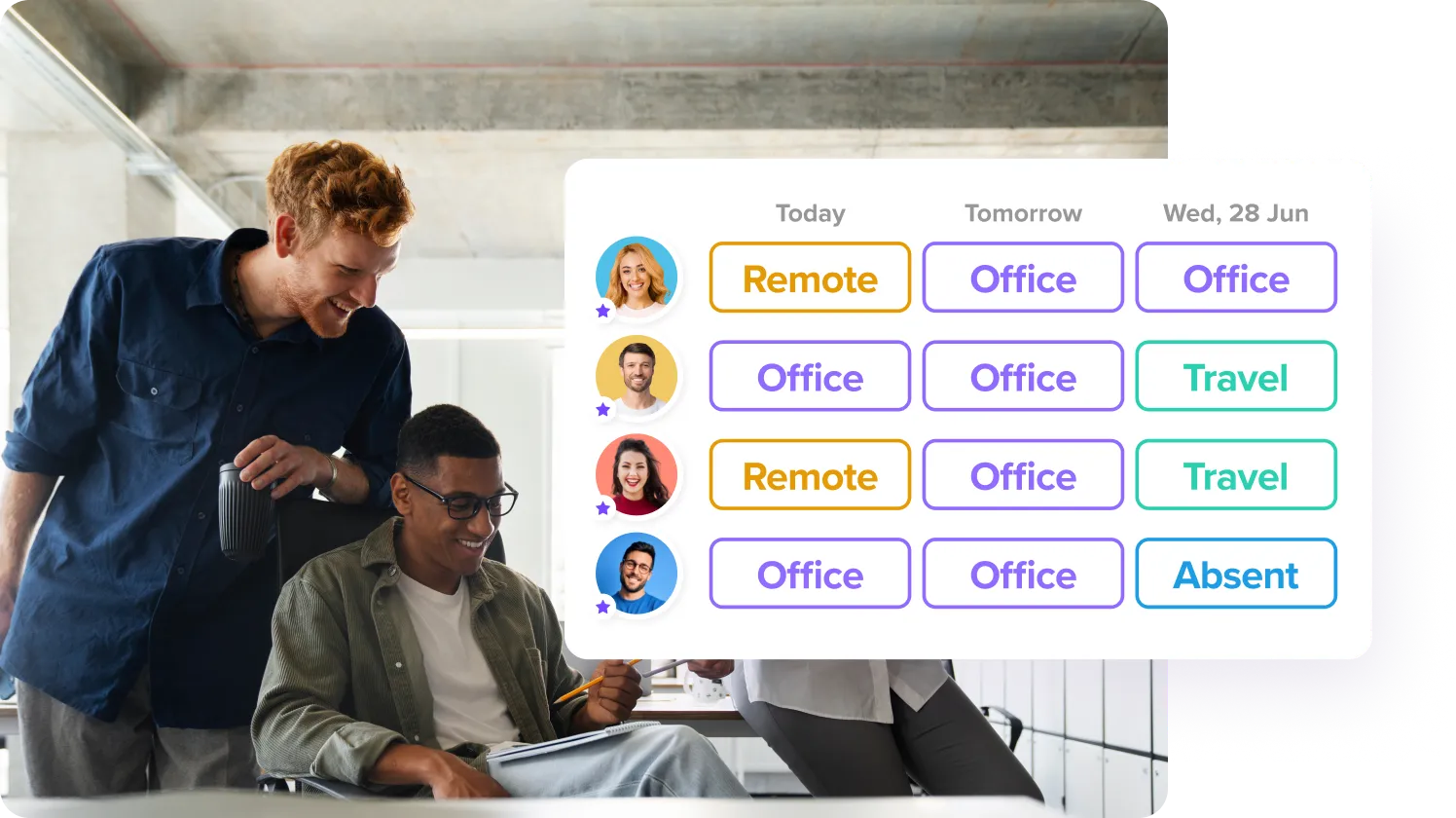
Teams often worry they won’t be able to sit together. Support coordination by making it easy to see where colleagues have booked and reserve nearby desks. Visibility into the schedules of their teammates helps everyone plan on-site days more effectively. With deskbird, you can also design specific team zones to make it even easier for your teams to sit together.
4. Uncertainty about accessing amenities like parking
Parking and other office resources and amenities can be just as important as the actual workspace. Letting employees book amenities like parking spots makes the workday straightforward. Hot desking apps like deskbird make these resources available for booking alongside desks, which gives employees a smoother commute and fewer morning surprises.
5. Trouble finding a suitable workspace
Not every desk fits every task, leaving room for concerns like “I can’t find the right type of space for my work”. Tagging workspaces by type, such as quiet zones, collaboration areas, height-adjustable desks, or specific equipment setups, helps people find the right spot for the work they’re doing. Smart equipment filters make it easy for employees to choose a workspace that truly supports their day.
6. Stress caused by last-minute changes
Plans change, and your hot desking system should adapt easily so that employees don’t feel like managing their bookings is a hassle. Easy booking cancellation, quick rebooking options, mobile access, and helpful reminders prevent unused desks from being locked up and keep things running smoothly. deskbird supports one-click cancellations and smart auto-releases in case of missed check-ins, making it easy for teams to adjust their plans.
Why does hot desking need a clear policy?
Without a written policy, hot desking quickly becomes a source of confusion: employees guess at booking rules, fairness breaks down, and managers spend time resolving conflicts that clear guidelines would have prevented.
Here's what a well-structured hot desking policy should cover:
- Clarify the purpose of hot desking: Explain why your organization sets up a hot desking office and how it supports flexibility, space efficiency, and hybrid work goals.
- Set clear goals for fair usage: Establish guidelines that ensure equal access and promote transparency around desk availability.
- Define booking rules and procedures: Outline how employees should reserve desks, including booking windows, cancellations, and no-show rules.
- Integrate hybrid attendance expectations: Link desk booking to your hybrid work model, clarify on-site expectations and create cross-links between your hot desking policy and your hybrid work policy.
- Address privacy and data considerations: Communicate what booking information is visible, how data is handled, and how to manage sensitive work in shared spaces.
- Set expectations for a tidy workplace: Promote a clean work environment so workspaces remain ready for the next person and include a practical hot desking etiquette.
How do you manage the people side of hot desking?
The people side of hot desking management spans 3 phases: pre-rollout communication to set expectations, practical onboarding during launch, and feedback-driven iteration after rollout. Getting all 3 right is what separates a smooth transition from a rocky one.
The goal across all 3 phases is the same: reduce uncertainty, build trust, and keep employees engaged. Clear communication, simple onboarding, and continuous feedback are the tools that make it happen.
Before rollout
Set the foundation with clear communication and upfront alignment. Explain why hot desking is being introduced, what will change, and how employees will be supported. Create space for questions about desk availability, team seating, and equipment so people understand what to expect. Early transparency builds trust, reduces uncertainty, and ensures everyone enters the transition with confidence.
During rollout
Focus on simple, practical onboarding and consistent reinforcement. Offer short demos or guided walkthroughs to show employees how to book, cancel, or adjust reservations in their day-to-day routines. Share quick tips and encourage managers to model best practices in their own routines to increase desk booking software adoption. Small, consistent reminders help normalize the new workflow and keep the system top of mind for employees.
After rollout
Use short surveys or pulse checks to gather input and show that employee feedback actively shapes improvements. Regular feedback not only uncovers friction points early but also strengthens employee engagement during and after rollout. Adjust your hot desking policies, office layouts, or communication as patterns emerge after rollout to stay responsive to changing needs. Provide clear channels for troubleshooting and quick answers to common questions so employees feel supported long after rollout.
How can hot desking analytics improve daily operations?
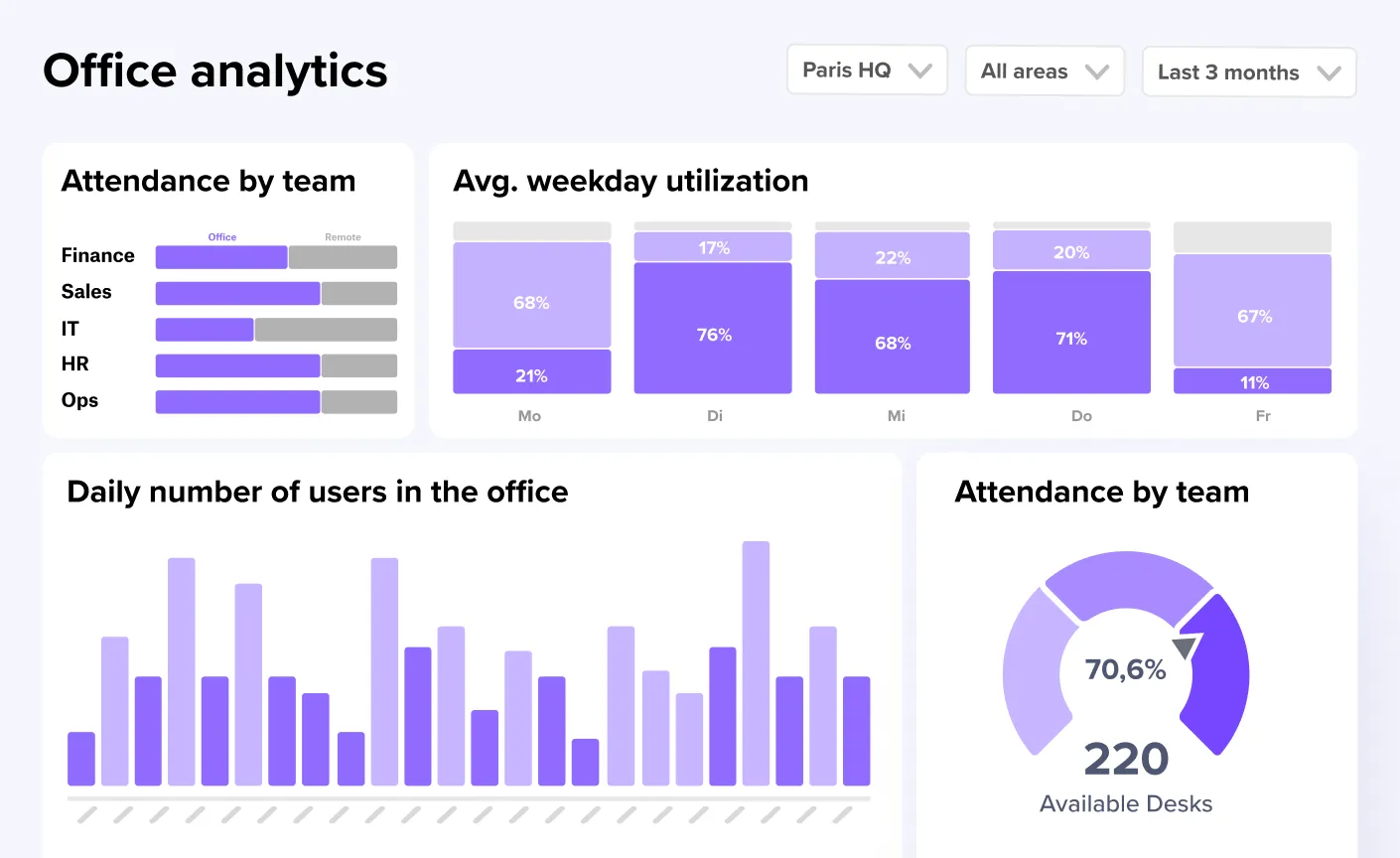
Hot desking analytics give you the occupancy and booking data needed to move from reactive firefighting to proactive space management: spotting no-show patterns, identifying overbooked zones, and adjusting policies before problems compound.
Using data to track occupancy, no-shows, and booking behavior is one of the most effective ways to keep things running smoothly and improve your hot desking office setup over time. With the right KPIs, you can shift from guesswork to a predictable, data-driven approach to management.
Focus on hot desking metrics like:
- Desk utilization rate: Shows how often desks are in use versus available, helping you determine whether you have too many or not enough desks.
- Peak vs. average occupancy: Reveals patterns in office attendance so you can optimize staffing, amenities, and layout around high-demand days or times.
- Hot desk occupancy: Tracks the share of flexible desks in use at any given time, helping you identify overbooked areas or unused capacity.
- No-show rate: Highlights how many reservations go unused, allowing you to adjust cancellation rules, send reminders, or enable auto-release features.
- Booking lead time: Tracks how far in advance employees reserve desks, helping you decide whether booking windows should be shorter, longer, or more flexible.
- Most and least popular workspaces: Identifies which zones or desk types are overbooked or underused.
Managing your hot desking office with deskbird
deskbird acts as an all-in-one platform for managing your hybrid workplace, helping you run hot desking smoothly while giving employees a simple, reliable way to find the spaces they need. Key hot desking functionalities include:
- Easy desk booking: Employees can reserve desks in seconds, filter by equipment or zone, and see availability in real time.
- Team visibility and coordination: Interactive floor plans show who’s in the office and where they’re sitting, making team collaboration effortless.
- Smart booking rules: Customizable booking lead times, check-in options, and auto-release features help prevent no-shows and keep shared spaces in fair use.
- User-friendly experience: A clean, intuitive interface ensures anyone can book a workspace without training.
- Workplace analytics: Insights into occupancy, no-shows, demand patterns, and popular areas guide continuous improvements to your office layout and policies.
- Integrations for smoother workflows: Connect deskbird with your communication platforms, calendar tools, and internal systems to keep all workplace interactions consistent across tools.
Beyond hot desking, deskbird also offers room booking, visitor management, and hybrid workforce management, offering organizations a complete solution for running a modern, flexible office.
Best practices for managing hot desking at a glance
A smooth hot desking experience depends on clear processes, user-friendly tools, strong communication, and the day-to-day habits that tie these elements together.
- Keep booking rules simple and transparent.
- Provide clear visibility into desk and resource availability.
- Make onboarding quick and intuitive through short tutorials and demos.
- Ensure teams can coordinate easily by enabling visibility into who’s in the office and where they’re sitting.
- Maintain consistent workspace etiquette with expectations for setup, cleanup, and noise.
- Use data to spot patterns early and guide necessary adjustments.
- Offer accessible support channels so employees can get help quickly.
- Collect lightweight feedback regularly and act on it.
Frequently Asked Questions
We can help!
What are some of the best practices to manage hot desking at an office?
Keep booking rules simple, ensure real-time visibility into availability, and set clear etiquette expectations. Support easy onboarding, encourage team coordination, and use analytics to adjust layouts or policies as needs evolve.
How do you enforce fairness and avoid desk hoarding?
Create clear booking rules, limit long-term reservations, and use no-show policies or auto-release features. A clear hot desking policy and visibility into bookings help ensure equal access for everyone.
How do you keep desks clean and ready for the next person?
Set expectations for a clean desk after each use, provide quick-clean supplies, and add a clean desk policy to your broader hot desking guidelines. Regular staff checks or light maintenance support can keep shared spaces consistently ready.
How do you prevent ghost bookings and no-shows?
Use reminder notifications, encourage easy cancellations, and enable auto-release or check-in requirements. Tracking no-show rates helps refine rules and reduce unused reservations over time.
How do you ensure employees can still sit together when hot desking?
Enable team-based or neighborhood bookings, allow group reservations, and provide visibility into who’s sitting where. Encouraging advance planning and flexible zones helps teams collaborate without sacrificing desk availability.

Make hot desking a breeze with deskbird
- Give employees a simple, intuitive way to book desks, rooms, and resources in seconds.
- Keep your workspace running smoothly with real-time availability, smart booking rules, and automated check-ins.
- Use analytics and interactive floor plans to continuously optimize your layout and support hybrid teams.
Trusted by 100,000+ employees worldwide