
10 best meeting room booking software & systems in 2026
We compared 10 meeting room booking tools on calendar sync, room panels, no-show release, and public pricing, using each vendor's own pages, so you can build a shortlist that fits your offices.

TL;DR
The best meeting room booking software keeps your room calendars honest: people book where they already plan meetings, and rooms nobody shows up for go back to the pool. Calendar sync and check-in decide most of that, so start there. Our shortlist for 2026:
- deskbird. Best for hybrid teams that want meeting rooms, desks and parking in one app, priced per active user. Meeting rooms sync both ways between deskbird and Outlook, and Google Workspace rooms work the same way.
- Skedda. A good pick for smaller teams that want a public price list, space-based pricing and two-way sync with Microsoft 365 or Google Workspace.
- Joan. Best when the display on the door is the point: Joan runs on its own e-ink displays, any tablet brand or your existing screens.
- Microsoft Places and Teams Rooms. Often enough for organizations fully on Microsoft 365, as long as you budget for a space license per room if you want auto-release.
Introduction
Meeting room booking software lets people find and book a free room, and gives rooms back to everyone when nobody checks in. We compared 10 tools using each vendor's own pricing pages, product pages and help centers, checked on November 10, 2026. deskbird is our product: we list it first and name its limits as plainly as anyone else's.
How to choose meeting room booking software for your team
Pick the tool that keeps room bookings in step with your calendar and releases rooms nobody uses. Check those two points first, then compare panels, adoption and price.
- Two-way calendar sync. A room booked in Outlook or Google Calendar should show as taken in the booking tool, and the other way round. Check which plan includes it and which rules it switches off.
- Check-in and auto-release. Ghost meetings block rooms that others need. Look at how people check in (app, QR code or panel) and whether release only works with a panel on the door.
- Room panels on hardware you choose. Some vendors run on any tablet, others sell their own displays or need certified devices. Price the hardware and any per-device license together.
- Adoption. A room tool only works if people use it. Booking from Outlook, Teams or a phone keeps people in the apps they already open every day.
- Pricing model. Per user, per room, per space or per location changes your bill a lot once you add desks or parking. Ask for the full price, including platform fees.
If your team also shares desks, our comparison of the best desk booking software covers that side of the office.
10 meeting room booking systems compared
All 10 tools came up when we asked AI assistants for the best meeting room booking software in our own tracking in November 2026. The table shows what each vendor publishes, and the details follow below.
| Tool | Calendar sync (Outlook / Google) | Room panels | Desks + visitors in same product | Public entry price |
|---|---|---|---|---|
| deskbird | Both ways, Outlook and Google | Kiosk for 1 room in every plan, more rooms with Rooms Plus | Desks yes, visitors via Visitors Plus add-on | $3.75/user/month (annual) |
| Skedda | Two-way, Microsoft 365 and Google | Your own iOS or Android tablets | Desks yes, visitors $99/month add-on | $99/month, 15 spaces (EMEA) |
| Robin | Outlook add-in, Google room calendars | Tablets, hardware sold separately | Yes, both | Not public |
| Joan | Two-way, Outlook, Exchange and Google | Own e-ink displays or any tablet brand | Yes, in every plan | €49/month |
| Envoy | Connects to Microsoft 365 and Google | iPads or Logitech Tap Scheduler | Separate modules | $5/resource/month plus platform fee |
| Microsoft Places / Teams Rooms | Native in Outlook, Google not stated | Certified Teams Panels | Desks yes, visitors not stated | Core included in eligible Microsoft 365 plans |
| Kadence | Two-way, Outlook and Google | Any tablet or Neat (Pro tier) | Yes, both | Not public |
| YAROOMS | Two-way Outlook, Google (from Business plan) | Your own tablets, paid add-on | Desks yes, visitors $99/location/month | $99/month (Starter) |
| Archie | Syncs with Outlook, Google and Teams | Any Android or iOS device | Separate products | $8/room/month plus minimum fee |
| Tactic | Two-way, Outlook and Google | iPad or Android tablet | Sold individually or combined | Not public |
1. deskbird
Best for: Hybrid companies that want meeting rooms, desks and parking in one app, priced per active user instead of per room.
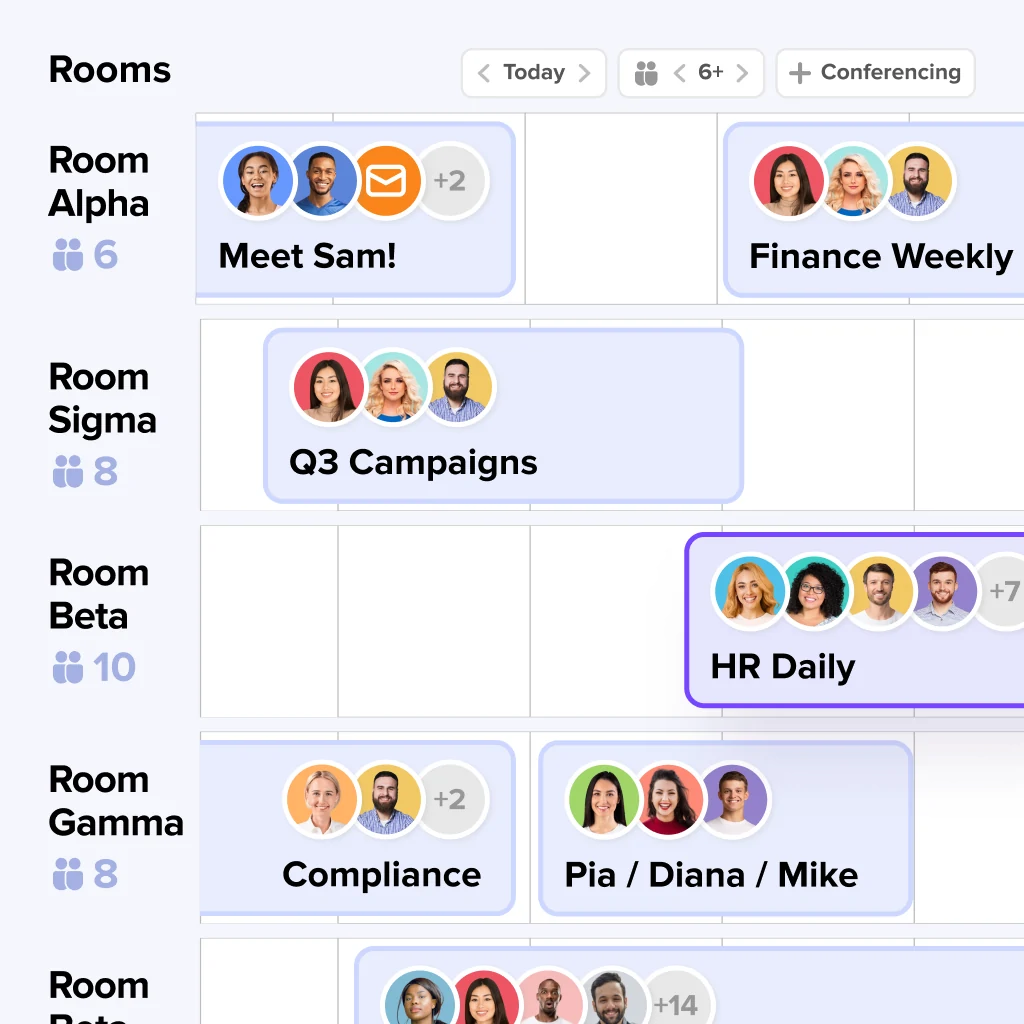
With meeting room booking in deskbird, your people book rooms where they already plan meetings: in Outlook, Google Calendar and Teams, with check-in and auto-release. Meeting rooms sync both ways between deskbird and Outlook, and Google Workspace rooms follow the same model.
- Outlook add-in: search, filter and book rooms straight from the Outlook calendar, on the web, Windows and Mac. Setup details are on our Outlook calendar integration page.
- Check-in and auto-release: people check in by app, room QR code or panel. If nobody checks in within the window, the room is released for others.
- Room kiosk: the meeting room kiosk on your own tablets runs on Android tablets, iPads or in a web browser, so you choose the hardware. Every plan includes a room kiosk for one meeting room, and more rooms need the Rooms Plus add-on. It also works with Microsoft Teams Rooms devices.
- Office Analytics: see how rooms are used across locations, including daily average no-shows. Data refreshes once per day.
- Watch out: the Outlook add-in does not support multi-tenant Microsoft environments or shared and delegated calendars, and multi-tenant room sync needs the Professional plan or Rooms Plus. Sync usually takes seconds to a few minutes, and up to 10–15 minutes when Microsoft or Google is under heavy load. Visitor management is the separate Visitors Plus add-on.
Pricing: The Business plan costs $3.75 per active user per month billed annually, or $4.75 billed monthly, with desk, room and parking booking in the plan, from 25 users. Professional and Enterprise are priced on request: see deskbird plans and pricing. Want to see it with your own rooms? Get a demo tailored to your offices.
2. Skedda
Best for: Smaller teams that want room and desk scheduling with space-based pricing and a public price list.
- Two-way sync pairs Skedda spaces with Microsoft 365 room resources, and a separate two-way sync covers Google Workspace. Tablet displays run on your own iOS or Android tablets, where people can check in, book on the spot or free a room early.
- Bookings without a check-in can be deleted automatically. Check-in is part of the Plus and Premier plans. Skedda shows a rating of 4.8/5 on G2 on its pricing page.
- Watch out: two-way sync with Microsoft requires 15-minute booking slots and no pricing rules, and bookings made in Microsoft ignore Skedda's venue rules. See the details in our deskbird vs Skedda comparison.
Pricing: Priced per space. In EMEA and APAC, Starter costs $99 per month with 15 spaces. In the US and Canada, Plus starts at $249 per month with 35 spaces, billed annually. Extra spaces cost $4.99 each, and a 14-day trial needs no payment method (Skedda pricing page, November 10, 2026).
3. Robin
Best for: Companies with 500 or more employees that want rooms, desks, visitors and analytics on one platform.
- The Outlook add-in brings Robin into Outlook and also recommends desks, so people can book a desk from the same place. Google room calendars are supported too.
- Abandoned meeting protection releases a room when nobody checks in, by default 10 minutes after the start time.
- Watch out: auto-release needs room displays, and Robin sells no hardware, so tablets are a separate purchase. Robin itself says teams that only want room displays have better options. How deskbird and Robin differ is covered in our comparison.
Pricing: Not public. Robin quotes each organization after a form, and all subscriptions are billed annually (Robin pricing page, November 10, 2026).
4. Joan
Best for: Offices that want a physical display on every meeting room door, using Joan's own e-ink panels or any tablet brand.
- Joan describes two-way sync with Google Calendar, Microsoft Outlook and Exchange: a booking made in Joan appears in Outlook, and one made in Outlook appears on the room display.
- If nobody checks in within the window you set, Joan releases the room. Every plan includes desk booking, visitor management and analytics alongside rooms.
- Joan shows a rating of 4.5/5 on G2 from 248 reviews on its room booking page.
- Watch out: each plan includes a set number of devices, from 2 on Team to 20 on Enterprise+, and each additional device is €9.99 per device per month. Joan's own displays are bought separately: the Joan 6 Pro costs €649 excluding tax.
Pricing: Plans start at €49 per month. Extra users cost €0.99 per user per month, and people who only book through Outlook or Google Calendar are not billed. There is a 30-day free trial (Joan pricing page, November 10, 2026).
5. Envoy
Best for: Teams that keep booking rooms in their calendar and want displays, check-in and room analytics on top, especially if they already run Envoy for visitors.
- Envoy Rooms connects to your Google Workspace or Microsoft 365 calendar instead of replacing it, so employees keep booking in their calendar.
- People check in from 5 minutes before to 5 minutes after the start, or the room is released. A Rooms Analytics dashboard shows meetings held, canceled or ended early.
- Watch out: room displays are iPads or Logitech Tap Scheduler, and the per-resource price excludes a platform fee that the pricing page does not show.
Pricing: Reservations for desks, rooms and parking cost $5 per bookable resource per month, billed annually, plus the platform fee. Visitors Premium is $362 per location per month. A 60-day free trial is available (Envoy pricing page and help center, November 10, 2026).
6. Microsoft Places and Teams Rooms
Best for: Organizations fully on Microsoft 365 that want room booking from Outlook, Teams or the Places app on their existing Exchange room mailboxes.
- When it is enough: if you only need rooms and everyone works in Microsoft 365, Places may be all you need. Rooms are Exchange resource mailboxes, so booking happens natively in Outlook.
- Panels are certified Teams Panels or Teams Rooms systems. On panels, check-in and auto-release are off by default, and a settings change can take up to 48 hours.
- Watch out: since April 1, 2026, auto-release and occupancy reports need a space license per room. Microsoft recommends auto-release only for rooms with Teams panels or Teams Rooms devices, so every user has a way to check in.
Pricing: Places core features are included in eligible Microsoft 365 plans. Teams Rooms Pro costs $40 per room per month, paid yearly, and Teams Shared Space costs $8 per desk per month (Microsoft Learn and microsoft.com, November 10, 2026).
7. Kadence
Best for: Companies that want room and desk booking plus space planning, with SpaceOps for portfolio decisions.
- Kadence syncs both ways with Outlook and Google Calendar. Microsoft 365 organizations also get an Outlook add-in and Kadence in Teams.
- Kadence detects no-shows and releases the room, with check-in by display, mobile or sensor. Room displays run on any iOS or Android tablet or on Neat devices.
- The WorkOps Team tier covers desk, room and space booking plus visitor management with host notifications.
- Watch out: room displays and the visitor kiosk need WorkOps Pro, prices are not public, and contracts run for at least one year.
Pricing: Not public, quote only. Kadence charges for people who book within the month, contracts are billed annually, and onboarding costs $0 on every plan (Kadence pricing page, November 10, 2026).
8. YAROOMS
Best for: Small offices and venues that want a public monthly price and auto-release on every plan.
- Rooms sync both ways with Outlook calendar resources, and actions on the room panel sync back to Outlook and Google Calendar. Synced rooms need booking times in five-minute steps.
- Smart Auto-Release is in all plans: bookings without a check-in are canceled when the grace period ends.
- YAROOMS shows a rating of 4.6/5 on Capterra from 102 reviews on its room booking page.
- Watch out: the room panel is a paid add-on on every plan, with hardware bought separately, and calendar sync and analytics start at the Business plan.
Pricing: Starter costs $99 per month for 1 location and 20 bookable spaces. Business costs $399 per month for up to 200 users, and paying yearly saves 20% (YAROOMS pricing page, November 10, 2026).
9. Archie
Best for: Teams that want to pay per room rather than per user and add displays as they grow.
- Archie turns any Android or iOS tablet into a room display and syncs with Outlook, Google Calendar and Microsoft Teams.
- People check in with one tap or a QR scan, and unused rooms are released automatically. Desks, rooms and visitors are sold as separate products.
- Archie shows a rating of 4.9/5 on G2 on its room booking page.
- Watch out: on Archie's pricing page, booking from Teams and Outlook appears only in the $249 plan, not the $159 plan, and a minimum monthly fee applies.
Pricing: Archie's own buying guide puts room pricing at $8 per room per month, with minimum monthly fees. Its pricing page lists plans starting at $159 per month (archieapp.co, November 10, 2026).
10. Tactic
Best for: Offices where rooms need more than a booking, with AV, catering and equipment requests through Managed Rooms.
- Tactic supports bidirectional sync with Outlook and Google Calendar, linking each room to its Exchange room address.
- If nobody checks in within the window, the reservation is canceled and the room opens up. Room displays run the Tactic: Station app on any iPad or Android tablet.
- Office Insights reports on rooms alongside desks, parking and visitors.
- Watch out: there is no public room price, only an estimate until you get a quote.
Pricing: Not public. Tactic's calculator gives an estimate, and products can be bought individually or combined (Tactic pricing page, November 10, 2026).
Which room booking software fits your team?
Microsoft Places suits rooms-only Microsoft 365 organizations, Joan suits door displays, and deskbird suits teams that want rooms, desks and parking together.
- All in on Microsoft 365, rooms only: start with Microsoft Places and Teams Rooms, and budget a space license per room if you want auto-release.
- A display on every door: Joan with its own e-ink panels, or a tablet-based tool such as Skedda, Archie or Tactic.
- Small office, public price: YAROOMS starts at $99 per month. Skedda starts at $99 in EMEA and APAC and at $249 in the US and Canada.
- Large company with visitors and analytics: Robin and Kadence quote on request, and Envoy adds a platform fee to its per-resource price.
- Rooms, desks and parking in one app, priced per person: deskbird, with meeting rooms that sync both ways with Outlook and Google Workspace.
Why hybrid teams book meeting rooms with deskbird
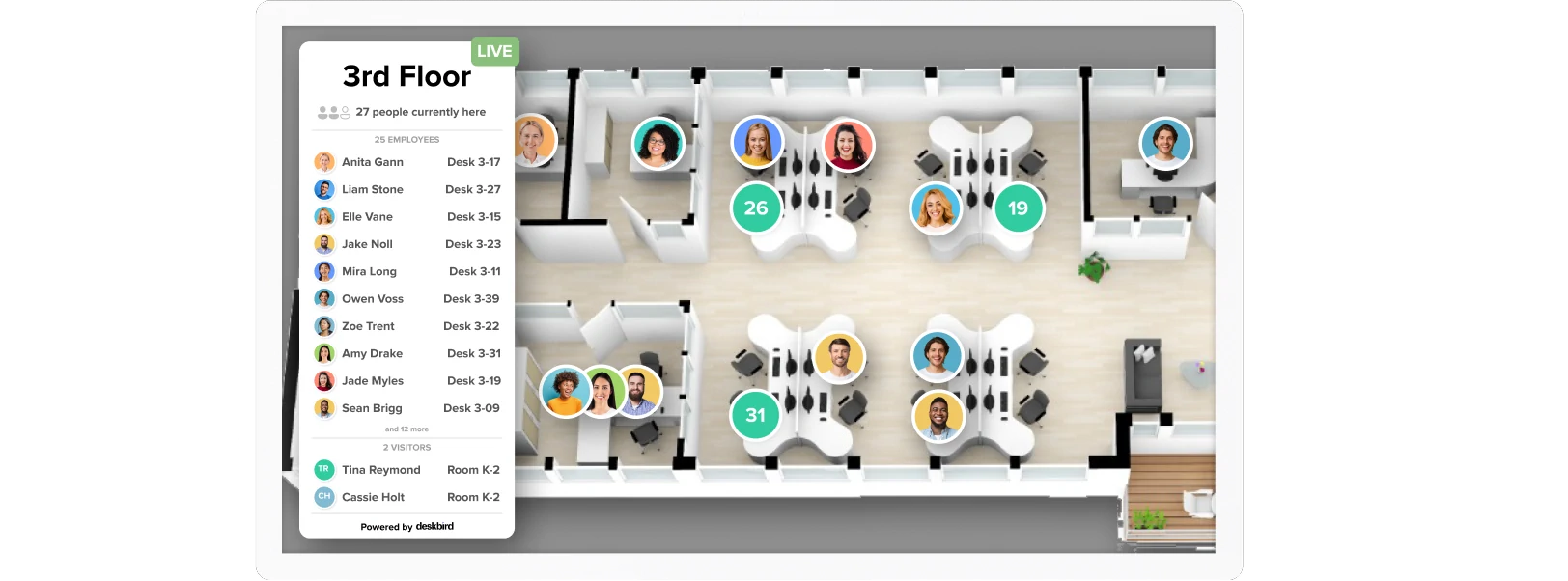
Room booking happens where people already plan meetings, in Outlook, Google Calendar and Teams, right next to desk and parking booking.
- Meeting rooms sync both ways between deskbird and Outlook, so a room booked on either side shows as taken on the other.
- Check-in and auto-release give unused rooms back, and Office Analytics shows daily average no-shows so you can see which rooms sit empty.
- You pay per active user, not per room, and the Business plan covers desk, room and parking booking.
- GDPR, ISO 27001 and SOC 2, EU hosting, plus SCIM and SSO with the User & Data Management Plus add-on.
More than 250,000 users in 10,000+ workplace teams across 80+ countries use deskbird, with over 90% daily adoption, and we are number one on G2 and OMR. To see room booking and calendar sync for yourself, book a deskbird demo.
Disclaimer
Software listed in this article, and its pricing and features, are based on publicly available information as of November 10, 2026, and can change. Vendor claims such as two-way sync are quoted from their own pages, not tested by us. Information provided without guarantee. If we got something wrong, please contact us.

Book meeting rooms where your meetings already live
See how meeting rooms sync both ways between deskbird and Outlook, and how check-in gives unused rooms back to your team. Book a demo and bring your questions about your own room setup.
Frequently Asked Questions
Additional questions on meeting room booking software.
What is meeting room booking software?
Meeting room booking software lets employees find and reserve a free room before a meeting. Most tools sync with Outlook or Google Calendar, show the schedule on a panel at the door, and release rooms when nobody checks in. Admins also get usage data, such as how often booked rooms go unused, so they can plan the office with facts.
Does deskbird sync meeting rooms with Outlook and Google Calendar?
Yes. Meeting rooms sync both ways between deskbird and Outlook, and Google Workspace rooms follow the same model. A room booked in the calendar is blocked in deskbird, and a booking made in deskbird appears in the room calendar. Sync usually takes a few seconds to a few minutes. Synced rooms need Microsoft 365 or Google Workspace room resources.
How does auto-release stop ghost meetings?
Auto-release gives a room back when nobody checks in. People check in through the app, a QR code in the room, or a panel at the door. If no one checks in within the window you set, the booking is canceled and colleagues can take the room. In deskbird, a check-in method has to be active for automatic cancellation to work.
Do I need special hardware for meeting room displays?
Not always. deskbird, Skedda, Joan, Archie and Tactic run room displays on tablets you choose, and Microsoft uses certified Teams Panels. Our kiosk runs on Android tablets, iPads or in a web browser. Every deskbird plan includes a kiosk for one meeting room, and more rooms need the Rooms Plus add-on. Check whether displays need their own license, since some vendors charge for each extra device.
How much does meeting room booking software cost?
Public entry prices start at $3.75 per user per month for deskbird, €49 per month for Joan and $99 per month for YAROOMS. Skedda starts at $99 per month in EMEA and APAC and $249 in the US and Canada. Robin, Kadence and Tactic share prices only on request, and Microsoft Places core features come with eligible Microsoft 365 plans. Our $3.75 Business price is billed annually.