
Stop ghost meetings: A practical guide to room no-shows
TL;DR
A ghost meeting is a room booking that no one shows up to. It quietly corrupts your space data and makes it impossible to know how much of your office is actually being used. Room management software fixes this by releasing no-show rooms automatically, letting employees cancel in one click through their calendar, and tracking which rooms go unused often enough to justify removing or repurposing them.
What is a ghost meeting?
A ghost meeting is a room booking where no one shows up. The calendar shows the space as reserved, but the room sits completely empty. You lose that capacity for the entire booking window because other employees see it as unavailable.
Your calendar shows conference rooms fully booked, but when workplace and facilities teams check the office in person, they find empty rooms everywhere. Ghost meetings, reservations where nobody shows up, create a gap between what your booking system reports and how your office actually operates. That gap makes utilization data harder to trust and real estate decisions harder to defend with leadership.
This happens more often than most workplace teams realize. A project team books a conference room for a weekly sync, then moves the meeting to a video call without releasing the room. Someone reserves a space for a client visit that gets rescheduled, but the original hold stays on the calendar. An employee grabs a room just in case they need it, then works from their desk instead.
The room looks occupied in your booking system. In reality, nobody is there.
Why ghost meetings waste more than just space
Ghost meetings create problems that extend far beyond a single empty room. When your calendar shows rooms as booked but they sit empty, you lose visibility into how your office actually operates.
- Employees stop trusting the booking system. They see "no availability" on the calendar, walk through the office, and find empty rooms everywhere. This frustration leads to room hoarding, where people book space they do not need just to guarantee they have somewhere to meet.
- Your occupancy data becomes unreliable. If you track room utilization to inform real estate decisions, ghost meetings inflate your numbers. In many hybrid offices, workplace teams report double-digit no-show rates, and the exact rate varies by building, policy, and meeting culture.
- Hybrid coordination breaks down as a result. Teams planning their in-office days cannot find collaborative spaces, even when the office has plenty of physical capacity. The calendar says full. The building says otherwise.
[Table1]
Why ghost meetings happen in hybrid offices
Ghost meetings rarely happen because employees want to waste space; they happen because workplace tools create friction or lack accountability.
Recurring meetings are the biggest culprit: a team schedules a weekly room hold, then the meeting format changes or the project ends. The calendar invite keeps generating room reservations that nobody attends.
Meetings that move online create the same problem. A quick sync shifts to Microsoft Teams or Zoom, but no one remembers to release the physical conference room. The booking stays active even though the meeting happens virtually.
Last-minute changes compound the issue. Attendees cancel or reschedule, but updating the room booking feels like extra work. Without clear accountability for unused space, people skip the cancellation step. Finally, cancellation friction makes everything worse. If releasing a room requires logging in to a separate portal or navigating multiple screens, employees will not bother. The path of least resistance is to do nothing and let the booking expire on its own.
How to stop ghost meetings in your meeting rooms
Reducing ghost meetings requires a combination of policy, automation, and the right tools. You need to make it easy for employees to release space while automating the cleanup process for the rooms they forget about.
Set check-in and auto-release rules
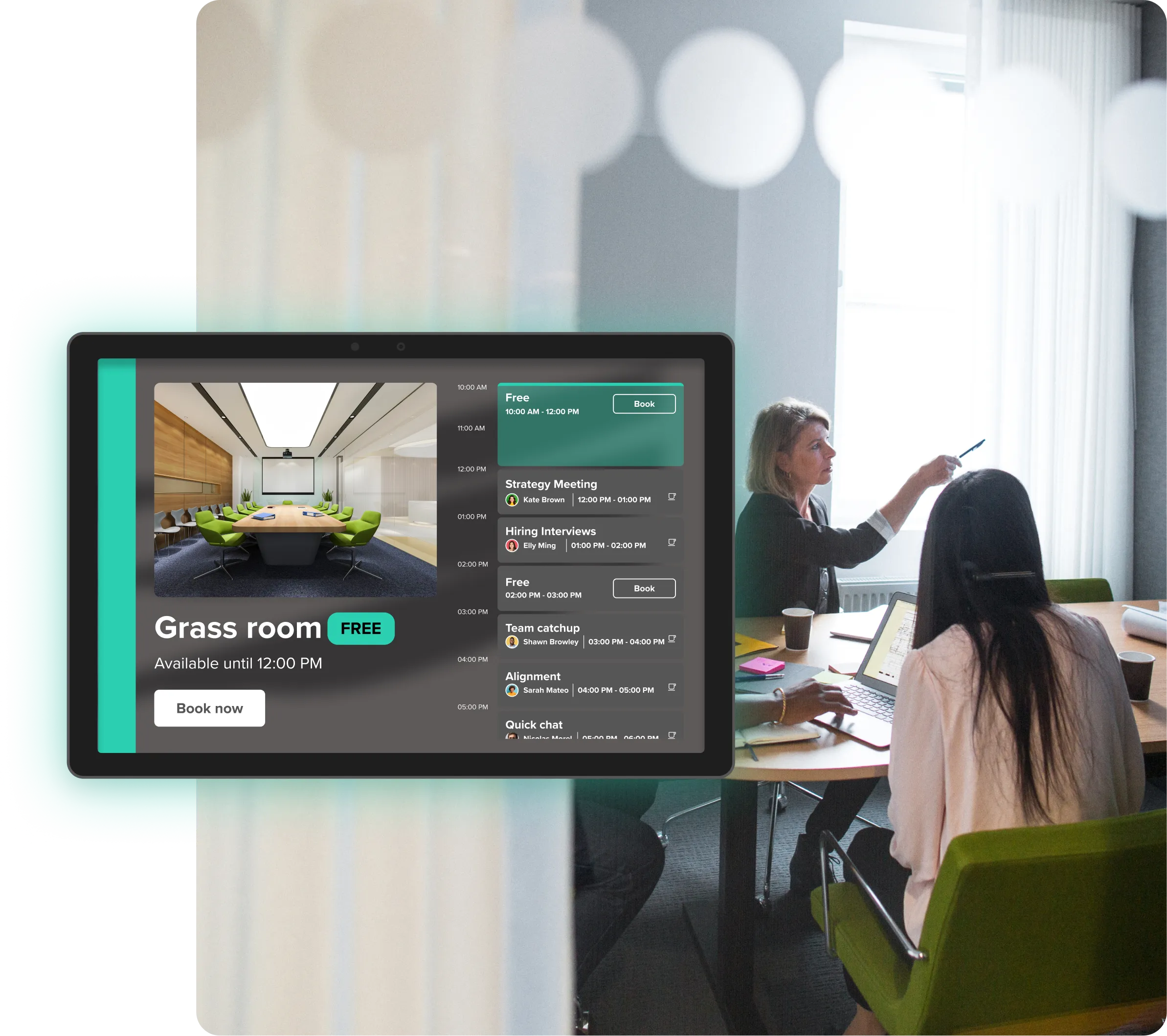
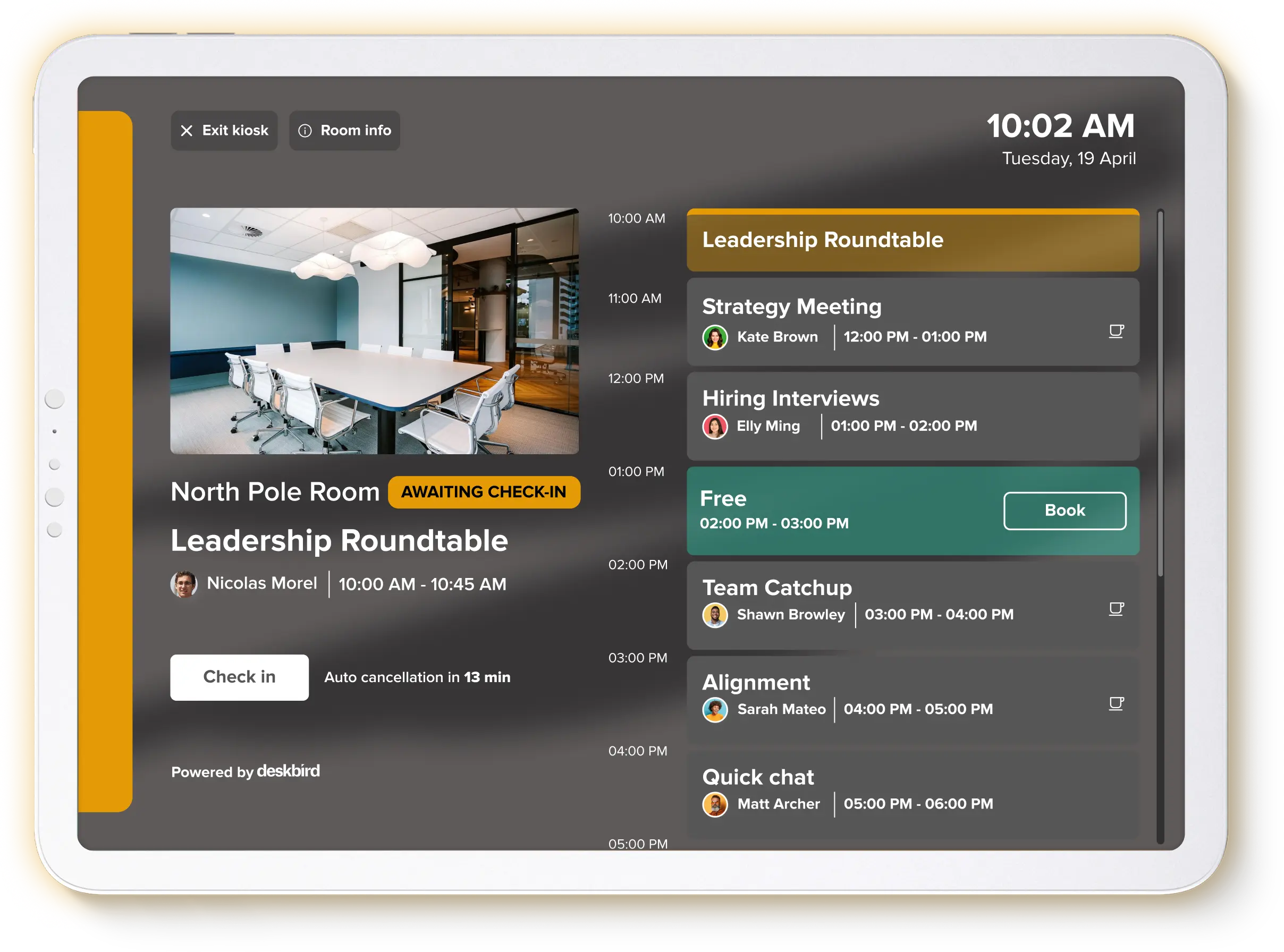
Check-in requirements force employees to confirm they are actually using the room they booked. You set a grace period, typically 10-15 minutes after the meeting start time. Employees confirm their presence by tapping a room display, scanning a QR code, or responding to a calendar notification.
If no one checks in before the grace period ends, the system automatically releases the room back to the available pool. Other employees immediately see the freed-up slot. This automation frees up rooms when nobody checks in. It reduces ghost meetings without adding manual work for your workplace team.
Send reminders through the tools people already use
Automated reminders prompt attendees to confirm or cancel their bookings before the meeting begins. These work best when they reach people in Outlook, Microsoft Teams, Slack, or Google Calendar. A notification in the flow of work is far more effective than an email that gets buried.
Timing matters here. A reminder the evening before gives people a chance to cancel if their plans changed. A second reminder 15 minutes before the meeting prompts a final decision: show up or release the room.
Make canceling a one-click action
If releasing a room takes effort, people will not do it. You need to remove all friction from the cancellation workflow. One-click cancellation directly from a calendar invite or chat application ensures employees can free up space in seconds.
Native integrations with Microsoft 365 and Google Workspace make this possible. When the booking system connects directly to your calendar infrastructure, canceling a room is as simple as removing the room from the invite or canceling the meeting.
Clean up recurring zombie meetings
Recurring calendar holds often outlive their usefulness. A project team books a room for 6 months, but the project wraps up in 3. The room reservation keeps generating ghost meetings week after week.
Solve this by running periodic audits of your room inventory. Identify recurring bookings with consistently low check-in rates and reach out to the organizers. Some workplace management platforms automate this by prompting organizers to confirm their recurring bookings are still needed.
Match your room mix to actual meeting patterns
Reducing ghost meetings is only half the solution. The other half is ensuring you have the right types of rooms in the first place.
If most of your meetings involve 2 to 4 people but your office only has 10-person boardrooms, your utilization will always look inefficient. Small groups book large rooms because nothing else is available, then the space feels empty even when the meeting happens.
Use accurate no-show and occupancy data to guide your room inventory decisions. You want rooms that match how your teams actually work, not how your office was designed years ago.
How no-show protection works in room booking systems
Modern meeting room management platforms automate no-show handling so administrators do not have to chase down every empty room. The process runs quietly in the background to keep your calendar accurate.
Step 1: Book the room in Outlook or Google Calendar
Employees book rooms the same way they always have. They add a room to their calendar invite in Outlook or Google Calendar. There is no new interface to learn and no separate system to log in to.
Step 2: Confirm presence with a check-in
When the meeting time arrives, the organizer or attendees confirm they are in the room. They can tap a tablet display outside the door, scan a QR code with their phone, or respond to a mobile notification. The system gives them a short grace period to complete this action.
Step 3: Auto-release the room when no one shows up
If the grace period expires and no one has checked in, the system cancels the booking and makes the room available again. Other employees immediately see the freed-up slot on their calendars and room displays. No manual cleanup required.
Step 4: Track no-shows with occupancy analytics
The system logs every no-show event. Administrators can view dashboards that show no-show rates by specific rooms, floors, or entire buildings. This data gives workplace leaders the exact numbers they need to make defensible space planning decisions.
What accurate room data makes possible
Once you get ghost meetings under control, you can finally trust your workplace data. This visibility allows you to move from guessing to knowing.
Accurate numbers let you right-size your office space and room inventory. Convert underused large conference rooms into smaller collaboration spaces that teams actually want. Add more huddle rooms if your data shows most meetings are 4 people or fewer.
Reliable data helps you justify real estate decisions to leadership. You can show exactly which floors or buildings are utilized and which ones you can consolidate. When someone asks why you need to change the office layout, you have defensible numbers.
The employee experience improves as well. When rooms are reliably available, people stop hoarding space and start trusting the booking system again. Teams can coordinate their in-office days with confidence, knowing collaborative spaces will be there when they need them.

Manage meeting rooms more effectively with deskbird
deskbird is a workplace management platform that helps you run a more efficient office with data you can trust. deskbird Room Booking supports check-ins, auto-release, and no-show tracking to reduce ghost meetings without adding admin work. The platform integrates with Microsoft 365, Google Workspace, Microsoft Teams, and Slack. Employees book and update rooms in the tools they already use, which supports 90%+ adoption across 500+ companies and improves data accuracy.
Built and hosted in Europe (Frankfurt, Germany), GDPR-compliant, and certified to ISO 27001 and SOC 2 Type II, deskbird supports zero-touch provisioning through System for Cross-domain Identity Management (SCIM) and single sign-on (SSO), including common setups with Entra ID and Okta. Workplace leaders get reliable utilization data to maximize office return on investment (ROI). See how to auto-release no-show rooms.

Frequently Asked Questions
What causes ghost meetings in hybrid offices?
How does auto-release work for meeting room bookings?
Can you reduce ghost meetings without adding hardware?
How do you measure ghost meeting rates?
What is a good target for meeting room no-show rates?
See how to auto-release no-show rooms
- Auto-release frees up rooms the moment a no-show grace period expires
- No-show tracking gives you the numbers to right-size your room inventory
- Works inside Microsoft 365 and Google Workspace, no new tools to learn
