

Office hoteling: What it is and why hybrid teams need it
Office hoteling is a reservation-based system where employees book desks in advance rather than claiming any open seat when they arrive. It gives hybrid teams predictability while helping organizations right-size their real estate.
- Hoteling requires advance reservations, unlike hot desking where you grab whatever desk is free
- Success depends on software adoption: if employees skip the booking step, your utilization data becomes useless
- The right policy covers booking windows, check-in rules, and auto-release for no-shows
What is office hoteling?
Office hoteling is a flexible seating strategy where employees reserve workspaces before they come into the office. Think of it like booking a hotel room: you pick your space ahead of time, and it's waiting for you when you arrive. No more wandering the floor looking for an open desk on busy days.
Most hybrid organizations pay for desks that sit empty half the week, then watch employees arrive on peak days to find no available workspace. Office hoteling solves both problems by letting employees reserve desks in advance, giving workplace leaders the utilization data they need to right-size real estate and employees the predictability they need to plan their office days with confidence.
The hoteling model applies to more than desks. Meeting rooms, parking spots, and specialized equipment like standing desks or dual monitors all fit this approach. For organizations with 1,000+ employees across multiple floors, reservations reduce seat conflicts, cut time spent searching for space, and make attendance patterns easier to manage.
So, why does hoteling work? Because it matches desk supply to actual demand. Instead of giving every employee a permanent desk that sits empty 3 days a week, you provide enough desks for your peak attendance and let people reserve what they need.
Office hoteling vs hot desking vs reverse hoteling
People often mix up these terms, but each model works differently. The key difference comes down to whether you need to book ahead.
Office hoteling as a reservation system
With hoteling, you must reserve your desk before you show up. The system guarantees your spot, so you know exactly where you'll sit before you leave home. This predictability matters when you want to coordinate with teammates or need specific equipment.
Hot desking as first come first served seating
Hot desking has no reservations at all. You walk in and take any open desk you find. This works fine in small offices or coworking spaces, but it creates problems in larger hybrid environments. You arrive to find no desks near your team, or worse, no desks at all on a Tuesday.
Reverse hoteling as assigned desks released for booking
Reverse hoteling sits in the middle. Employees keep their assigned desks, but when someone marks themselves as working from home, their desk becomes available for others to book. This approach helps organizations transition gradually away from fixed seating.
[Table1]
Benefits of office hoteling for hybrid teams
When hoteling works well, it solves real problems for both employees and workplace leaders. Here's what you actually gain.
Lower real estate costs with fewer assigned seats
Hoteling lets you right-size your office footprint. If your 1,000-person company only sees 600 people on the busiest day, you don't need 1,000 desks. Most hybrid organizations target a seat-to-employee ratio between 0.5:1 and 0.7:1. That can translate into thousands of dollars per employee each year in rent and facilities costs, depending on your market, lease terms, and service levels.
Better employee experience on peak days
Nobody wants to commute 45 minutes only to find every desk taken. With hoteling, employees book before they travel and know their spot is guaranteed. This matters most on Tuesday and Wednesday, which are often the busiest in-office days for hybrid teams.
More predictable collaboration and team days
Good hoteling software shows you who else is coming in. You can see that your project team is booking desks on Thursday, so you book nearby. The office becomes a place you go with purpose rather than a place you go by default.
Fair access to desks, rooms, and equipment
A centralized booking system creates transparency. Everyone uses the same rules to reserve the window seats, the standing desks, or the quiet zones. Access depends on availability, not on who got there first or who has seniority.
Cleaner utilization data for workplace decisions
Every booking and check-in creates a data point. Workplace leaders can see which floors are packed on Wednesdays and which sit half-empty on Fridays. This data supports real decisions about lease renewals, floor consolidation, and hybrid policies.
Common office hoteling problems and how to fix them
Hoteling creates new friction points if you don't plan for them. Here are the issues that trip up most organizations.
[Table2]
The ghost booking problem deserves extra attention. When employees reserve desks "just in case" and then work from home, those desks show as unavailable even though they're empty. Auto-release policies fix this by freeing up unclaimed desks after a short window.
Office hoteling policy and rollout checklist
A successful hoteling rollout needs clear rules that employees understand and follow. Work through these steps before you launch.
Step 1. Measure demand with attendance and booking data
Before you set seat ratios, you need to know how many people actually come in. Use badge swipe data, calendar analytics, or a pilot booking system to establish your baseline. This prevents you from cutting too many desks too fast.
Step 2. Set booking rules for peak days and fairness
Your policy should answer basic questions. How far ahead can people book? Can someone reserve the same desk every Tuesday? Do certain roles get priority? Write these rules down and communicate them clearly.
Step 3. Add check-in and auto-release for no-shows
Check-in is essential for accurate data. Define a specific window, typically 15 to 30 minutes, and make clear that the system will release unconfirmed desks. This keeps availability honest.
Step 4. Keep floor plans and desk IDs accurate
Your booking system is only as good as its floor plan. Assign someone in facilities to update the digital layout whenever desks move. Physical desk labels should match what employees see in the software.
Step 5. Make change management about employee experience
Focus your rollout communications on what employees gain: guaranteed seats, visibility into team schedules, and flexibility to choose their workspace. Avoid dwelling on the loss of assigned desks.
Step 6. Review metrics monthly and adjust seat ratios
Hoteling is not set-and-forget. Review utilization data monthly to spot trends. If Friday desks sit empty, consider closing a floor that day. If Tuesdays are overbooked, add overflow space or encourage schedule spreading.
Office hoteling software features that matter
Enterprise organizations need more than just a basic booking tool. IT and facilities leaders should evaluate platforms based on capabilities like:
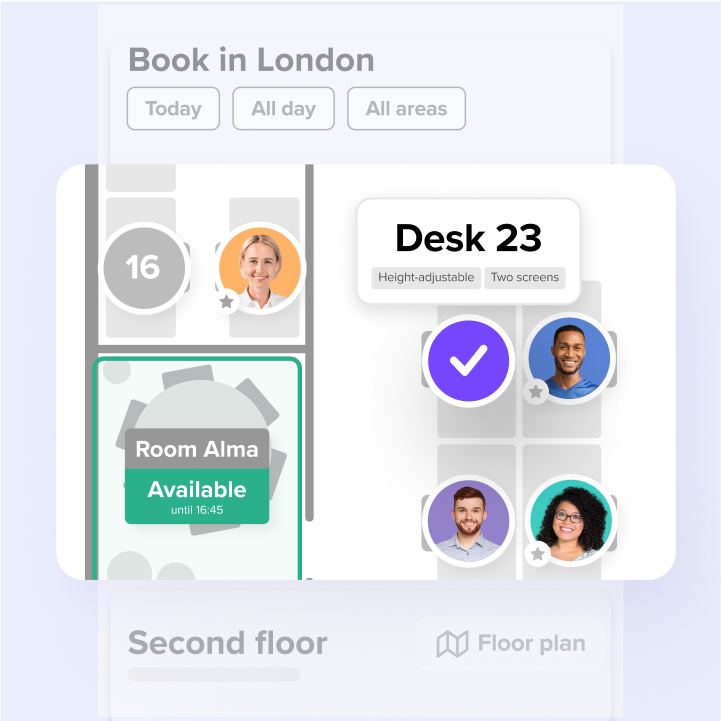
- Interactive floor plans let employees see the office layout and find colleagues visually. Filtering by equipment, such as monitors or standing desks, speeds up the booking process and reduces errors.
- Smart check-in and auto-release stop ghost bookings without manual intervention from office managers. The system confirms attendance and frees up unused desks automatically.
- Real-time availability should update quickly across mobile, web, calendars, and office kiosks so employees do not see conflicting availability.
- Native integrations with Microsoft Teams, Slack, Outlook, and Google Calendar let employees book from tools they already use. This drives adoption, which drives data accuracy.
- For IT teams, zero-touch provisioning through System for Cross-domain Identity Management (SCIM) and single sign-on (SSO) via Microsoft Entra ID (formerly Azure AD) or Okta reduces ongoing maintenance. Role-based permissions ensure only authorized users can change floor plans or access analytics.
On top of these, security certifications matter for any company handling employee data. Look for ISO 27001 and SOC 2 Type II, GDPR compliance, and clear data residency options, including EU hosting if you operate in Europe.
Office hoteling metrics that leaders can trust
Workplace leaders need specific numbers to justify hoteling investments and make ongoing space decisions.
- The seat-to-employee ratio is your foundation. Divide available desks by total headcount. Most hybrid organizations target 0.5:1 to 0.7:1, with a small buffer for peak days.
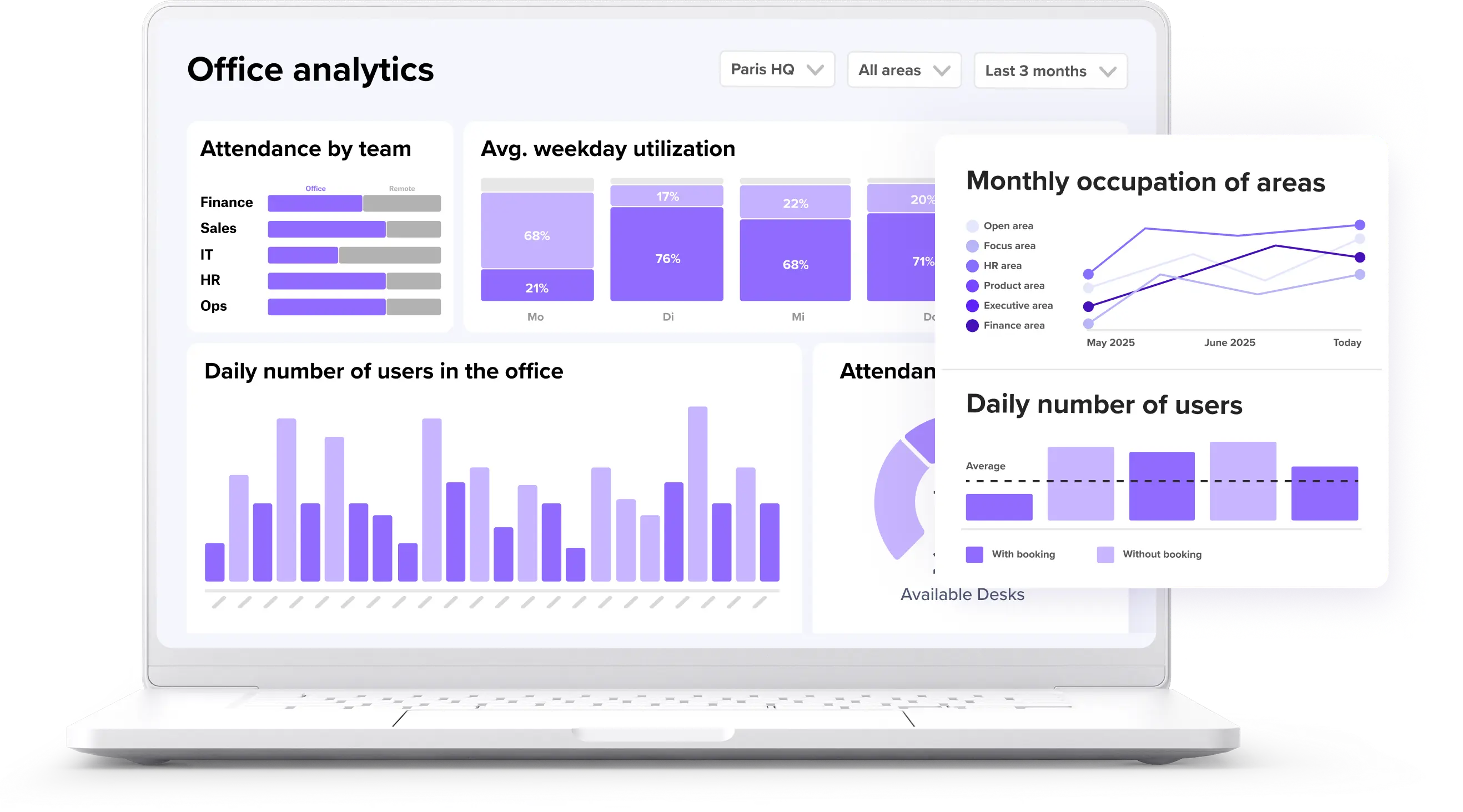
- Utilization rate measures how often desks are actually used versus available. Break this down by floor or neighborhood to find underused areas you could repurpose.
- The booking-to-use ratio compares reservations to actual check-ins. A high no-show rate signals that your auto-release policies need tightening.
- Time-to-seat measures how long it takes employees to find and book a suitable desk. Shorter is better. Pair this with survey feedback to understand the full employee experience.
- For ROI, compare real estate costs before and after implementation. Fewer desks mean smaller leases or sublease opportunities. You can also accommodate headcount growth without adding expensive square footage.
How deskbird supports office hoteling
The gap between hoteling strategy and hoteling success comes down to adoption. If employees skip the booking step, your utilization data becomes meaningless. Your space decisions become guesswork. deskbird bridges this gap by making booking fast enough that people actually do it.
Employees reserve desks in a few clicks from Microsoft Teams or Slack, without switching tools or going through training. This drives adoption rates above 90% across 500+ companies, which means the data workplace leaders see reflects what's actually happening.
The platform also handles the operational details that make hoteling work: interactive floor plans, check-in, auto-release for no-shows, and real-time updates across every booking channel. deskbird analytics shows peak days, busiest zones, and utilization trends so you can right-size your footprint with confidence.
For IT teams, deskbird offers SCIM provisioning, SSO via Azure AD and Okta, and role-based access controls. The platform is ISO 27001 certified and SOC 2 Type II compliant, fully GDPR-compliant, and hosted in Frankfurt, Germany.
Make office hoteling work with the right workplace platform
Office hoteling transforms your workplace from a static expense into a flexible, data-driven environment. Clear booking policies, reliable technology, and high employee adoption are required for success.
The payoff is real: reduced real estate costs, better employee experience on busy days, and utilization data you can actually trust. When you know how your space is used, you can make confident decisions about leases, layouts, and hybrid policies.

Frequently Asked Questions
What does hoteling mean in an office?
What is the difference between hoteling and hot desking?
Is office hoteling good for hybrid teams?
What software do you need for office hoteling?
How do you create an office hoteling policy?
See how deskbird makes office hoteling work
- 90%+ adoption across 500+ companies, so your utilization data is actually reliable
- Book desks from Teams or Slack in a few clicks, no training needed
- Real analytics to right-size your office and reduce unused capacity
