
The best office space management software in 2026
Discover the best office space management software solutions designed to reduce real estate costs and optimize how space actually gets used.
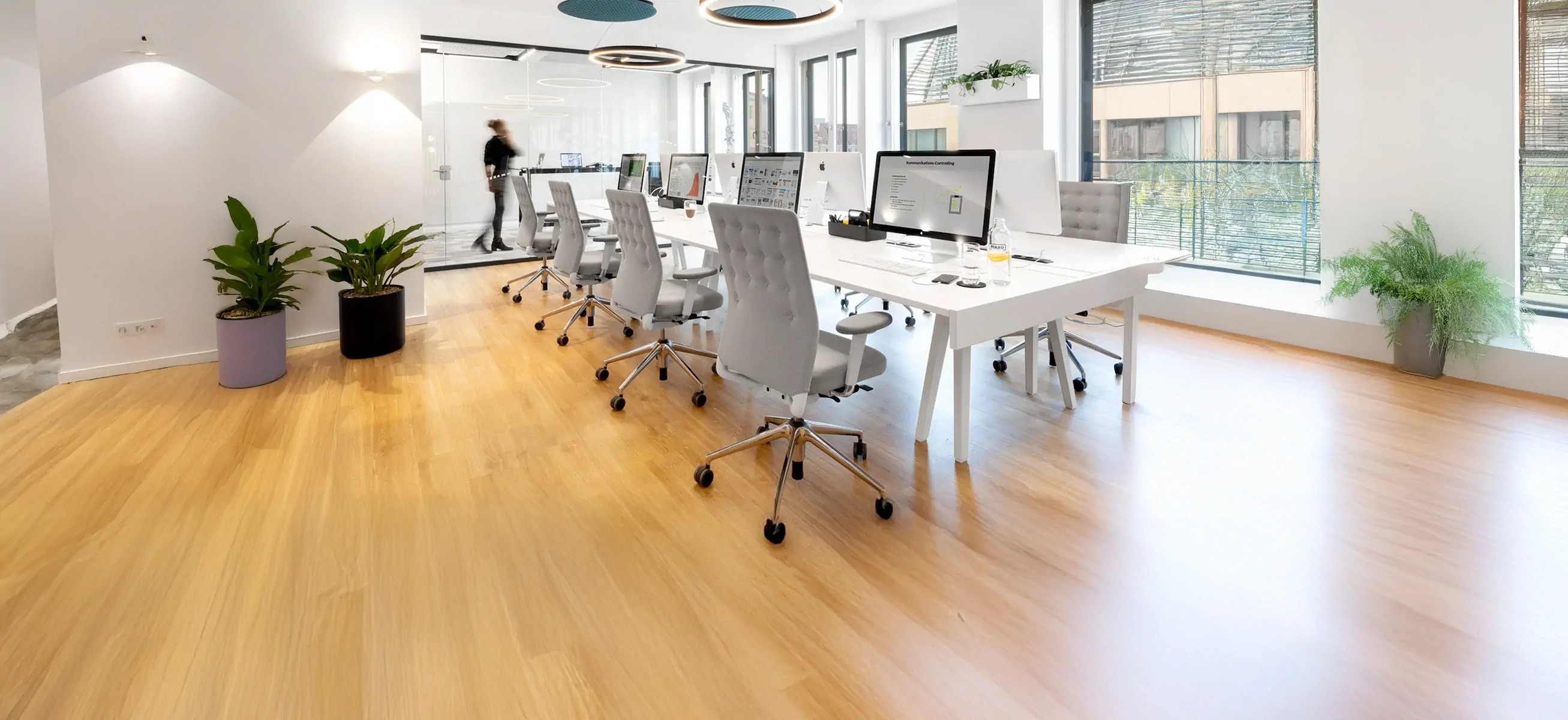
TL;DR: The best office space management software combines desk booking, room reservations, utilization analytics, and calendar integrations in a single platform. Most hybrid teams need a tool that's easy to adopt and gives reliable usage data, not a full IWMS. This guide compares 7 tools across features, integrations, pricing, and ideal use cases.
Managing your office space
Managing hybrid office space without the right software means making real estate decisions on incomplete or stale information. Whether you're trying to reduce costs, improve team coordination, or understand how your office is actually being used, the right platform closes that gap.
This guide cuts through the noise. It compares the top tools and gives you a practical framework to pick the right one, whether you're running 1 office or 20.
What is office space management software? (and what it isn't)
Office space management software is a digital platform that helps organizations plan, book, and optimize how their physical workspaces are used. At its core, it replaces spreadsheets and manual processes with real-time booking, interactive floor plans, and utilization analytics.
Most hybrid teams need 3 things from it: a frictionless booking experience for employees, accurate data on how space is actually used, and reliable integrations with the tools already in their tech stack.
What does "office space management software" actually cover?
"Space management software" isn't one category. It's an umbrella term covering several distinct functions, and understanding the difference prevents you from buying the wrong tool.
1. Space planning and allocation. Tools for designing and assigning space: floor plan creation, move/add/change (MAC) management, and scenario planning. Serve real estate and facilities teams managing large portfolios. Examples: OfficeSpace, Archibus.
2. Desk and room reservations. Platforms focused on who uses space and when: desk booking, room scheduling, parking, and visitor management. Prioritize daily employee experience. Examples: deskbird, Robin, Skedda.
Systems that measure how space is actually used: booking data, badge access, sensor inputs, occupancy dashboards, and forecasting. Examples: deskbird, VergeSense, Density.3. Utilization intelligence. Systems that measure how space is actually used: booking data, badge access, sensor inputs, occupancy dashboards, and forecasting.Examples: deskbird, VergeSense, Density.
4. Workplace operations. Tools that manage policies, approvals, and services: booking rules, neighborhood assignments, maintenance requests, and catering. Examples: ServiceNow (broader ITSM), iOFFICE.
The practical takeaway: Most hybrid workplaces need a tool that handles booking well and provides enough utilization data to make informed decisions. You don't necessarily need a full IWMS (Integrated Workplace Management System) unless you're managing a large real estate portfolio. For hybrid offices focused on adoption and coordination, an integrated booking and analytics platform delivers faster value.
What about coworking management?
Coworking management software (like Nexudus, OfficeRnD Flex) is an adjacent category handling billing, member portals, and access for coworking operators. If you're managing your own corporate office rather than running a coworking or flex operator business, this isn't what you need.

The best office space management software in 2026
1. deskbird
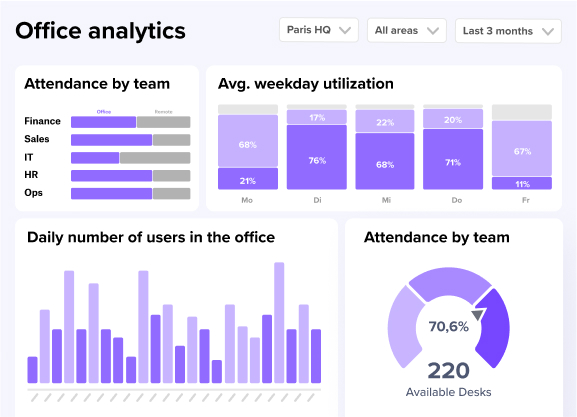
Best for: Hybrid workplaces that need fast adoption, strong Microsoft 365/Google integration, and practical utilization data without IWMS complexity.
deskbird combines desk and room booking, parking, and visitor management into a single interface. Interactive floor plans update without IT involvement, and the analytics go beyond booking counts to show real utilization patterns: peak days, no-show rates, and zone-level usage.
Built and hosted in Europe, deskbird meets GDPR requirements without configuration. ISO 27001 certified and SOC 2 Type II compliant.
Core capabilities
- Desk and room booking with flexible policies and booking rules
- Interactive floor plans with self-service admin editing
- Week planning for team coordination
- Utilization analytics based on booking and check-in data
- Workplace ticketing for facility requests
- Visitor management and parking
deskbird pricing
Paid plans are transparent and flexible start at €2.75/user/month, with add-ons for room booking, visitor management, and user management. No annual contracts required. See plans here.
deskbird is incredibly user-friendly and intuitive, making it easy for our team to book desks and meeting rooms efficiently. The real-time availability feature ensures we always have the latest information, reducing the chances of double bookings.
deskbird's G2 review
2. OfficeSpace
Best for: Large real estate and facilities teams managing space planning, move management, and utilization intelligence across multiple sites.
OfficeSpace is an IWMS platform built around space planning, move management, and drag-and-drop floor plan tools. This quarter, OfficeSpace expanded its AI Canvas suite, adding a Space Planning Agent, an Insights Agent, and a Workplace Experience Agent aimed at automating stack planning and occupancy forecasting.
That depth comes at a cost: OfficeSpace is built for enterprise complexity, and teams that primarily want clean hybrid booking and lightweight analytics will find it more platform than they need, both in setup time and price.
OfficeSpace pricing
Tiered, based on features and organizational size. Not publicly displayed; requires a custom quote.
3. OfficeRnD
Best for: Organizations running flex office or multi-tenant environments alongside traditional corporate space.
OfficeRnD handles both standard office setups and coworking-style arrangements in one platform, with member portals and API-based integrations for more complex environments.
For organizations that just want clean hybrid booking and utilization analytics for a single corporate office, the platform's dual-audience design (tenants and employees) adds complexity most teams don't need, and it shows in setup and admin overhead. Core provisioning features like SSO are gated behind the second pricing tier.
OfficeRnD pricing
Entry-level Start plan is €99/month with interactive office maps and team neighborhoods. SSO, user provisioning, and workplace services require the €399/month plan.
4. Skedda
Best for: Small teams or single-site offices looking for a lightweight, low-cost booking tool.
Skedda started as a shared-space booking platform for gyms and labs before expanding into office desk booking. Recent updates added check-in analytics and priority booking filters.
For hybrid teams managing multiple locations or meaningful booking policy complexity, gaps show up quickly: check-in automation, workplace analytics, and team scheduling are lighter than platforms built specifically for corporate hybrid work. Pricing is per bookable space rather than per user, which scales poorly once meeting rooms and parking are added.
Skedda pricing
Plans start at $99/month including 15 spaces and a more limited rules engine and insights dashboard.
5. Envoy
Best for: Companies where visitor management and front-desk operations are the primary requirement, with desk booking as secondary.
Envoy is strongest on visitor registration, check-in flows, and access control integration. Desk booking exists in the platform, but it isn't the core product, and the feature depth reflects that. This quarter Envoy added auto-rotating desk scheduling by day or shift, a genuine improvement, but it doesn't close the analytics or policy-enforcement gap versus dedicated hybrid-work platforms.
Envoy pricing
Pricing is modular: visitor management, deliveries, access control, and evacuations are all separate line items, which makes total cost hard to predict as you add modules. Envoy Workplace starts at $60/bookable resource/year, before add-ons.
6. Robin
Robin integrates with Outlook and Google Calendar, supports visitor check-in, and allows neighborhood-based desk assignments.
Utilization reporting stays surface-level compared to platforms built specifically for space-utilization decisions, which makes it harder to build a case for space reductions or layout changes to a real estate or finance stakeholder.
Robin pricing
Pricing isn't published, and subscriptions are billed annually, which can mean higher minimum commitments than usage-based alternatives.
7. Kadence
Best for: Teams where the primary problem is coordinating who's coming in and when, rather than managing physical space in depth.
Kadence centers on team scheduling: employees signal office days and see who else is in. It also launched SpaceOps, a conversational AI tool for stack planning and office consolidation modeling, aimed at real estate decision-makers rather than day-to-day bookers.
Utilization analytics and floor plan tools remain lightweight relative to the booking-policy depth and multi-site governance that mid-market and enterprise teams typically need. Kadence doesn't publish pricing, requires custom quotes and annual contracts, and charges a separate fee per floor plan upload.
Kadence pricing
Kadence prices are not publicly displayed on their website, requiring custom quotes for evaluation.
How to choose the right office space management platform
Start with the problem, not the feature list. The right tool for a single hybrid office looks very different from what a multi-site real estate team needs to justify a lease decision.
But one thing matters more than any feature: adoption. A platform your team ignores gives you bad data, and inaccurate data leads to poor real estate decisions, the exact outcome the tool was meant to prevent. Pick for where you are today, not where you might be in 3 years.
Features to look for
- Calendar integration. Bidirectional sync with Outlook, Exchange room mailboxes, Google Calendar, and Teams matters. One-way sync creates booking conflicts.
- Desk and room booking in one interface. Separate tools for desks and rooms means lower adoption.
- Interactive floor plans. Check how easily admins can update layouts when furniture moves or teams reorganize.
- No-show prevention. Check-in requirements, automatic release rules, and reminders reduce phantom bookings that skew your data.
- Utilization analytics. Basic booking counts don't tell you much. Look for actual attendance versus reservations, peak days, and underused zones.
- Mobile booking. If booking takes more than a few taps, people skip it.
- SSO and security. Single sign-on through Okta or Azure AD simplifies access. GDPR compliance matters for European operations.
How to evaluate integrations
"Will it work with our environment?" is the question that matters most. For Microsoft 365 environments, ask specifically about Exchange room mailbox compatibility: some tools sync with Outlook calendars but don't properly handle room resources, which causes double-booking conflicts that erode adoption.
Questions worth asking vendors:
- Does calendar sync work bidirectionally, or only one way?
- How does the system handle conflicts when someone books directly in Outlook?
- Is SSO included in the base price, or an add-on?
- How do permissions sync with Azure AD or Google Groups?
- What happens to our data if we leave the platform?
Benefits of office space management platforms
The core benefit is replacing guesswork with data. Without a dedicated platform, most organizations make expensive real estate decisions based on incomplete information.
- Reduced office space costs. Using space based on actual demand rather than fixed assignments can save up to 30% on office expenses for organizations running hybrid schedules.
- Smarter space planning. With accurate data for planning, facility managers and office admins can plan space and optimize workplaces with intent. deskbird's office space calculator is a helpful tool to get started.
- Lower operational costs. Efficient space use reduces cleaning, energy, and maintenance costs in proportion to actual occupancy.
- Reduced IT and commute subsidies. When people can book desks, find colleagues, and plan their office days without friction, attendance and coordination improve.
The best office space management software in 2026
1. deskbird
Best for: Hybrid workplaces that need fast adoption, strong Microsoft 365/Google integration, and practical utilization data without IWMS complexity.
deskbird combines desk and room booking, parking, and visitor management into a single interface. The interactive floor plans update easily, and the analytics go beyond booking counts to show real utilization patterns (peak days, no-show rates, zone-level usage) so you can make actual real estate decisions.
Built and hosted in Europe, deskbird meets GDPR requirements without configuration. ISO 27001 and SOC 2 Type II certified.
Core capabilities
- Desk and room booking with flexible policies and booking rules
- Interactive floor plans with self-service admin editing
- Week planning for team coordination
- Utilization analytics based on booking and check-in data
- Workplace ticketing for facility requests
- Visitor management and parking
deskbird pricing
Paid plans are transparent and flexible start at €2.50/user/month, with add-ons for room booking, visitor management, and user management. No annual contracts required. See plans here.
deskbird is incredibly user-friendly and intuitive, making it easy for our team to book desks and meeting rooms efficiently. The real-time availability feature ensures we always have the latest information, reducing the chances of double bookings.
deskbird's G2 review
2. Robin
Best for: Teams that want clean calendar integrations and a straightforward booking experience without heavy configuration.
Robin integrates well with Outlook and Google Calendar, supports visitor check-in, and allows neighborhood-based desk assignments. The mobile experience is clean and employees generally pick it up without training. It's a solid choice for smaller hybrid teams where booking coordination is the main goal.
Where it may fall short for mid-market to enterprise buyers is analytics depth: utilization reporting tends to stay at a surface level, which makes it harder to build a real case for space reductions or layout changes.
Robin pricing
Plans aren't publicly disclosed. The subscriptions are billed on an annual basis, effectively locking you into a long-term contract, which can result in higher minimum commitments.
3. OfficeRnD
Best for: Organizations running flex office or multi-tenant environments alongside traditional corporate space.
OfficeRnD handles both standard office setups and coworking-style arrangements in one platform. It offers member portals, resource booking beyond desks and rooms, and API-based integrations for more complex environments. The breadth of features is useful if you operate flex or hybrid real estate across different tenant types.
For organizations that just want clean hybrid booking and utilization analytics for a corporate office, the platform may feel overly complex. Employee-facing adoption can also be a friction point when the product has to serve multiple audience types simultaneously.
OfficeRnD pricing
The entry-level Start plan costs €99/month and includes interactive office maps and team neighborhoods. Functionalities like SSO, user provisioning or workplace services are only available on the next plan though (€399/month).
4. Skedda
Best for: Small teams or single-site offices looking for a lightweight, low-cost booking tool.
Skedda started as a shared-space booking platform for gyms and labs before expanding into office desk booking. The interface is clean and setup is fast, which appeals to teams that want something simple to deploy. It's a reasonable option for organizations where space management is a secondary concern rather than a strategic one.
For hybrid teams managing multiple locations, booking policies, or team coordination at any meaningful scale, a few gaps may arise: check-in automation, workplace analytics, and team scheduling features are more limited than platforms built specifically for corporate hybrid work.
Skedda pricing
Plans start at $99/month including 15 spaces and a more limited rules engine and insights dashboard.
5. Envoy
Best for: Companies where visitor management and front-desk operations are the primary requirement, with desk booking as a secondary need.
Envoy is strongest on visitor registration, check-in flows, and access control integration. It handles the physical arrival experience well and is widely used in organizations where security and compliance around visitors matter. Desk booking exists in the platform but it isn't the core product, and that shows in the depth of the feature set.
Organizations that prioritize space utilization, team coordination, or analytics will find the desk and room booking functionality less complete than dedicated hybrid work platforms. If visitors are your main concern and hybrid booking is a nice-to-have, Envoy is a fit; if it's the other way around, you may feel the imbalance.
Envoy pricing
The basic plan for Envoy Workplace start at $60/bookable resource/year. It doesn't include modules such as visitor management (Envoy Visitors). Additionally, other capabilities (e.g. deliveries, access control, evacuations) are priced per location/product, which can make costs unpredictable for teams looking to grow.
6. OfficeSpace
OfficeSpace is a IWMS platform built around space planning, move management, and utilization intelligence. Its drag-and-drop floor plan tools, scenario planning features, and AI-powered analytics (AI Canvas) are solid especially for teams managing employees across multiple sites.
The tradeoff: OfficeSpace is built for enterprise complexity. Teams that primarily want clean hybrid booking and lightweight analytics often find it more platform than they need, and pricing reflects that.
OfficeSpace pricing
OfficeSpace uses tiered pricing based on features and organizational size. Ppricing isn’t publicly displayed and requires custom quotes.
7. Kadence
Best for: Teams where the primary problem is coordinating who's coming in and when, rather than managing or optimizing physical space.
Kadence centers on team scheduling: employees signal their office days, see who else is in, and coordinate around each other's presence. It's a useful tool for organizations where hybrid day visibility is the main friction point, and the employee experience for scheduling is clean.
The gaps can become more significant for buyers with broader space management needs: utilization analytics are lightweight, floor plan tools are limited, and the platform doesn't offer the booking policy depth or multi-site governance that mid-market and enterprise teams typically require.
Kadence pricing
Kadence prices are not publicly displayed on their website, requiring custom quotes for evaluation.
How to choose the right office space management platform
Start with the problem, not the feature list. The right tool for a single hybrid office looks very different from what a multi-site real estate team needs to justify a lease decision.
But there's one thing that matters more than any feature: adoption. A platform your team ignores gives you bad data, and innacurate data leads to poor real estate decisions. That's an expensive outcome from a tool meant to prevent exactly that.
Pick for where you are today, not where you might be in 3 years.
Features to look for in space management software
The best office space management software for hybrid work covers booking, coordination, analytics, and governance in one place, while staying simple for employees to use daily. Here's what separates tools people actually use from tools that collect dust:
- Calendar integration: Bidirectional sync with Outlook, Exchange room mailboxes, Google Calendar, and Teams matters. One-way sync creates booking conflicts nobody wants to untangle.
- Desk and room booking in one interface: Separate tools for desks and rooms means lower adoption. People want one place to plan their office day.
- Interactive floor plans: Visual maps help employees find colleagues and available spaces. Check how easy it is for admins to update layouts when furniture moves or teams reorganize.
- No-show prevention: Check-in requirements, automatic release rules, and reminders reduce phantom bookings that skew your data.
- Utilization analytics: Basic booking counts don't tell you much. Look for data on actual attendance versus reservations, peak days, and underused zones.
- Mobile booking: If booking takes more than a few taps, people skip it. Zero-training mobile experiences drive adoption.
- SSO and security: Single sign-on through Okta or Azure AD simplifies access. GDPR compliance matters for European operations.
How to evaluate integrations
"Will it work with our environment?" is the question that matters most in evaluation. Vendor marketing doesn't always give you the full picture.
For Microsoft 365 environments, ask specifically about Exchange room mailbox compatibility. Some tools sync with Outlook calendars but don't properly handle room resources. The result is double-booking conflicts that frustrate employees and erode adoption.
Questions worth asking vendors:
- Does calendar sync work bidirectionally, or only one way?
- How does the system handle conflicts when someone books directly in Outlook?
- Is SSO included in the base price, or an add-on?
- How do permissions sync with Azure AD or Google Groups?
- What happens to our data if we leave the platform?
Why hybrid teams end up choosing deskbird
deskbird focuses specifically on making hybrid work simple for employees and transparent for management. It combines desk booking, room reservations, interactive floor plans, and workplace analytics in one interface, without the complexity of a full IWMS.
Organizations typically choose deskbird when they want:
- High adoption: Booking through MS Teams, Slack, Outlook, or mobile takes seconds, not training sessions
- Accurate data: Check-in requirements and booking rules ensure utilization numbers reflect what's actually happening.
- Actionable insights: Office space analytics show which spaces to keep, resize, or repurpose.
- European privacy standards: Built and hosted in Germany with GDPR compliance, ISO 27001, and SOC 2 Type II certification.
If you still need full IWMS capabilities like lease administration or asset lifecycle management, deskbird pairs well with dedicated facilities tools rather than trying to replace them.
How to make your final decision
The shortlist gets easier once you stop comparing feature pages and start comparing outcomes. Will it sync reliably with your calendar environment? Will employees actually use it without training? Will the data it gives you be accurate enough to make a real estate decision?
If the answer to all 3 is yes, you have the right platform.
To see how deskbird handles hybrid workspace management, including calendar sync, interactive floor plans, and practical analytics, book a demo and explore it with your specific setup.
Disclaimer
Software listed in this article, and corresponding pricing and functionalities, are based on publicly available information as of March 2026 and our own assessment and are subject to change. Information provided without guarantee. If something is mapped out incorrectly, please contact us here.
Why hybrid teams end up choosing deskbird
deskbird combines desk booking, room reservations, interactive floor plans, and workplace analytics in one interface, without the complexity of a full IWMS.
Organizations typically choose deskbird when they want:
- High adoption. Booking through Teams, Slack, Outlook, or mobile takes seconds, not training sessions.
- Accurate data. Check-in requirements and booking rules ensure utilization numbers reflect what's actually happening when it comes to office attendance.
- Actionable insights. Office space analytics show which spaces to keep, resize, or repurpose.
- European privacy standards. Built and hosted in Germany, GDPR-compliant, ISO 27001 certified, and SOC 2 Type II compliant.
How to make your final decision
Will it sync reliably with your calendar environment? Will employees actually use it without training? Will the data it gives you be accurate enough to support a real estate decision?
Disclaimer
Software listed in this article, and corresponding pricing and functionalities, are based on publicly available information as of July 2026 and our own assessment and are subject to change. Information provided without guarantee. If something is mapped out incorrectly, please contact us here.
If the answer to all three is yes, you have the right platform. To see how deskbird handles workspace management, including calendar sync, interactive floor plans, and practical analytics, book a demo and explore it with your specific setup.
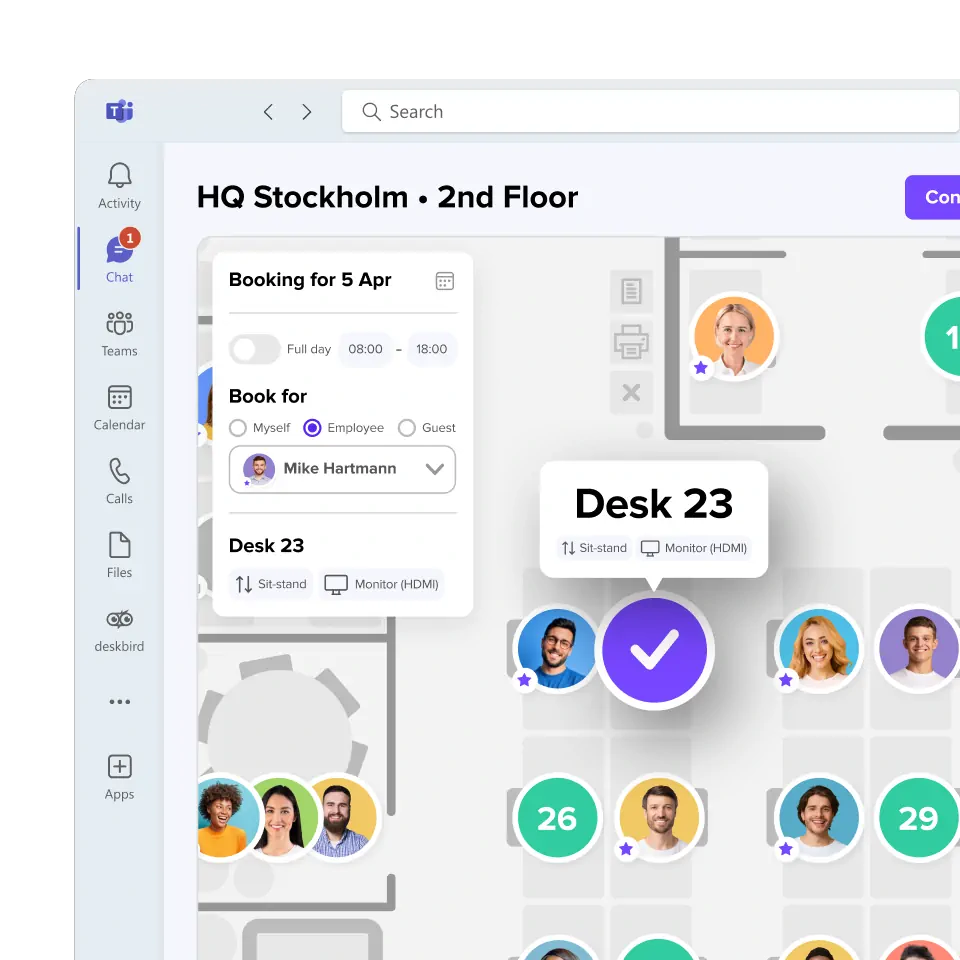
Make every square meter count
deskbird is the platform chosen by modern workplace leaders to get insights on office usage and use them to continuously evolve and optimize their office.
Frequently Asked Questions
More on space management software for your office.
What is office space management software?
Office space management software is a digital platform that helps organizations plan, book, and optimize how their physical workspaces are used. It replaces manual processes and spreadsheets with real-time desk and room booking, interactive floor plans, and utilization analytics, giving workplace teams accurate data to reduce costs and improve the employee experience.
Does office space management software require sensors or hardware?
No. deskbird generates utilization data from booking and check-in activity, with no sensor hardware required. Some competitors, like OfficeSpace and Envoy, offer optional hardware integrations for badge or sensor-based tracking.
How long does it take to implement space management software, and who needs to be involved?
Modern booking-focused tools can go live in 2–4 weeks for straightforward deployments. Complex enterprise rollouts with custom integrations and global locations typically take 60–90 days. Key stakeholders include IT (SSO, integrations), Facilities (floor plans, capacity), HR/Workplace (policies, communications), and Security/Legal (privacy review). The biggest variable is usually internal decision-making speed, not technical complexity.
What's the difference between a workplace management platform and an IWMS?
Office space management software (like deskbird) focuses on daily booking and utilization data for hybrid teams. A full IWMS adds lease administration, asset lifecycle management, and capital planning, and is typically overkill unless you're managing a large real estate portfolio.
What's the best office space management software for a Microsoft 365 environment?
Platforms with bidirectional Exchange room mailbox sync and native Teams integration work best. Amongst the landscape, deskbird, Robin, and OfficeSpace all support Microsoft 365 environments, but the depth of Exchange room resource handling varies. Ask vendors specifically about room mailbox compatibility, not just Outlook calendar sync as they're different things.
Is Microsoft Places a replacement for dedicated office space management software?
For very basic desk booking and floor plan search, Microsoft Places (now bundled into most M365/Teams licenses) may cover the essentials. It doesn't include utilization analytics, hybrid policy enforcement, or visitor management, which is where dedicated platforms remain necessary for most hybrid teams.
