

GDPR compliance for hybrid workplaces: A practical guide
GDPR compliance for hybrid workplaces is not a separate set of rules. The regulation applies the same way whether your team works from the office, home, or a cafe in another country, but hybrid setups introduce risks that traditional office environments never had to manage: personal devices processing company data, shadow IT tools adopted without IT approval, and employees accessing systems from networks you do not control.
TL;DR
GDPR compliance applies the same way whether employees work from home, the office, or anywhere else. The regulation does not change based on location. Hybrid setups do create new risks you need to manage.
- Shadow IT and personal devices process data outside your control, creating blind spots in your compliance posture
- Cross-border access from employees working abroad triggers complex data transfer rules you can avoid with EU-hosted tools
- You still have 72 hours to report a breach, but detecting incidents on home networks takes longer than in the office
What GDPR requires for hybrid workplaces
The General Data Protection Regulation is a European Union law that governs how organizations handle personal data belonging to EU residents. If your company collects, stores, or processes information about people in the EU, you must follow these rules. The regulation applies regardless of where your employees physically sit when they do their work.
GDPR does not treat remote work differently from office work. You need the same technical and organizational measures to protect data at someone's kitchen table as you do in your corporate headquarters. The law cares about outcomes, not locations.
Understanding who bears responsibility for compliance starts with two key roles. A data controller decides why and how personal data gets processed. A data processor handles data on the controller's behalf. In most workplace management setups, you act as the controller, and the software vendor acts as the processor. Both parties share compliance obligations.
In a workplace context, personal data covers more than you might expect. Employee records, visitor logs, desk booking data, and access logs all qualify. You must protect this information according to core GDPR principles like data minimization: collecting only what you actually need for a specific purpose.
Hybrid setups complicate how you fulfill data subject rights. Employees can request access to their personal data, ask for corrections, or demand deletion. When information lives across multiple personal devices, home networks, and cloud applications, gathering or deleting that data becomes a real operational challenge. Centralized systems help you meet these requests within GDPR's 1-month deadline.
GDPR risks specific to hybrid work models
Moving employees outside the traditional office perimeter introduces vulnerabilities that IT and compliance teams must actively manage. When people work from home or public spaces, you lose direct control over the physical environment and network infrastructure.
Shadow IT represents one of the largest compliance risks in a hybrid environment. JumpCloud reports that 65% of remote workers use software without IT approval. This includes file-sharing apps, messaging platforms, and scheduling tools teams adopt to collaborate with remote colleagues. When staff use these unauthorized applications, they process personal data completely outside of IT's visibility. You cannot guarantee that these third-party vendors meet GDPR standards if you do not even know they exist.
Personal devices create another significant layer of exposure. Many companies allow employees to use their own laptops or smartphones for work tasks. Without proper device management software, you cannot guarantee these devices use encryption or secure deletion methods. If an employee loses a personal phone containing company emails or customer data, you have no way to remotely wipe the device.
Home networks lack the enterprise-grade firewalls and traffic monitoring of corporate networks. Working in shared spaces also exposes sensitive information to people looking over shoulders. An unlocked laptop in a cafe or a visible screen in a shared apartment presents physical security risks that do not exist in a badge-controlled office building.
Data security controls that work across locations
Protecting personal data across multiple locations requires a mix of technical safeguards and clear organizational policies. You need controls that secure data without creating unnecessary friction for your employees.
Access control forms the foundation of hybrid security. Single sign-on (SSO) lets employees use one set of credentials across all work applications, while multi-factor authentication (MFA) adds a second verification step beyond passwords. Role-based permissions ensure people only access the data they need for their specific job. Native integrations with Microsoft Entra ID and Okta, plus System for Cross-domain Identity Management (SCIM) provisioning, reduce manual errors and ensure deprovisioning happens automatically when someone leaves the company.
Encryption protects data both in transit and at rest. Require employees to use a VPN when they access sensitive internal systems remotely. Ensure endpoint encryption is enabled on all devices that process company data, whether corporate-owned or personal.
Mobile device management gives IT central control over laptops and phones. This includes remote wipe capabilities, mandatory operating system updates, and application restrictions. When an employee leaves or loses a device, you can secure company data immediately.
Security awareness training reduces phishing success rates and helps employees recognize risky behaviors. Make the training practical and relevant to remote work scenarios rather than focusing on abstract concepts.
Audit logs record who accessed what information, when they accessed it, and from where. These logs support both GDPR accountability requirements and rapid incident investigation.
[Table1]
Cross-border remote work and data transfer rules
Hybrid work often means employees travel or relocate, which can trigger international data transfer rules without anyone realizing it. If an employee accesses personal data from outside the European Economic Area (EEA), GDPR considers this a cross-border data export. The same rules apply if your software vendors store or process data on servers located outside the EEA.
To remain compliant, you must ensure the destination country offers an adequate level of data protection. The European Commission maintains a list of countries with adequacy decisions. When an adequacy decision does not exist for a specific country, you need complex legal frameworks to transfer data legally.
Standard Contractual Clauses (SCCs) are the most common legal framework. These are pre-approved legal terms you must include in vendor contracts to ensure data protection standards travel with the data. SCCs alone are often not enough. You also need to conduct Transfer Impact Assessments to evaluate whether the destination country's local laws undermine the protections SCCs provide.
Choosing vendors that host data exclusively in the EU is the simplest path to compliance. EEA-based hosting avoids the need for transfer mechanisms entirely. You must also verify where your vendors' sub-processors are located. A vendor with headquarters in Europe that uses a cloud provider routing data through servers in a third country still creates cross-border compliance obligations.
The 72-hour breach notification rule
A personal data breach occurs when unauthorized access, accidental disclosure, or loss of data compromises information you protect. Under GDPR, you must notify your supervisory authority within 72 hours of becoming aware of a breach. The only exception is if the breach is unlikely to result in risk to individuals' rights and freedoms.
Hybrid work complicates incident response. Breaches on personal devices or home networks often take longer to detect. An employee might not realize their home router was compromised. They might hesitate to report a lost personal phone. Clear escalation paths ensure employees know exactly who to contact immediately if they suspect a data issue.
You must maintain detailed records of all breaches to demonstrate accountability. This documentation requirement applies even to minor incidents you choose not to report to the supervisory authority. Your records must include the facts surrounding the breach, its effects, and the specific remedial actions your IT team took to secure the data.
[Table2]
How deskbird supports GDPR-compliant hybrid work
Managing a hybrid workplace requires processing employee attendance, desk bookings, and visitor logs. This information qualifies as personal data under GDPR. deskbird provides a workplace management platform built specifically to handle this data securely while giving leaders the insights they need to right-size real estate.
deskbird develops and hosts its platform in Europe, so you start with enterprise-grade security and privacy controls from day 1. deskbird is ISO 27001 certified and uses SOC 2 Type II certified infrastructure.
Your data is hosted in Frankfurt, Germany, and fully GDPR compliant. EU-only hosting often removes the need for vendor-related cross-border transfer mechanisms, such as Standard Contractual Clauses, and the Transfer Impact Assessments that can follow. It also gives your IT team a clearer, more defensible data residency story.
For IT professionals managing tool sprawl, deskbird reduces maintenance work through native integrations with Microsoft 365, Microsoft Entra ID (formerly Azure AD), and major human resources information system (HRIS) platforms like Personio and BambooHR. SCIM auto-provisioning and SSO support ensure access control remains tight. Deprovisioning happens instantly without manual ticket requests.
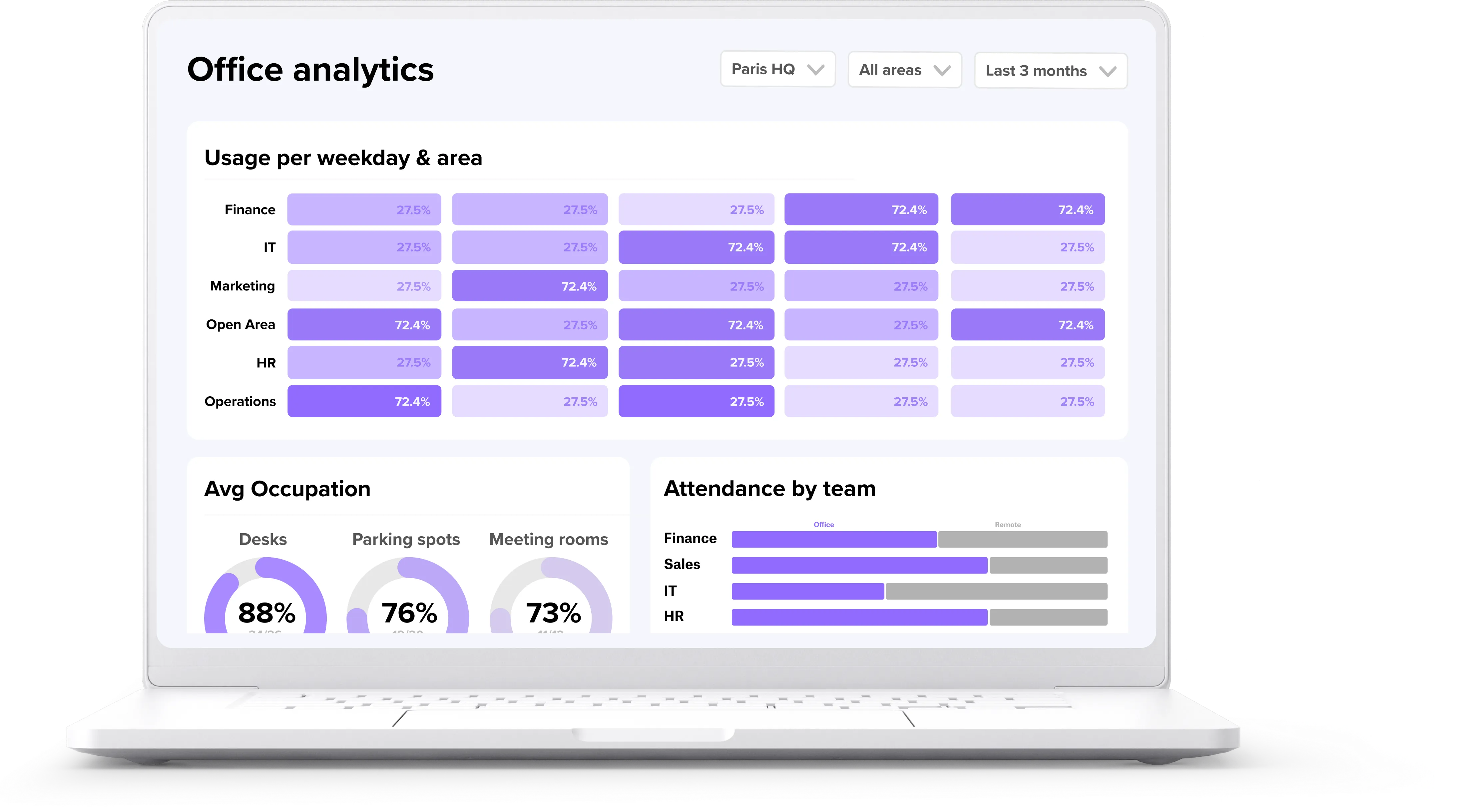
This enterprise-grade security pairs with UX that drives 90%+ adoption across 500+ companies, with no training required. High adoption ensures your utilization data is accurate. With deskbird Workplace Analytics, you gain precise visibility into peak days and space demand to inform your workplace strategy. deskbird's Workforce Management and Visitor Management modules support custom hybrid policies and visitor tracking. Both provide exportable, audit-ready logs to support your GDPR compliance program.
Building compliance into your hybrid workplace
Strong security controls and a good employee experience do not have to compete. The most secure hybrid work policies are the ones employees actually follow. When you combine robust access controls with intuitive tools, you reduce the temptation for shadow IT and keep personal data safely within your secure perimeter.
A successful hybrid workplace relies on accurate data to make efficient use of space and manage costs. You only get that data when your team actively uses your workplace management platform. By prioritizing both enterprise-grade security and ease of use, you protect your organization while building a workplace people want to engage with. See deskbird's EU-hosted compliance setup in a demo.

Frequently Asked Questions
Does GDPR apply differently when employees work from home versus the office?
What security measures must be in place for employees using personal devices?
How do data transfer rules apply when employees work from countries outside the EU?
What elements must a GDPR-compliant remote work policy include?
Can employers monitor remote employees' activity under GDPR?

See how deskbird keeps hybrid work GDPR-compliant
- EU-hosted in Frankfurt, ISO 27001 certified, and SOC 2 Type II compliant
- SCIM and SSO integrations keep access control tight with zero manual work
- Audit-ready logs support GDPR accountability across every hybrid location