

7 best practices for managing multiple offices
Most facilities leaders managing multiple offices face the same problem: they're making lease renewal decisions based on badge swipes and calendar bookings they know don't reflect actual space usage. The best practices for managing multiple offices come down to three things: standardizing what matters for fairness and data consistency, consolidating tools so you can compare utilization across sites, and automating the manual work that keeps your data accurate.
TL;DR
Managing multiple offices well means balancing company-wide consistency with local flexibility, using one platform for all locations, and acting on real utilization data.
- Standardize core policies centrally, then let local teams adapt for their specific office layouts and regional norms
- Consolidate desk, room, and resource booking into a single platform so you can compare data across sites
- Automate check-ins and schedule coordination to reduce admin work and capture actual attendance patterns
What makes multi-office management different from single-site operations
Multi-office management is the practice of coordinating space, policies, and employee experience across several physical locations. You handle varying occupancy patterns, different local cultures, and fragmented data sources all at once.
Running a single office means one set of rules applies to everyone: you track usage in one system and make adjustments to one floor plan.
However, scaling to multiple offices changes everything. Rules that work at headquarters often fail at regional branches as each location tracks space usage differently, making accurate comparisons nearly impossible. Teams spread across offices struggle to align their schedules for meaningful collaboration. Some offices may feel well-run while others lack basic resources.
[Table1]
Understanding these differences helps you see why the practices below matter. Each one addresses a specific gap that appears when you move from managing one location to managing several.
7 best practices for managing multiple offices
These practices come from patterns observed across organizations running hybrid workplaces at scale. They help you maintain control over your real estate while keeping employees engaged across every location.
1. Standardize policies across locations while allowing local flexibility
A hybrid work policy defines when and how employees work from the office versus remotely. You need clear expectations about booking windows, check-in requirements, and minimum attendance days.
Central policies should apply everywhere to maintain fairness. If your headquarters requires employees to check in within 30 minutes of their booking, that same rule should exist at your regional offices. Consistency prevents confusion when employees travel between locations.
Local teams still need room to adjust for their specific situations. A branch in a different time zone might need different booking windows, or an office with an open floor plan might define quiet zones differently than one with private offices. Forcing identical rules on completely different spaces creates unnecessary friction.
Deciding what to standardize and what to localize is the key challenge. Booking lead times, no-show rules, and attendance minimums work well as global standards. Quiet zones, amenity availability, and floor-specific access restrictions work better as local decisions.
2. Centralize visibility into space usage across all sites
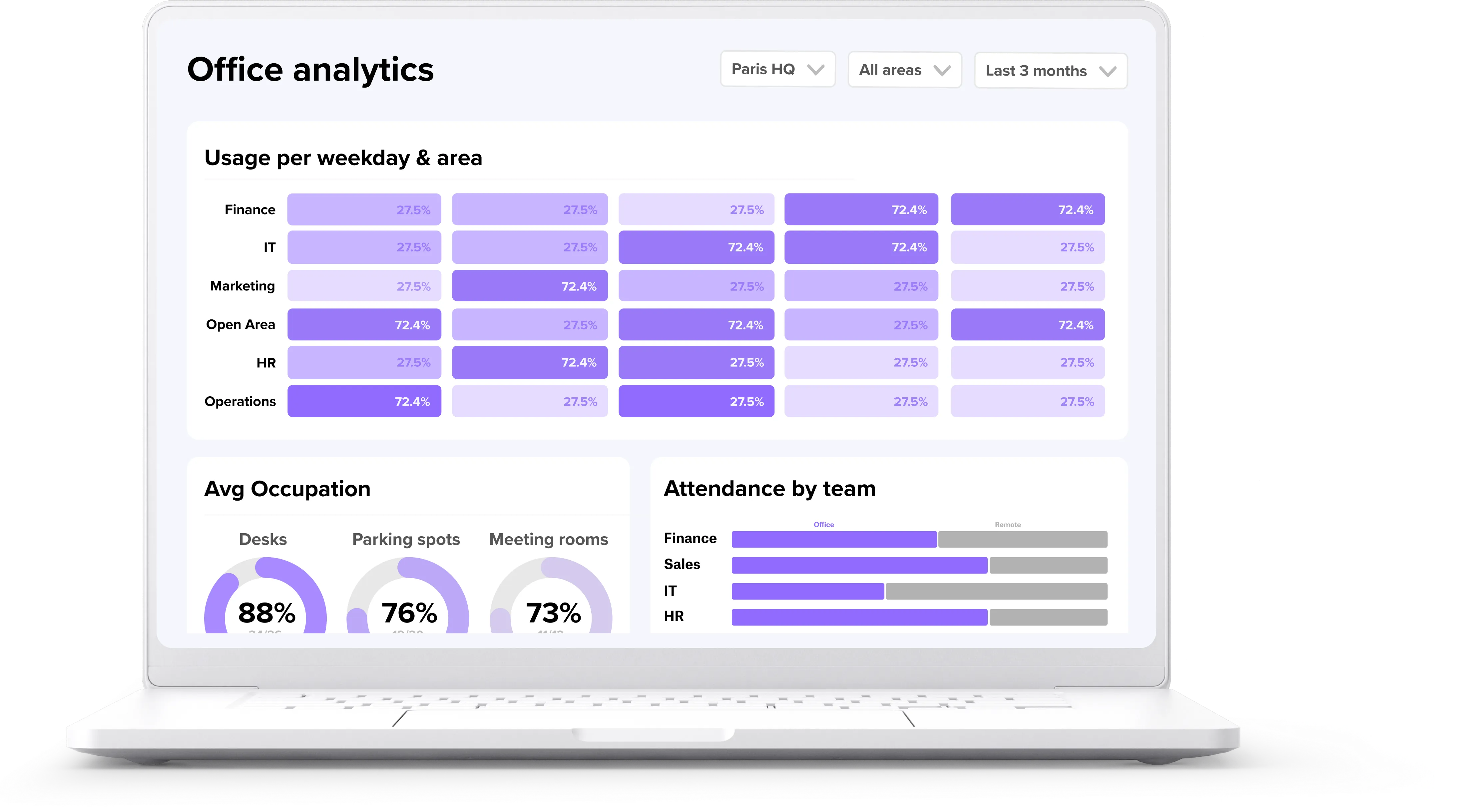
Centralized visibility means having one dashboard that shows occupancy, peak days, and utilization trends across all your offices. You get the data you need to make informed decisions about real estate, headcount, and office investment.
Relying solely on headquarters data to make choices about regional branches creates blind spots. When facilities leaders manually combine spreadsheets from 5 different offices, the data is usually outdated before the analysis begins. Each location might define "utilization" differently, making comparisons meaningless.
Real-time insights help you identify which spaces need consolidation or expansion. Your London office might feel full on Tuesdays and Wednesdays. Tuesday records the highest global occupancy at 58.6%. Meanwhile, your Berlin office might sit half-empty on those same days. Without centralized data, these patterns stay hidden.
Workplace analytics tools solve this problem by pulling booking and attendance data from all locations into a single view. You can compare offices directly, spot trends, and make defensible real estate decisions.
3. Use one platform for desk, room, and resource booking
Tool sprawl happens when different offices use different systems for the same tasks. The result is inconsistent employee experiences and duplicate administrative work across your organization.
When employees visit a different office, they should not need to learn a new booking system. The same flow that works at headquarters should work at every branch - consistency reduces confusion and increases adoption.
A single platform also gives leadership comparable data. If your New York office uses one desk booking tool and your Amsterdam office uses another, you cannot accurately compare utilization rates. The metrics might be calculated differently, or the data might be stored in incompatible formats.
Consolidating onto one workplace management platform simplifies IT maintenance as well. Your IT team manages one integration with your identity provider, one set of permissions, and one vendor relationship, reducing the ongoing maintenance burden that comes with managing multiple tools.
4. Define clear roles and responsibilities per location
Multi-office setups need dedicated local ownership to function properly. Someone at each site must be accountable for space operations, issue resolution, and employee questions. Without clear ownership, problems escalate slowly or fall through the cracks entirely.
An office lead or site manager serves as the first point of contact for local issues. They know the specific quirks of their building and can resolve most questions without escalating to central teams. A facilities team handles physical maintenance, safety protocols, and compliance requirements. An IT liaison manages software integrations, single sign-on (SSO) configuration, and user provisioning for that specific location.
Role-based access controls help formalize these responsibilities. You can give local administrators the exact permissions they need over their specific locations without compromising global security settings. The site manager in Chicago can adjust booking rules for their office without affecting settings in London.
5. Align team schedules across offices
Hybrid coordination becomes harder when teams span multiple locations. If a team has members in 3 different offices, they need visibility into who is where and when. Without this transparency, in-office days become unpredictable and collaboration suffers.
Employees need to see colleague presence before committing to a commute. When people travel to the office only to sit on video calls with teammates in another branch, they quickly lose motivation to return. The office should feel like a destination for collaboration, not a place to do the same work they could do from home.
Team scheduling tools make presence visible across all locations. Employees can see which days their teammates plan to come in, coordinate around shared rhythms, and build sustainable in-office habits. This visibility helps teams align without requiring mandates or enforcement.
6. Automate check-ins and no-show handling
A no-show happens when someone books a desk or meeting room but never arrives to use it. In many organizations, 20%–30% of meeting room bookings can go unused because of no-shows. Your exact rate will vary by office, policy, and check-in enforcement.
Automated check-ins confirm actual attendance rather than just intended attendance. Employees check in via an app or QR code when they arrive. If someone fails to check in within a set window, their booking releases automatically for others to use.
This automation keeps your data accurate and prevents artificial capacity bottlenecks. When employees see that unused desks open up automatically, they trust the system more. A "fully booked" office actually means people are there, not just that people planned to be there.
The administrative benefits add up quickly. Without automation, someone has to manually track no-shows and release bookings. With automation, the system handles this continuously across all locations without human intervention.
7. Review utilization data regularly and act on it
Data without action is just reporting. Looking at the numbers once and filing them away accomplishes nothing: you need a regular cadence to review utilization across all offices, whether monthly or quarterly.
During these reviews, focus on patterns that inform decisions.
- Which days are busiest at each location?
- What is the no-show rate, and has it changed?
- Are there mismatches between booked and actual attendance?
- Which floors or zones sit underused while others feel crowded?
Once you identify trends, use them to adjust policies or reallocate space. One office might need more collaborative spaces while another needs to reduce its overall square footage. A specific team might consistently book desks they never use, signaling a need for better communication about expectations.
When you can show exactly how space is being used across all locations, you make a stronger case for real estate decisions. The numbers hold up in board meetings because they reflect actual behavior, not guesses, and you build credibility with leadership.
Common mistakes when managing multiple offices
Avoiding common pitfalls matters as much as implementing best practices. Many organizations struggle with multi-office management because they rely on outdated methods or fragmented tools.
- Treating all offices the same ignores local context and cultural differences. What works at a 5,000-person headquarters might frustrate employees at a 250-person regional hub. Policies need a consistent core with room for local adaptation.
- Badge data alone gives you an incomplete picture. Badge swipes show building entry, not actual desk usage or team collaboration patterns. Someone might badge in, grab a coffee, and leave for an off-site meeting. Your data would show them as "present" even though they never used their booked desk.
- Delaying tool rollout to smaller offices creates an inconsistent employee experience. If your main offices use a modern booking platform while regional branches still rely on spreadsheets, you cannot compare data accurately. Employees who travel between locations face unnecessary friction.
- Skipping IT involvement causes problems later. Security concerns and integration gaps surface after rollout, creating rework and frustration. Engaging IT early ensures your solutions meet security requirements and integrate smoothly with existing identity systems.
How deskbird supports multi-office workplace management
deskbird provides the structure and visibility you need to manage multiple offices effectively. The platform handles desk, room, parking, and visitor booking in a single system, so employees experience the same flow at every location. Centralized analytics let you compare utilization, peak days, and attendance patterns across all offices in one dashboard. You can set global hybrid work rules while allowing local site managers to apply necessary overrides for their specific locations.
The platform meets enterprise security requirements with ISO 27001 and SOC 2 Type II certifications, and it is GDPR-compliant. Data is hosted in Frankfurt, Germany, under German law. Integrations with Azure AD (Microsoft Entra ID), Okta, and System for Cross-domain Identity Management (SCIM) support automatic user provisioning with minimal IT overhead.
deskbird typically reaches 90%+ adoption across 500+ companies, so your utilization data is more accurate and easier to defend in real estate decisions. When employees actually use the booking system, your utilization numbers become defensible. You can make real estate decisions with confidence because the data captures actual behavior across all your locations. See deskbird in action across all offices (https://www.deskbird.com/request-demo).

Frequently Asked Questions
Why is badge data insufficient for measuring office utilization?
How do you decide which hybrid policies to standardize versus localize?
What should you review during a monthly utilization analysis?
How does tool consolidation reduce IT maintenance burden?
When should you involve IT in a workplace management platform rollout?
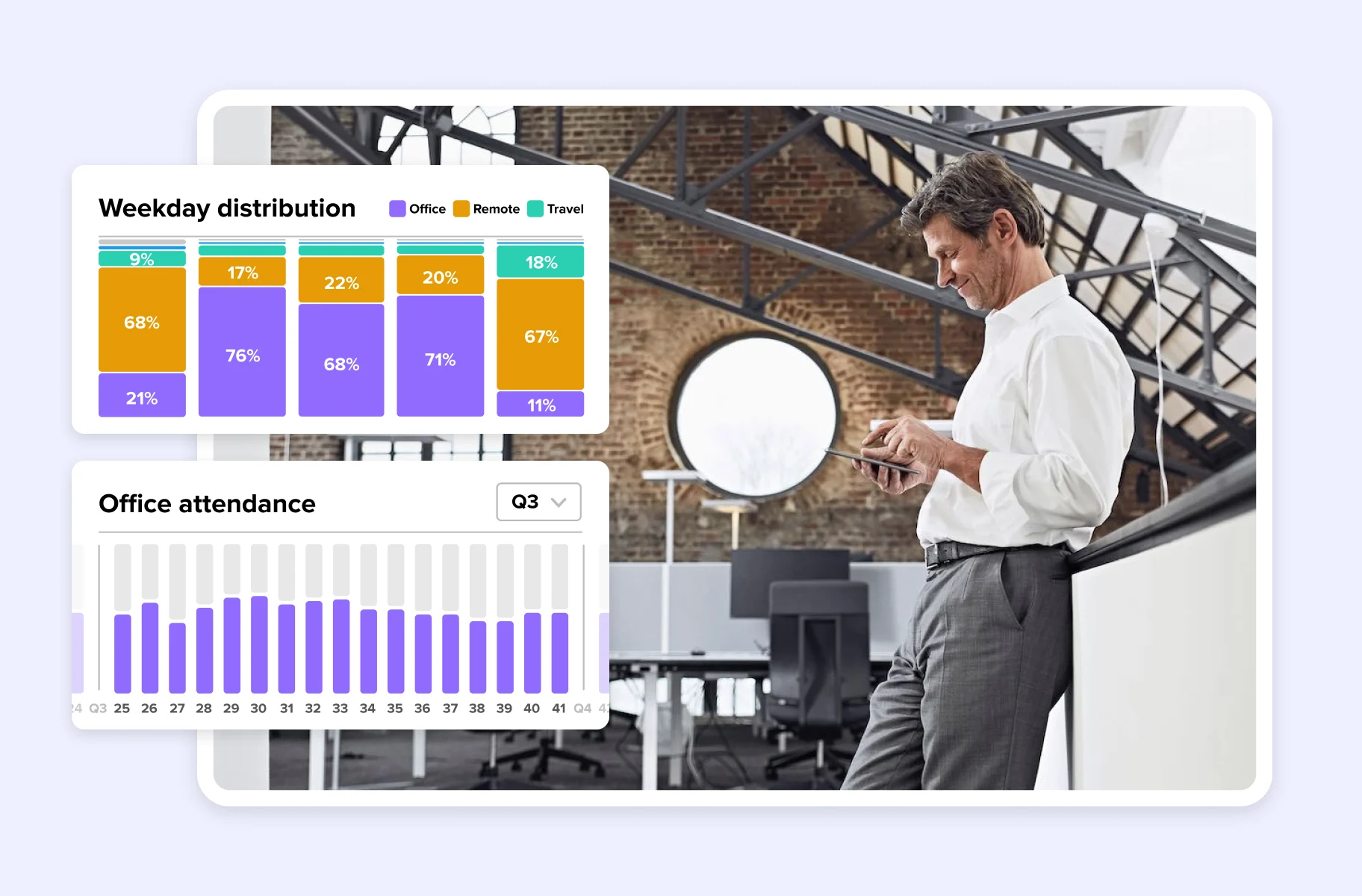
See how deskbird manages all your offices in one place
- Compare utilization, peak days, and attendance across every office in one dashboard
- 90%+ adoption rate means your space data reflects actual behavior, not just bookings
- ISO 27001, SOC 2 Type II certified, and GDPR-compliant with EU hosting
