

How deskbird works with Microsoft 365, Teams, and Outlook
TL;DR
deskbird connects directly with Microsoft 365 so employees can book desks and rooms from the tools they already use, while keeping calendars in sync automatically.
- Book a desk in Teams in as few as 2 clicks, or reserve a room in Outlook without switching apps
- Two-way calendar sync updates both systems instantly, preventing double bookings
- IT admins deploy via Entra ID with SSO and SCIM for zero-maintenance provisioning
Introduction
Microsoft 365 includes a native booking system, but it's built for service appointments, not office space. Many workplace tools that connect to Microsoft 365 only read your calendar. deskbird works with Microsoft 365, Teams, and Outlook through true two-way calendar sync, so desk and room bookings update instantly in both systems without manual entry, duplicate calendars, or double bookings.
This technical guide explains how deskbird integrates with Outlook Calendar, Microsoft Teams, and Exchange Online, how IT teams deploy the connection through Microsoft Entra ID with single sign-on (SSO) and System for Cross-domain Identity Management (SCIM), and why real-time synchronization matters for accurate space data and high adoption.
How deskbird works as a booking system within Microsoft 365
deskbird integrates with Microsoft 365 across 3 main connection points: Outlook Calendar, Microsoft Teams, and Exchange Online. Desk bookings, room reservations, and schedule status flow between systems automatically. You never enter the same information twice.
The integration works through your existing Microsoft infrastructure. When you connect deskbird to Microsoft 365, the platform reads and writes to your Exchange resource calendars, syncs with Outlook, and embeds directly into Teams. For IT teams, this approach reduces tool sprawl. Employees stay inside the apps they already use every day.
[Table1]
What two-way calendar sync means for desk and room booking
Two-way calendar sync creates a connection where information travels in both directions between deskbird and Microsoft 365. Changes made in either system update the other automatically.
Here is how it works in practice. When you book a meeting room in Outlook, that reservation instantly appears in deskbird. If a colleague cancels a room reservation in the deskbird mobile app, the Outlook calendar updates immediately to show the room is available again. Neither person needs to do anything extra.
Many older workplace tools only offer one-way sync. The software can read your calendar, but changes do not flow back to Microsoft 365. This forces employees to update their schedules in multiple places, which lowers adoption and creates inaccurate data. True two-way sync eliminates that problem entirely.
Why does Microsoft 365 calendar sync prevents double bookings?
A double booking happens when the same room appears available in Outlook but is already reserved in another system. This occurs when your workplace tools do not communicate fast enough to keep availability accurate across systems. Real-time calendar sync solves this by ensuring availability is always accurate across every platform.
Ghost reservations present another challenge. Rooms are booked on the calendar but never actually used. The room looks occupied, so other teams cannot find space for collaboration. This creates artificial scarcity, making the office feel full even when rooms sit empty.
deskbird addresses ghost reservations through smart check-ins and automated reminders. If someone fails to check in to their reserved room within a set window, the system automatically releases the space. Because of the two-way sync, this auto-release updates Exchange Online immediately. The calendar event disappears, and the room becomes available for others.
How deskbird works in Outlook for room booking
The deskbird Outlook add-in lets you find and reserve meeting spaces directly from your email client. No switching apps. No learning a new interface. Open your calendar, create a new meeting, and use the add-in to filter available rooms by capacity, equipment, or location.
The integration connects deeply with Exchange room calendars. deskbird rooms map to your Exchange room mailboxes, so they appear alongside native Exchange rooms in your directory. When you select a room and add attendees, the reservation syncs to deskbird automatically in the background.
External attendees and guests receive standard Outlook calendar invites with all the necessary room details. They do not need a deskbird account or any special software to see where the meeting takes place. The experience stays simple for everyone involved.
How deskbird works in Microsoft Teams for desk booking
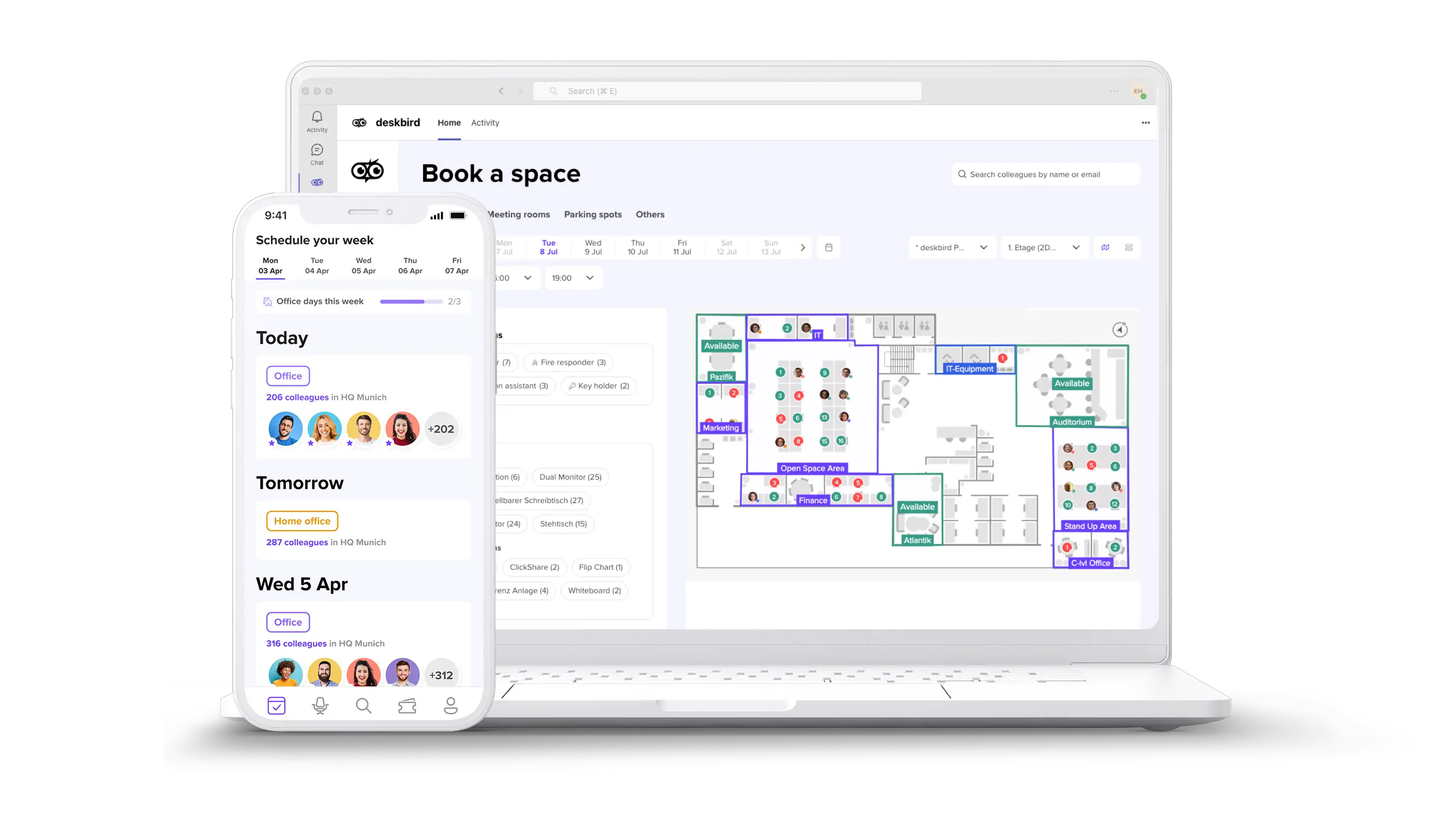
The integration between deskbird and Microsoft Teams brings hybrid work coordination directly into your company's main communication hub. You can view interactive floor plans, see where colleagues are sitting, and reserve a workspace without leaving Teams. Booking a desk often takes 2 clicks.
Visibility is a core part of successful hybrid work. Through the Teams app, you can check office presence to see which colleagues plan to be in before committing to a day. Your teams coordinate shared office days naturally. No one commutes to an empty office.
Because Teams uses Outlook and Exchange as its underlying calendar system, presence data and week planning stay in sync automatically. Employees manage their hybrid schedule without switching tools, which is the main reason adoption holds. deskbird reaches 90%+ adoption across enterprise deployments, and that number matters: utilization data is only reliable if people actually use the system. Real estate leaders can only make confident space decisions when the underlying data reflects what's actually happening in the office.
How to set up deskbird with Microsoft 365
Setting up the integration requires a few straightforward steps from your IT department. The process is designed for enterprise environments with secure connections and zero-touch provisioning.
Connect identity and sign-in with Entra ID
IT admins begin by configuring single sign-on (SSO) via Entra ID, formerly known as Azure AD. This step includes setting up SCIM for automatic user provisioning and deprovisioning. The setup requires a one-time admin consent flow to establish the secure connection.
When an employee joins or leaves the company, their access updates automatically. No manual IT intervention required. This eliminates the maintenance burden that comes with managing user accounts across multiple systems.
Enable calendar sync in deskbird
Administrators enable the calendar connection within the deskbird settings dashboard. This step requires Exchange Online permissions to allow both systems to communicate. Organizations maintain full control over privacy settings, ensuring only necessary availability data is shared between platforms.
Map Exchange room calendars to deskbird rooms
Admins then link existing room mailboxes in Exchange to the corresponding physical rooms in deskbird. This mapping process enables the two-way sync for meeting rooms across the organization. Once mapped, any reservation made in either system reflects accurately across both platforms in real time.
Run a test booking
We recommend a quick validation step before rolling out to employees. Book a room in Outlook and confirm it appears in the deskbird dashboard. Then book a desk in deskbird and verify that the reservation shows up correctly on the user's Outlook calendar.
Common Microsoft 365 calendar sync issues and how to fix them
Even with a robust enterprise setup, IT teams occasionally encounter minor synchronization issues. Here are the most common problems and their solutions.
[Table2]
Security and privacy for Microsoft 365 calendar integrations
Enterprise organizations require strict data protection when connecting third-party platforms to their Microsoft 365 environment. deskbird meets the highest enterprise security standards out of the box.
deskbird hosts customer data in Germany, and is GDPR-compliant. The platform maintains ISO 27001 and SOC 2 Type II compliance. deskbird requests only the exact permissions needed for booking synchronization, following the principle of least-privilege access. The calendar sync accesses only the data needed to create, update, and cancel bookings, based on the permissions you approve. It does not access email message content or meeting notes.
For IT teams evaluating integration security, deskbird provides detailed documentation on the specific Microsoft Graph API permissions required. This transparency helps security reviews move faster.
How deskbird supports Microsoft 365 integration for hybrid workplaces
deskbird serves as the coordination layer that hybrid teams need, sitting on top of your existing Microsoft 365 infrastructure. By embedding desk booking, room management, and office presence directly into Teams and Outlook, deskbird removes friction that often blocks adoption.
The connection between ease of use and accurate data is direct. Enterprise-grade capabilities only deliver a return on investment if employees actually use the tool. When a workplace management platform achieves high adoption, facilities leaders finally get the accurate utilization data they need to make defensible decisions about office space.
With reliable data flowing from Microsoft 365 into deskbird, you can right-size real estate and reduce unused capacity. Identify underutilized zones. Maximize office ROI while keeping ongoing IT maintenance low. See it live with a demo of deskbird as your Microsoft 365 booking system.

Frequently Asked Questions
Does deskbird sync with Outlook and Teams calendars automatically after initial setup?
What calendar system does Microsoft Teams use for deskbird bookings?
How does deskbird match users between Microsoft 365 and the deskbird platform?
Can external meeting attendees see room booking details without a deskbird account?
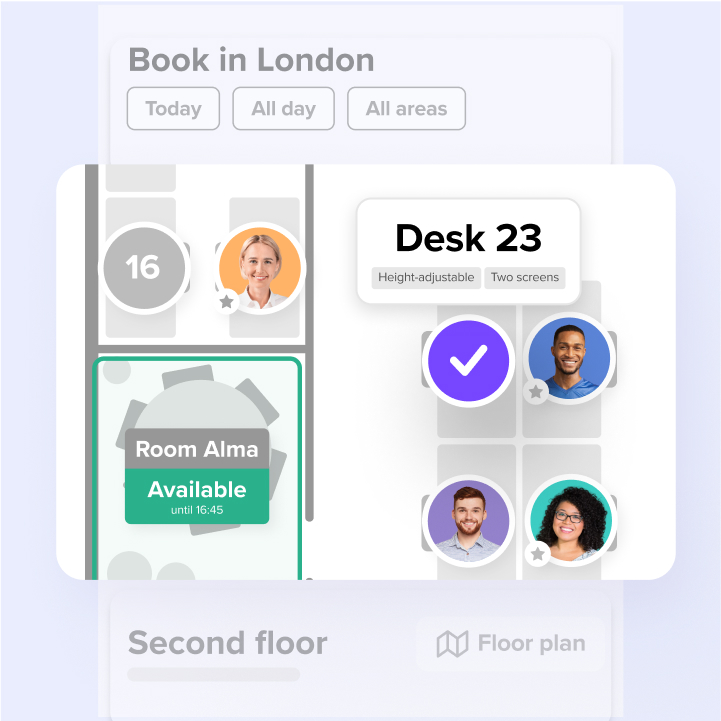
Use deskbird as your Microsoft 365 booking system
- Book a desk in Teams in 2 clicks, rooms in Outlook without switching apps
- Two-way sync with Exchange Online prevents double bookings in real time
- 90%+ adoption across 500+ companies gives you utilization data you can act on
