
.jpeg)
How to choose desk booking software: All you need to know
Desk booking software lets employees reserve desks, rooms, and other office resources before coming in. For hybrid teams, it prevents double bookings, gives managers real utilization data, and helps employees coordinate office days with their teams. The right tool should work inside the apps your team already uses, require no training to adopt, and give you accurate data, not just booking intent.
Introduction
Most hybrid offices weren't designed for how people actually work today. Employees come in on different days. Some teams cluster on Tuesdays while Fridays sit nearly empty. Global office attendance has stabilized at around 54% of pre-pandemic capacity, yet most offices still manage space the same way they did when everyone had an assigned desk. The result is overcrowded peak days, wasted space on quiet ones, and no reliable data to make decisions from.
Instead of having a dedicated space for each employee, companies that implement a desk booking system can optimize their workspace utilization, adapt to the changing needs of their workforce, and introduce more flexibility into their daily operations.
Desk booking, also known as hot desking or flexible seating, offers an innovative solution to traditional workspace environments that can improve productivity, employee satisfaction, and space efficiency. This article answers the most common questions about desk booking software: what it does, why it matters, what to look for, and how to get the most out of it.
What is desk booking software?
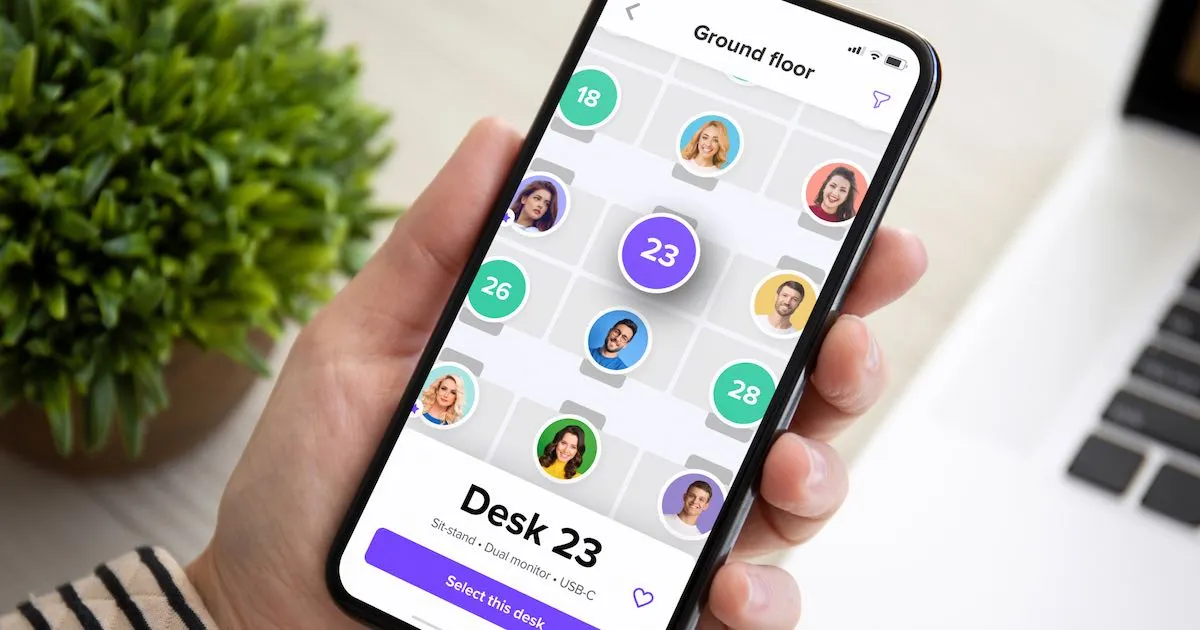
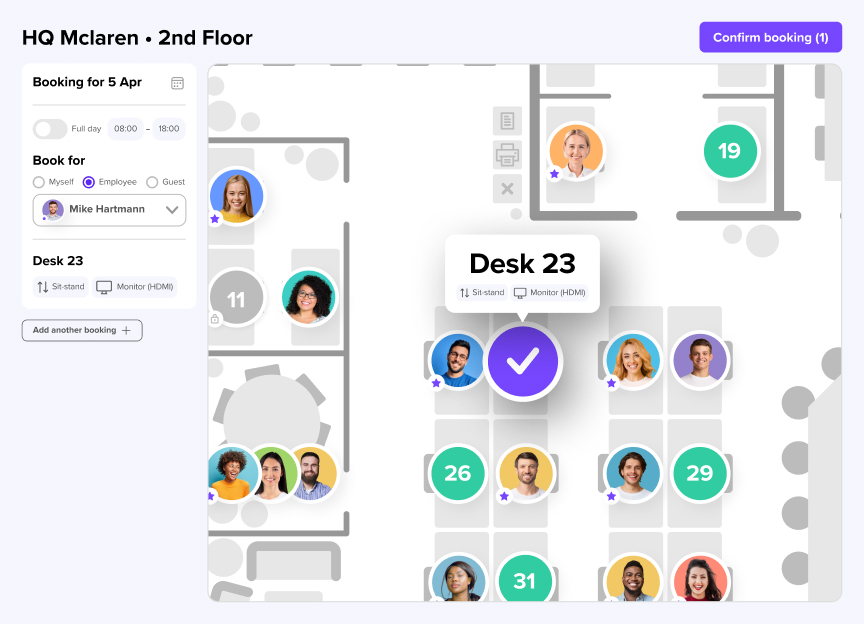
Desk booking software lets employees reserve a desk before coming into the office, instead of relying on assigned seating or first-come, first-served. Employees see real-time availability on an interactive floor plan, pick a spot that fits their needs, and confirm their booking in a few clicks.
In a hybrid office, not everyone comes in every day. Some employees are on-site 3 days a week; others only once. Without a booking system, this creates confusion: desks sit empty while other areas get overcrowded, and nobody has accurate data on how space is actually being used.
Desk booking software turns space management into a system. Employees plan their week, book a desk, and show up knowing exactly where they'll sit. Workplace managers get reporting on occupancy trends, peak days, and no-show rates to make informed decisions about office layout and capacity.

Why is desk booking software essential
Desk booking matters because hybrid work creates an imbalance between people and space that manual coordination can't manage at scale. Owl Labs' 2025 State of Hybrid Work report found that most hybrid employees now come into the office 3 to 4 days per week, up from previous years. At the same time, attendance consistently clusters midweek, with Tuesdays peaking and Fridays nearly empty.
That uneven distribution creates 2 problems. First, peak days get overcrowded; second, the quiet days produce workspace data too unreliable to base real estate decisions on.
Desk booking solves both: it distributes demand more predictably and generates check-in data that reflects what employees actually did, not just what they planned to do. And it gives workplace leaders numbers they can use: occupancy rates, peak-day patterns, no-show rates, rather than gut feel.
For teams still managing this in spreadsheets or shared calendars: that approach breaks fast. It doesn't scale past a few dozen people, and it produces none of the data you need to justify or adjust your space strategy.
What features should you look for in desk booking software?
The right desk booking tool should make booking effortless for employees and give admins meaningful control. Here are the features that matter most.
- Interactive floor plan. Employees see real-time availability and choose desks visually, without guessing.
- Colleague visibility. Employees see who's in and sit near teammates without extra coordination.
- Check-in and auto-release. Prevents ghost bookings and keeps utilization data accurate.
- Integration with Teams/Outlook/Slack. Employees book where they already plan their day, leading to higher adoption.
- Mobile app. Employees book, check in, and manage bookings on the go.
- Booking rules and policies. Enforce team zones, hybrid policy, and booking windows automatically.
- SCIM/SSO provisioning. Zero-maintenance for IT; no manual user management.
- Workplace analytics. Real occupancy data to optimize layouts and justify space decisions.
The most underrated feature is integration depth. A tool that requires employees to open a separate app adds friction at every booking. That friction reduces adoption and when adoption drops, utilization data becomes unreliable, which defeats the point of having the system at all.
Benefits of desk booking software
- Space efficiency: one of the most significant advantages of desk booking is the efficient utilization of office space. It eliminates the need for a desk for each employee, which can be particularly beneficial for companies with many remote or part-time workers.
- Cost savings: by optimizing space utilization, organizations can reduce the office space they need, leading to considerable cost savings in rent and utilities.
- Enhanced collaboration: desk booking encourages employees to sit near different colleagues daily, fostering cross-departmental collaboration and networking.
- Flexibility and autonomy: employees can choose where they sit, boosting morale and job satisfaction. This flexibility particularly appeals to the modern workforce, which values autonomy.
- Adaptability: the best systems allow companies to quickly adapt their office layout to changing business needs, such as scaling up or down or rearranging departments.
Can desk booking software integrate with existing tools?
Yes. The best platforms integrate directly into the tools your teams already use, so employees don't need to change their workflow to book a desk.
For Microsoft 365 organizations, that means booking from inside Teams or Outlook. For instance, with deskbird's Microsoft Teams app and Outlook Add-In, employees can book a desk or meeting room without leaving their calendar. Bookings sync automatically, so there's no risk of overlap. For teams using Slack, desk booking happens directly inside channels and for HR system users, deskbird connects with most major HRIS platforms so employee data stays consistent across tools.
The practical benefit is adoption. When booking happens inside tools employees already open every day, the habit forms naturally. That translates into better data and better data means better decisions.
Can employees book more than just desks?
Yes. Modern desk booking platforms handle more than desks. Employees can typically book:
- Meeting rooms, with filtering by capacity, equipment, and location
- Parking spots, particularly valuable in offices with limited parking
- Lockers, useful for hybrid employees without permanent storage
- Other shared resources such as phone booths, collaboration zones, or specific equipment
This matters because a desk booking system that doesn't extend to other resources creates gaps. An employee who can't park their car or book a room for their 9am meeting hasn't had a good office day, even if their desk was waiting for them.
The goal is to manage the whole arrival experience, not just the desk itself. When employees can plan their full day in one place, they're more likely to show up and more likely to actually use the system. You can explore how deskbird handles room booking and resource management as part of one unified platform.
How does desk booking software handle ghost bookings?
Ghost bookings are desks reserved but never used. These are one of the most common problems in hybrid offices, as theymake utilization data unreliable and frustrate employees who can't find a desk on a busy day.
The standard solution is auto-release: if an employee doesn't check in within a set window after their booking starts (typically 15 to 45 minutes), the desk is automatically released back into the available pool. Some platforms also send a reminder notification before the window closes.
deskbird handles this through smart check-in, which employees complete from their phone or via a QR code at the desk. Because check-in data reflects who actually showed up (not just who booked), the utilization numbers in your analytics are accurate. That's the key distinction between booking intent and actual attendance. Only the latter is useful for real estate decisions.
What makes a desk booking system actually get adopted?
Adoption is the most important metric in desk booking software, and it's the one most vendors don't talk about honestly. A tool that only 40% of employees use gives you 40% of the data you need. You can't make confident space decisions with that and the fewer people use it, the more it feels like a burden rather than a benefit.
3 factors drive adoption consistently:
- No new app to learn. Booking should happen inside tools employees already use: Teams, Outlook, or Slack. Every extra step reduces compliance.
- A fast, intuitive experience. If it takes more than 2 clicks to book a desk, you'll lose people.
- Visible value for employees. Colleague visibility, seeing who else is in and sitting nearby, gives employees a reason to use the system every day, not just when required.
This is why deskbird reaches 90%+ employee adoption across 500+ companies. And why that adoption rate translates into utilization data that workplace teams can actually trust.
Implementing desk booking software
Implementing a desk booking system may seem daunting, but it can you can make it a smooth transition simply adopting the right approach. The key is understanding your organization's unique needs and setting clear objectives for what you want to achieve through desk booking.
Assess current workspace
The first step in this process is thoroughly assessing the organization's current workspace usage and needs. This involves understanding how employees work, their mobility within the office, and identifying existing challenges with the current seating arrangement. By analyzing these factors, you can tailor the desk booking system to address specific issues: underutilized space, congested areas, or a lack of collaborative spaces.
👉 Get a clear overview of your desk/employee ratio with our hybrid office calculator.
Setting goals
Once the assessment is complete, setting clear goals for adopting the desk booking software is crucial.
- If the primary objective is cost-saving, the focus might be optimizing space usage to reduce the need for a larger office footprint. I
- f enhancing collaboration is the goal, the system should facilitate easy employee movement and interaction.
- If increasing productivity is the aim, the system might include features that allow employees to book desks near the resources they need most.
Involving employees
Communication is another vital element in successfully implementing a desk booking system. Clear, consistent, and transparent communication about the reasons for the change, how it will work, and the benefits it brings is essential. Involving employees in decision-making is another critical aspect. Since they are the system's end-users, their insights and feedback can be invaluable.
This involvement can take many forms, from surveys and focus groups to trial periods and feedback sessions. Gathering input on what employees need from their workspace to function effectively can guide the design and features of the desk booking system.
Technical decision
Finally, the technical aspect of implementing a desk booking system also needs careful consideration. Choosing the right software or platform for your team works is crucial. The system should be user-friendly, reliable, and scalable, integrate seamlessly with the organization's other tools and systems, such as calendars and communication platforms. Additionally, it should be capable of providing insights and data on usage patterns, which can be invaluable for further optimization and adjustments.
How deskbird handles desk booking for hybrid offices
deskbird is a workplace management platform built for hybrid work and focus on great experience for everyone, from managers and admins to employees.
- For IT teams: deskbird supports SCIM, Azure AD/Entra ID, and Okta for zero-maintenance provisioning. No manual user management. The platform is ISO 27001 certified, SOC 2 audited, GDPR compliant, and EU-hosted in Frankfurt.
- For facilities teams: the analytics dashboard gives you real occupancy data based on check-ins, not just bookings. You can track peak days, utilization by zone, and no-show rates. That data is what enables the office space optimization decisions that reduce costs.
- For employees: book desks, rooms, parking spots, and other resources through an interactive floor plan. Booking takes 2 clicks. The colleague view shows who's in and where they're sitting. And because the experience lives inside tools they already use, there's no new habit to build.
Book a demo to see how it works for your office.

Frequently Asked Questions
What is desk booking software?
Desk booking software lets employees reserve a desk or workspace before coming into the office. It shows real-time availability on an interactive floor plan, handles check-in and auto-release of unused desks, and gives workplace managers analytics on how space is actually being used. It is designed for hybrid offices where not everyone has a permanently assigned seat.
How much does desk booking software cost?
Pricing varies by model. Per-user tools like deskbird start from €2.50 per user per month billed annually. Space-based tools charge by the number of bookable resources. Enterprise platforms typically use quote-based pricing. Always check what is included at the base tier, as analytics, integrations, and admin controls are often locked behind higher plans.
What is the difference between hot desking and desk booking?
Hot desking is the workspace model where employees do not have assigned seats and use whatever is available. Desk booking is the system that makes hot desking work at scale. Employees reserve a desk in advance, check in on arrival, and the platform tracks who sat where and when. Without booking software, hot desking tends to create peak-day overcrowding and no usable data on how space is being used.
How does desk booking software prevent ghost bookings?
Ghost bookings are handled through auto-release. If an employee does not check in within a set window, typically 15 to 45 minutes after the booking starts, the desk is released automatically. Some platforms send a reminder before the window closes. This keeps availability accurate and ensures utilization data reflects actual attendance, not just intent.
Can you mix hot desking and assigned seating in the same office?
Yes. Most platforms, including deskbird, support hybrid setups where some desks are permanently assigned and others are available for flexible booking, all on the same floor plan. This works well for teams with a mix of full-time office employees and those on a 2 or 3-day hybrid schedule.
What makes deskbird the best desk booking software for hybrid offices?
It's so simple and user-friendly. Without training, employees can see who is in, book a desk in seconds, and all of that in the existing tech stack. That is why many teams consider it the best desk booking software for hybrid offices.
Make desk booking simple, fast, and flexible
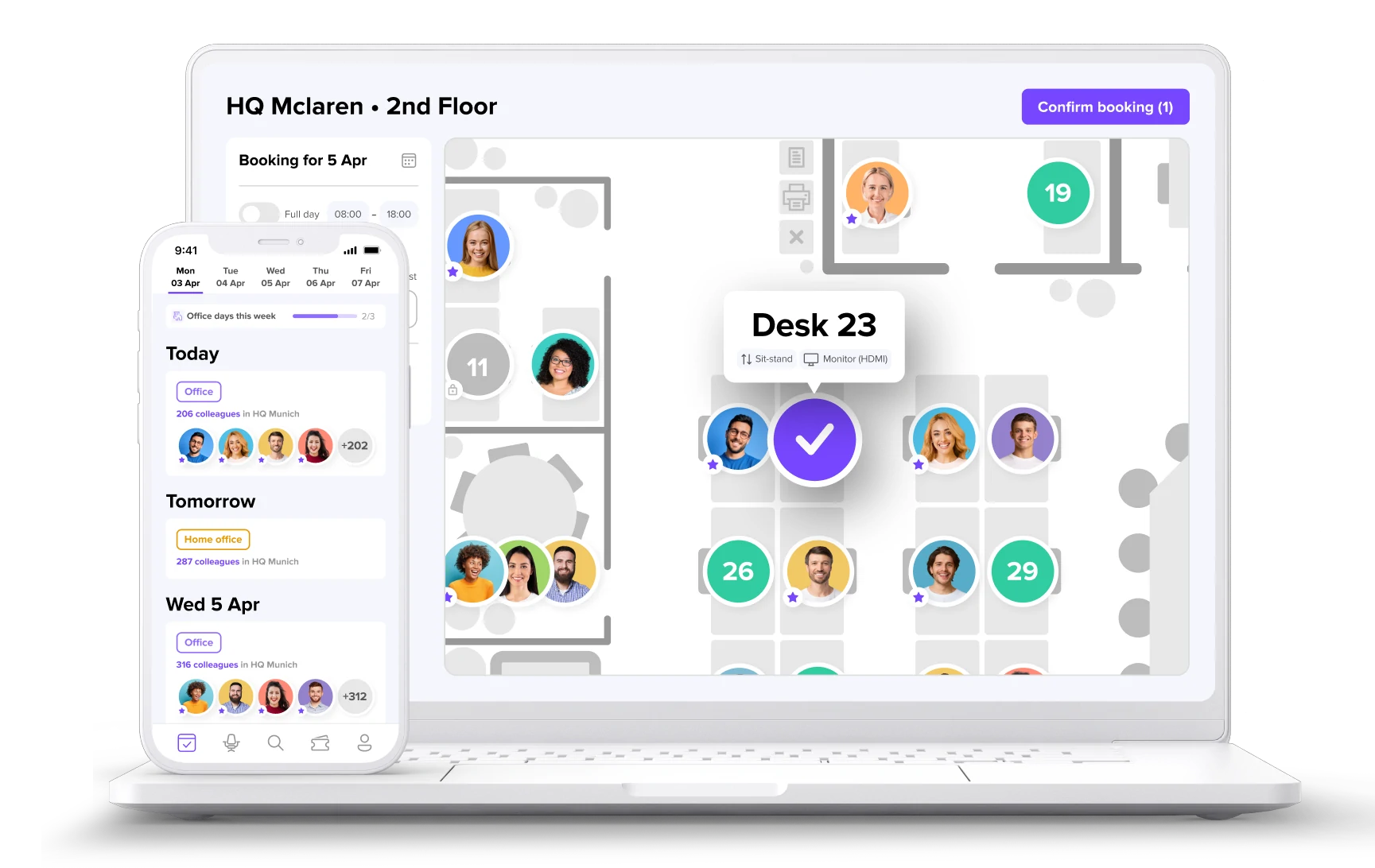
- Book desks in seconds from desktop or mobile
- See who’s in the office and plan better collaboration
- Track occupancy to optimize space and reduce costs